Send Within Two Hours: Demo Follow Up Email for Sales Reps

The best demo follow up email goes out within two hours of your call, names the exact priority your prospect mentioned, and ends with one dated next step instead of an open-ended question. Speed and specificity beat length every time. In the first two hours, personalize one line, propose one calendar slot, and attach one piece of proof (a case snippet, a short trailer, a pricing page). That structure carries the rest of this guide.
TL;DR:
- Sending a demo follow-up within two hours is crucial to secure a larger share of deals, especially since early responders often win up to half of the sales.
- Using simple, repeatable templates with one personalized line, one calendar proposal, and one proof link helps reps send effective emails quickly across high- and mid-market deals.
- Short subject lines and opening sentences that focus on the prospect’s stated objectives significantly improve open and response rates.
- Incorporating one or two short, hosted videos in the sequence can boost engagement, especially when emphasizing view-depth rather than just open rates.
- Automating follow-up workflows with AI tools reduces manual tasks, accelerates response times, and increases the chances of progressing deals.
Table of Contents
- Ready-To-Use Templates for Your Post-Demo Follow-Up Email
- When Should You Send Each Follow-Up Touch?
- What Subject Lines and Openers Get Opened?
- Should You Use Video in Your Follow-Up Sequence?
- Templates for No-Shows, Stalled Deals, and Competitive Evals
- How Do You Choose the Right Call to Action?
- What Sellers Actually Get Wrong About Follow-Up
- A Faster Way to Send Every Demo Follow-Up
- Sources
- FAQ
Ready-To-Use Templates for Your Post-Demo Follow-Up Email
A demo follow up email works best when it’s boring to write and interesting to read. That means a repeatable skeleton with a handful of tokens you swap out per deal. Here’s the anatomy every template below follows: a subject line under seven words, a two to four sentence body, one link (proof or calendar), and exactly one call to action.
Swap in the bracketed tokens: [Company], [Pain Point], [Date/Time], [Stakeholder Name].
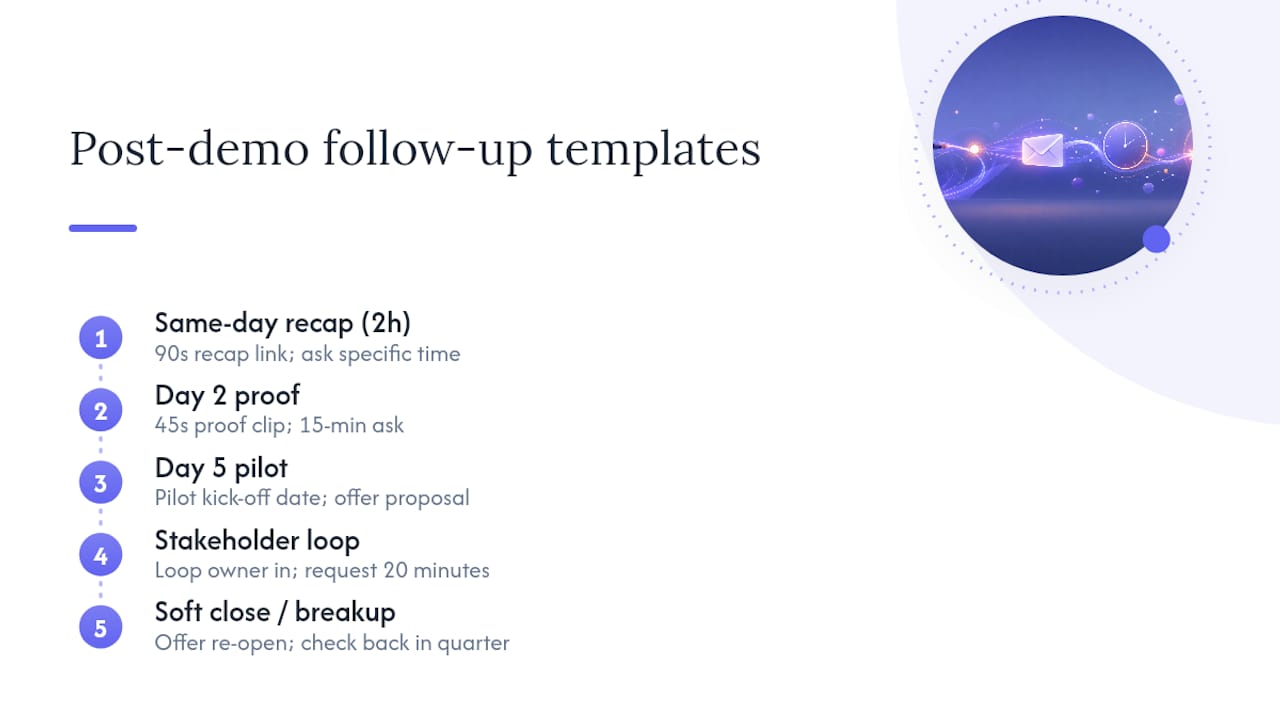
1. Same-day recap (send within 2 hours) Subject: “[Company] + [Your Company]: next step” “Thanks for the time today, [Name]. You mentioned [Pain Point] is costing your team hours every week. Here’s a 90-second recap of what we covered: [link]. Does Thursday at 2pm work for a quick follow-up with [stakeholder]?”
2. Day 2 proof email Subject: “One example for [Company]” “Quick one: a team similar to yours cut onboarding time by automating the exact step we discussed. I pulled a 45-second clip showing how [link]. Worth 15 minutes Thursday or Friday?”
3. Day 5 pilot/timeline anchor Subject: “Rolling out by [Month]?” “If [Company] wants to be live before [Month], we’d need to kick off a pilot by [date]. I can send a proposal outlining scope and pricing today if that timeline still works. Should I send it?”
4. Stakeholder loop Subject: “Looping in [Stakeholder Name]” “[Name], looping in [Stakeholder] since they’ll own [specific area] once this rolls out. [Stakeholder], quick context: we’re solving [Pain Point] for [Company]'s team. Can you grab 20 minutes this week?”
5. Soft close / breakup Subject: “Should I close your file?” “Haven’t heard back since our demo, so I’ll assume priorities shifted. If [Pain Point] is still on your radar, reply and I’ll pick this back up. Otherwise, I’ll check back in a quarter.”
Keep every template under 150 words. If a rep can’t personalize the bracketed tokens in under 90 seconds, the template is too complicated for daily use.
When Should You Send Each Follow-Up Touch?
Timing decides more of your outcome than wording does. Sending the initial demo follow-up within two hours matters because responding first captures a disproportionate share of deals — some estimates put the first responder’s advantage at 35 to 50% of the eventual sale. That window is tight but manageable if you build it into your process instead of your memory.
Two-hour SLA checklist:
- Draft the recap template before the call ends, filling in only the pain point and proposed slot.
- Attach one proof link (case example or short trailer) that’s already saved to a template library.
- Send from your calendar tool so the dated slot auto-populates.
Two cadence frameworks work well depending on deal complexity:
- Three-touch rapid cadence (single-contact SMB deals): Day 0 recap, Day 2 proof point, Day 5 direct ask with a deadline. This short sequence performs well because three focused touches often outperform long sequences when demo signals are strong.
- Four-touch conversion window (multi-stakeholder mid-market deals): Day 0 recap, Day 2 add a stakeholder, Day 5 proof plus pricing anchor, Day 10 soft close. This matches the pattern Sendspark documents across successful follow-up sequences.
Set a CRM reminder at each touch point, leveraging CRM & lead automation tools to streamline tasking and follow-up workflows, and switch channels (a call or LinkedIn message) if you get no reply by Day 5. RAIN Group’s research on follow-up frequency backs this up directly: most demos don’t close on the call, and deals commonly require five or more touches before a decision gets made. If your team is inconsistent about hitting that two-hour window, an AI demo follow-up tool that auto-drafts personalized emails removes the excuse of “I’ll do it tonight.”
What Subject Lines and Openers Get Opened?
A subject line’s only job is to earn the open. Five patterns test consistently well:
- Recap format: “[Company] + [Your Company]: notes from today”
- Question format: “Quick question on [Pain Point]”
- Timeline format: “Live by [Month]?”
- Proof format: “One example worth 45 seconds”
- Direct format: “Next step for [Company]”
Keep subject lines between five and seven words. Anything longer gets truncated on mobile, where most demo follow-ups get their first read.
Your opening sentence matters just as much. Lead with the buyer’s stated objective, not with your product. “You mentioned [Pain Point] is your biggest blocker before Q3” beats “Thanks for joining today’s demo” every time, because it proves you listened before you ask for anything.
Test these variables in pairs, not all at once: subject line phrasing, opener structure, and CTA format. Track three numbers: open rate, click-to-play rate on any linked proof, and booked-next-step rate. That last metric matters more than the first two combined, since booked next step and demo-to-pilot conversion are better early indicators of follow-up performance than raw opens.
Should You Use Video in Your Follow-Up Sequence?
Video works as a pattern interrupt, not a default. Use it at exactly one or two high-leverage touches, typically the same-day recap or the Day 2 proof email, because a short trailer used sparingly converts better than another block of text when the sequence would otherwise be all words.
Never embed a video file directly in the email. Most email clients block embedded playback outright, so the standard practice is a clickable thumbnail that links to a hosted page. Place the thumbnail after your opening sentence, not before it, so the buyer has context before they click anything.
A 45 to 60 second clip should follow a tight structure: open with the context from the call, state why it matters to this specific buyer, deliver one insight or proof point, and close with the same CTA as your email. Video guides recommend keeping clips under a minute and pairing them with, not replacing, your written ask.
View-depth is the signal worth watching. A prospect who watch to completion is telling you something an open rate never will, and it deserves an immediate high-touch response, not a wait-and-see approach. Syncing that signal to your CRM means your highest-intent prospects surface automatically instead of getting buried in a shared inbox.
Anyone who watches a full trailer has already sold themselves halfway. Treat every open rate as noise until view-depth tells you who’s actually paying attention.*
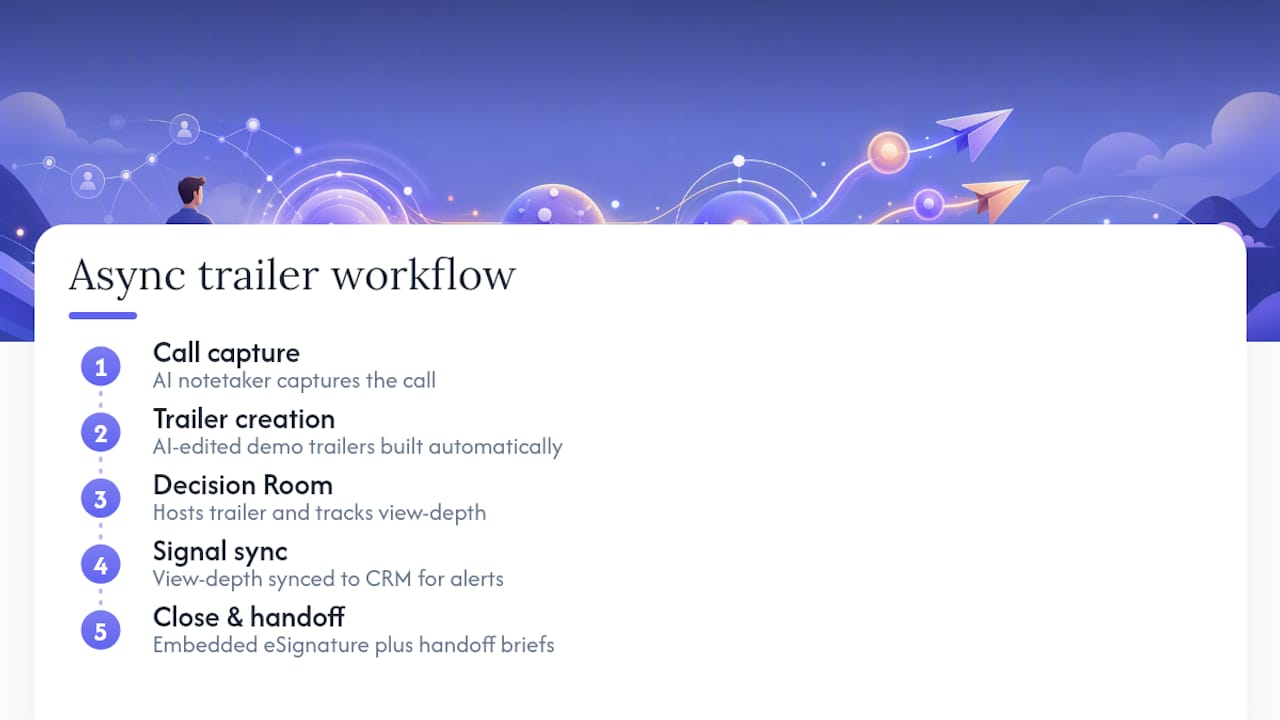
This is the exact model TrailerCast runs on operationally: an AI notetaker captures the call, AI-edited demo trailers get built automatically from the recording, a Decision Room hosts the trailer and tracks who watches how much, and embedded eSignature plus handoff briefs carry the deal through close. Teams using a use case built around tracked async video get the view-depth signal without building a tracking spreadsheet by hand.
Templates for No-Shows, Stalled Deals, and Competitive Evals
Not every demo follow up email is a straight recap. Some situations need a different script entirely.
No-show or reschedule: “Looks like today’s time didn’t work. I’ve got two open slots: Wednesday 10am or Thursday 3pm. Which one fits?”
Stalled deal (no reply after 5+ days): “Wanted to check in, [Name]. I looped in [Stakeholder] since this touches their team directly. Also attached a 60-second clip showing exactly the piece we discussed: [link].”
Competitive evaluation: “Since you’re comparing a few options, want to set up a focused 20-minute technical Q&A or a pricing breakdown? Whichever helps you decide faster.”
Pilot or proof-of-value proposal:
- Propose a defined pilot window (commonly 14 to 30 days).
- Set an explicit Day 7 check-in on the calendar before the pilot starts.
- Name two or three success metrics up front, not after the pilot ends.
- Confirm who signs off on “success” before you begin.
Each script stays under 80 words. The goal isn’t creativity. It’s giving a rep something they can send in under a minute without reinventing the wording for every deal.
How Do You Choose the Right Call to Action?
Match your CTA to the signal strength from the demo, not to habit. A binary choice (“does Thursday or Friday work?”) suits early-stage deals where you’re still earning trust. A specific calendar slot suits deals where the buyer already showed urgency. “I’ll send a proposal” suits deals where pricing and timeline are already confirmed verbally.
- Binary choice: low commitment, use early in the cycle.
- Dated slot: medium commitment, use once a pain point is confirmed.
- Send proposal: high commitment, use only after budget or timeline is discussed.
When looping a new stakeholder, give one line of context and ask permission rather than dropping them into a thread cold. Adding a stakeholder around Day 2 or 3 reduces single-point-of-failure risk on deals that depend on one champion.
Pro Tip: Vague CTAs like “let me know your thoughts” are the single most common reason a good demo goes quiet. Replace every open-ended question with one specific ask.
What Sellers Actually Get Wrong About Follow-Up
Most demo follow-up advice assumes reps have unlimited time to personalize every email. They don’t. The realistic fix is building a small set of templates with two or three swappable tokens, plus a calendar link that removes the back-and-forth on scheduling entirely.
The metric that matters isn’t open rate. It’s whether the next step gets booked and whether the opportunity actually advances afterward. Everything else is a proxy.
— Daniel
A Faster Way to Send Every Demo Follow-Up
Most of what slows down a demo follow up email isn’t the writing. It’s the manual work behind it: scrubbing through a recording to find the right clip, rebuilding a recap from memory, and guessing which stakeholder actually opened anything. An AI sales platform removes that manual layer entirely.

An AI notetaker joins your call and produces a structured summary automatically. From that same recording, TrailerCast builds an AI-edited demo trailer in minutes, no editing software required, and drops it into a branded Decision Room where you can see exactly who watched, how far they got, and who they forwarded it to. Embedded eSignature and automated handoff briefs carry the deal through close without a separate tool for each step. For sales teams running multi-stakeholder deals, that means the same-day recap and the stakeholder trailer stop being separate manual tasks and become one workflow. Every seat gets every feature at $59/seat per month billed annually, with a free trial and no credit card required. Start a trial and send your next demo follow-up from inside the same workspace that recorded the call.
Sources
The cadence, timing, and template guidance above draws on practical playbooks worth reading in full: Sendspark’s post-demo follow-up templates, RevenueFlow’s demo follow-up email templates, Do What Matter’s scripts and cadence guide, and Repliq’s guide to personalized video in follow-up sequences. For real campaign examples, Navattic’s roundup of interactive demo follow-ups and LinkedIn’s follow-up techniques breakdown are both worth bookmarking.
- Post-Demo Follow-Up Templates That Close Deals | Sendspark
- 13 Demo Follow-Up Email Templates to Close More Deals | RevenueFlow
- Demo follow up email that gets a next step scripts + cadence | Do What Matter
- How to Use Personalized Videos in Sales Follow-Up Sequences | Repliq
FAQ
How Do I Politely Send a Follow-Up Email After a Demo?
Lead with something specific from the call, like the prospect’s stated priority, before you ask for anything. That single move makes a follow-up read as attentive rather than pushy.
Can You Give an Example of a Follow-Up Email After a Meeting?
Yes: “Thanks for the time today, [Name]. You mentioned [Pain Point] is your biggest blocker right now. Here’s a quick recap: [link]. Does Thursday at 2pm work for a follow-up with [stakeholder]?” That structure covers gratitude, specificity, proof, and one clear ask.
How Do I Professionally Say I Will Follow Up?
Name a specific day and action instead of a vague promise. “I’ll send a proposal by Thursday” reads as reliable; “I’ll follow up soon” reads as filler and often gets ignored.
How Do I Politely Remind Someone About a Meeting or Next Step?
Reference the original context in one line, then repeat the same dated CTA from your last email rather than inventing a new ask. Consistency across touches reduces the friction that causes stalls.
What Does TrailerCast Cost?
TrailerCast runs one plan with every feature included, starting from $59 per seat per month billed annually, with a free trial and no credit card required to start.