Top 3 Client Onboarding Tool Alternatives 2026
Managing buyer collaboration, deal handoff, and stakeholder engagement across disconnected sales tools leads to lost context and slow onboarding. Most client onboarding tools gate key features behind premium tiers or force teams to stitch together multiple platforms for CRM, eSignature, and document sharing. This comparison covers pricing, feature access, and integration depth, so sales teams can pick a digital sales room that fits their size and workflow complexity.
Table of Contents
TrailerCast
At a Glance
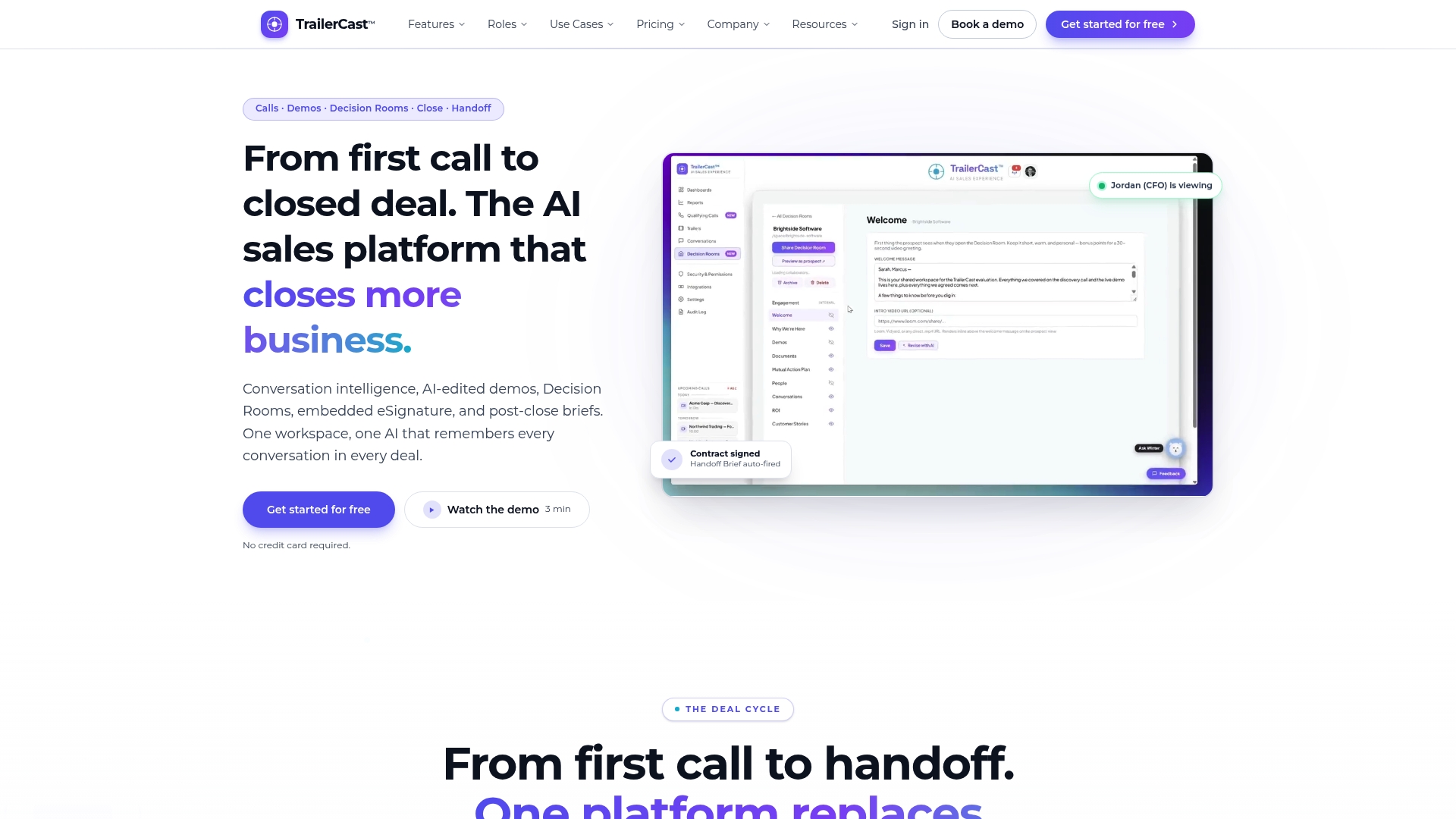
One seat includes every feature for $59 per month billed annually, with no tier gating. This single price covers call notes, demo trailers, decision rooms, eSignature, and post close handoff. That pricing makes the product easy to budget for small sales teams that want to replace multiple tools.
Core Features
TrailerCast records and summarizes meetings with an AI Notetaker that produces searchable transcripts and call summaries. The platform generates automated branded demo trailers, and hosts buyer-facing Decision Rooms for document sharing and tracked stakeholder activity. It also embeds eSignature and sends AI-generated handoff briefs when deals close.
Key Differentiator
TrailerCast generates AI edited personalized trailers from actual sales calls, which reduces content creation effort and gives champions ready to share clips. Those trailers can be tailored to different stakeholders so champions forward concise, relevant clips instead of long recordings. That focus on short, stake specific video changes how follow up content gets consumed.
Pros
TrailerCast replaces five separate tools with one workspace, which reduces the number of places your team must search for deal context. The platform’s trailers and engagement analytics improve prospect forwarding and make it easier to see which stakeholders watched what content. Automated handoff briefs push deal context to customer success the moment a contract signs, reducing the time CS spends running discovery.
Cons
- Enterprise features like SSO, custom compliance, and white labeling require a custom contract and sales engagement.
Who It’s For
Sales teams in SMBs and mid market companies that manage multi stakeholder B2B deals will find the fit closest. The platform suits teams that need help turning demo recordings into shareable assets and tracking stakeholder engagement. CROs, VPs of Sales, and RevOps leaders who want to reduce tool fragmentation should evaluate it.
Unique Value Proposition
One tier at $59 per seat per month billed annually includes the full feature set with no tier gating. That pricing simplifies procurement and removes costly feature surprises when pilots expand. Teams that pay per seat and want to consolidate licenses across note taking, video, deal rooms, signing, and handoff will lower vendor count and contract churn.
Real World Use Case
A SaaS startup had trouble getting demos in front of absent decision makers. TrailerCast joined discovery calls, produced short personalized trailers, and placed each deal in a Decision Room that tracked who viewed which asset. The champion forwarded tailored clips to stakeholders and the buying committee engaged faster.
Pricing
Pricing is a single tier: $59 per seat per month billed annually. The price includes every feature with no hidden tiers. Enterprise add ons such as SSO, custom compliance, and white labeling are available via custom contracts.
Website: https://trailercast.io
Projetly
At a Glance
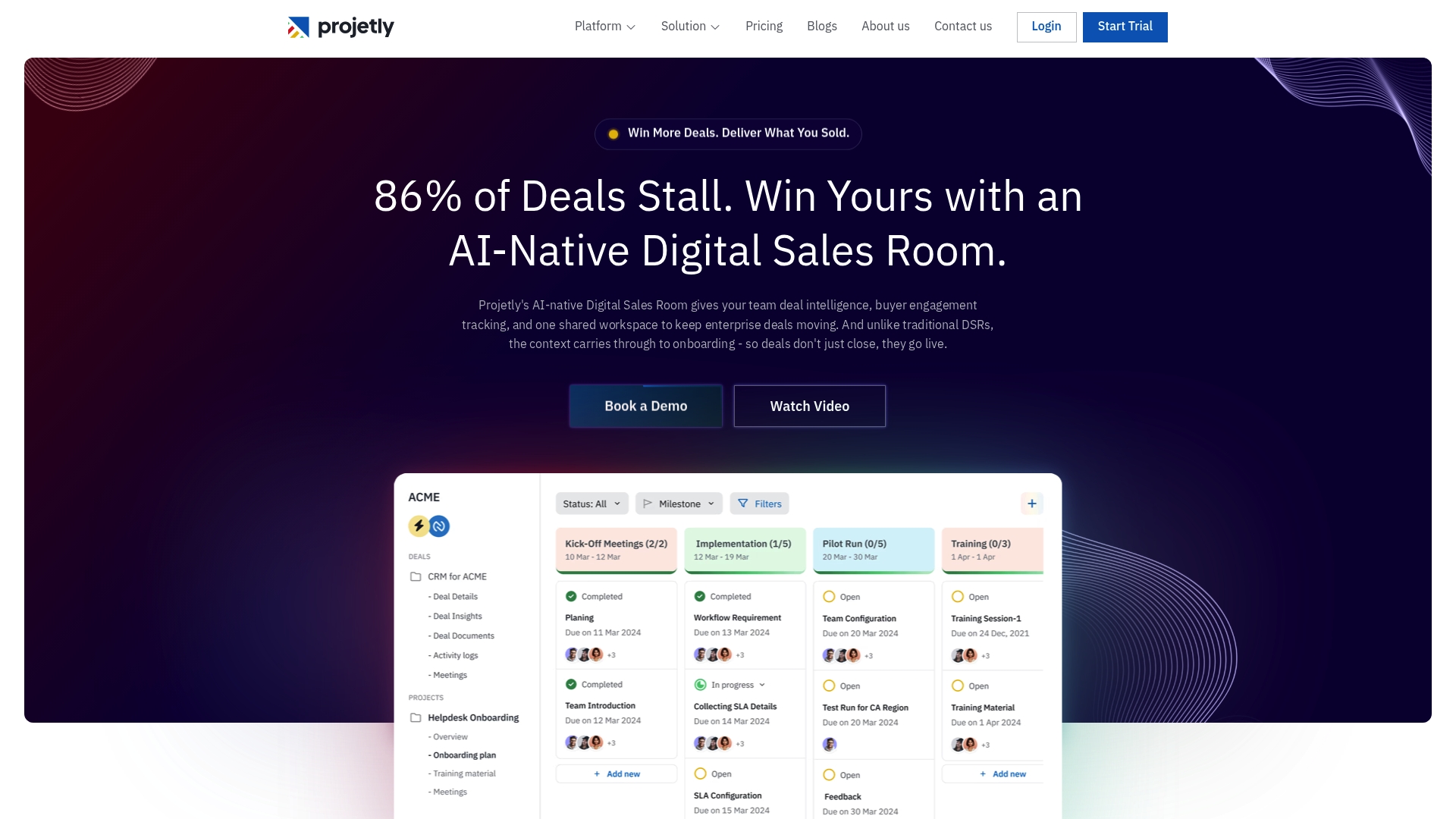
Token rewards for team and customer engagement run on smart contracts. Projetly pairs that model with AI monitored deal engagement and structured onboarding workflows. The product keeps a shared workspace for sellers, implementers, and customers so context travels with the deal. This design targets enterprise accounts with multi person buying committees.
Core Features
Projetly monitors deal engagement and emits risk signals while tracking stakeholder activity across a shared workspace. It provides structured online deal and onboarding workflows and automates repetitive tasks such as note taking and follow ups. The platform includes token incentives to nudge engagement and a single place where sales, onboarding, and customers collaborate.
Key Differentiator
The platform centers on AI driven end to end deal and onboarding workflows that carry context through handoffs. That focus combines sales, onboarding, and customer collaboration in one workspace rather than splitting responsibilities across separate tools. The result is less context loss when ownership moves between teams.
Pros
Deep CRM linkage reduces manual handoffs and the risk of data loss by keeping opportunity details and engagement metrics in one place. Automated, structured workflows free seller time by handling routine follow ups and notes. Real time deal and onboarding insights surface risk and next steps so you can decide with clearer signals, and dedicated customer portals improve visibility for buyers.
Cons
- Potential complexity integrating with legacy enterprise infrastructure. The integration work may require engineering resources.
- Pricing for large deployments and bespoke customization is not clearly defined. Larger organizations may need a custom quote.
- The product’s enterprise focus can feel like overkill for very small teams with simple onboarding needs.
When It May Not Fit
If your team lacks internal engineering capacity, integration with complex legacy systems may become a blocker. Small sales teams with few stakeholders per deal will likely find the workflow overhead unnecessary. Organizations that require heavy onboarding customization for non technical staff should validate templates before committing.
Notable Integrations
Projetly advertises connections to major CRM systems such as Salesforce and HubSpot, email platforms such as Outlook and Gmail, and video conferencing like Zoom. These integrations support automatic activity capture and reduce duplicate data entry. Confirm exact connector depth during evaluation, as integration behavior varies by CRM.
Who It’s For
Mid sized to large enterprise sales, onboarding, and customer success teams that handle multi stakeholder deals will get the most value. Revenue operations leaders who want one workspace for deal handoffs and onboarding will find Projetly relevant. Teams focused on accelerating enterprise sales cycles and preserving context across teams should evaluate it.
Real World Use Case
A SaaS vendor uses Projetly to manage complex enterprise deals, track stakeholder engagement, and automate onboarding checklists. The sales lead shares a dedicated customer workspace that contains meeting notes, a mutual action plan, and a trailer for stakeholders. On contract signature, onboarding steps and stakeholder responsibilities flow into the same workspace for handoff.
Pricing
Plans start at $19/month for the Starter plan, with higher tiers at $49/month and $99/month depending on team size and features. Pricing scales with seat counts and feature needs, and enterprise contracts may include custom work. Ask for a demo and a clear scope for large deployments.
Website: https://projetly.ai
PandaDoc
At a Glance
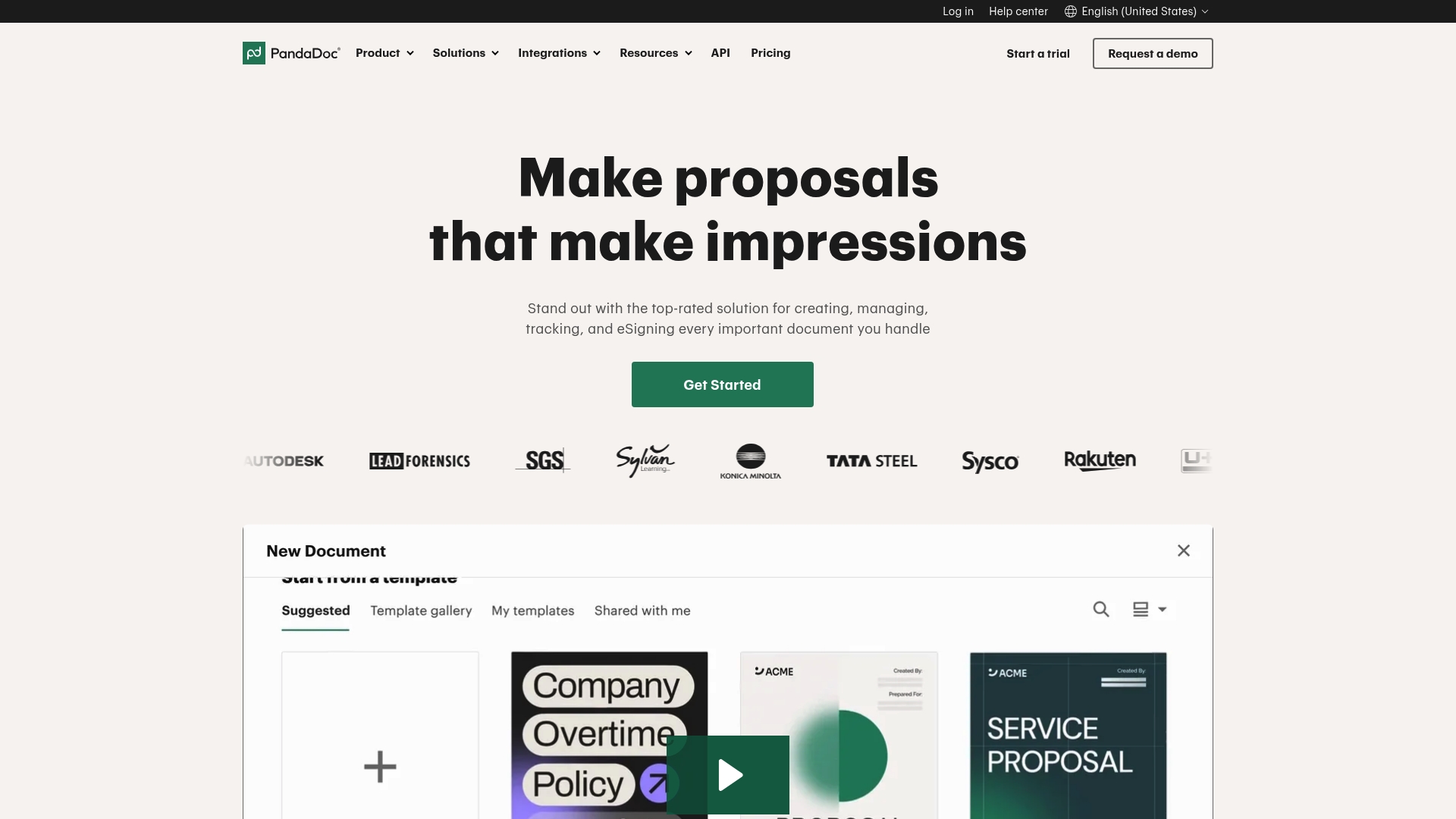
Rated #1 by G2 for proposals, eSignatures, and contract management, PandaDoc’s marketing materials state that ranking as a core differentiator. The platform emphasizes template-driven document creation and an integrated deal room that tracks engagement. Many customer stories highlighted time savings and faster closes in the vendor copy.
Core Features
PandaDoc combines document creation with customizable templates, a Configure Price Quote workflow, and a Deal Room for collaboration and closing. The product adds smart content to personalize proposals and workflow automation to route approvals and reminders. Embedded eSignature and payment links close the final steps without leaving the document.
Key Differentiator
That ranking from G2 sits alongside broad automation and native CRM connectors, which shape the product angle. The product focuses on removing manual proposal assembly while keeping signing and payment inside the same experience.
Pros
The interface is easy to learn, so teams can build templates and send first proposals quickly. Deep CRM and business tool connectors reduce manual data entry and keep quote fields in sync. Automation features cut repetitive tasks, and the built in eSignatures meet common legal standards. The vendor also highlights a rich resource library and support to help adoption.
Cons
- Premium features often sit behind higher tier plans, and pricing details are not specified in the accessible content. This can make budget planning harder.
- Complex workflow automation can require training for teams that have never used CPQ or deal rooms.
- Public material lacks specifics on user limits, storage caps, and exact feature gating, which leaves some implementation questions unanswered.
When It May Not Fit
If you need an exact price per seat or a clear statement about user caps, PandaDoc may not fit your procurement timeline because pricing specifics are on the vendor site only. Teams that require deeply custom document rendering or fixed storage guarantees should verify limits with sales. Small one person shops that do not need CRM integration will likely find the platform heavier than needed.
Notable Integrations
PandaDoc connects to mainstream CRMs and business systems including Hubspot, Salesforce, and Pipedrive, and it links with productivity platforms such as Monday.com and Zapier. Payment and accounting integrations include Stripe, QuickBooks Online, and PayPal, which lets sales accept payments and sync invoices.
Who It’s For
Mid sized and larger sales and legal teams that need automated document workflows, contract management, and built in eSignature will find the product relevant. The vendor positions the product for SMBs and enterprise teams that want deeper CRM integration and fewer tool handoffs during deal close.
Real World Use Case
A sales team uses template libraries to generate proposals, inserts pricing from CPQ fields, and sends a tracked Deal Room link to stakeholders. The champion watches engagement metrics, and the buyer signs with the embedded eSignature while paying via Stripe. After signing, the contract and metadata flow to QuickBooks Online.
Pricing
PandaDoc lists pricing on its public pricing page. Specific seat costs and which features appear in each tier are available at the pricing URL, and buyers should review the page or contact sales for enterprise add ons and discounts.
Website: https://pandadoc.com
Comparison of alternatives
The selection of an effective digital sales room depends on the unique needs of the sales team, with distinct priorities aligning each platform to different scenarios.
Video content and engagement tracking
TrailerCast distinguishes itself through its AI-generated personalized trailers used for presenting condensed, stake-specific follow-up materials after sales calls. This feature demonstrates a commitment to improving content relevance and consumption efficiency. Projetly and PandaDoc, while offering engagement tools, do not emphasize AI-assisted, stakeholder-targeted content creation, granting TrailerCast a particular edge in scenarios requiring swift and targeted deal follow-ups.
Document workflows and templates
PandaDoc excels in document creation and automation through its intuitive template systems and embedded eSignature integration. These capabilities streamline proposal processes, minimizing manual workload. For teams focusing on detailed proposal management and efficient documentation, PandaDoc presents a strong choice. In contrast, TrailerCast’s documentation features are integrated minimally, focusing more on stakeholder communication tools.
Best fit
- When your sales team prioritizes multi-stakeholder engagement using shareable, stake-specific materials, TrailerCast is an excellent choice.
- If your organization needs streamlined document creation with intuitive templates, PandaDoc offers depth in proposal automation.
- For structured onboarding workflows needing minimal engineering input, Projetly delivers impressive capabilities.
Our pick
TrailerCast’s advanced AI capabilities for generating shareable, personalized trailers uniquely suit teams that handle complex, multi-stakeholder B2B deals. While it is an ideal choice for sales teams focusing on stakeholder engagement and tool consolidation, teams emphasizing detailed document templates or highly tailored onboarding workflows may find PandaDoc or Projetly more fitting.
Choose the digital sales room solution that suits your needs best by exploring their unique features and value propositions.
| Product | Core Features | Key Differentiator | Pricing | Notable Limitation |
|---|---|---|---|---|
| Trailercast | AI notetaking, demo trailers, decision rooms, eSignature, post-close handoff | Personalized AI-edited demo trailers for targeted stakeholder communication | $59/seat/month annually | Enterprise features require custom contracts |
| Projetly | AI deal tracking, onboarding workflows, engagement-driven token rewards | AI-powered deal to onboarding workflows unify sales, support, and customer collaboration | $19–99/month | Integration complexity and potential overengineering for simple use cases |
| PandaDoc | Document creation, CPQ workflows, deal rooms, eSignature, payment processing | Rated #1 on G2 for proposals, eSignatures, and contract management | Price not published | Premium features gated behind higher-tier pricing; frequent need for sales representative |
How Can You Solve Multi-Stakeholder Deal Challenges and Client Onboarding Gaps?
Managing complex B2B deals with multiple decision makers creates a tough internal fight. Champions leave strong demos but face an uphill climb to bring absent CFOs or CISOs fully on board. The deal often dies in internal meetings you never attended. TrailerCast tackles the space between calls by condensing long demos into short personalized trailers tailored to each stakeholder’s interests.

Reduce tool overload with one AI sales platform that handles calls, demos, deal rooms, eSignatures, and client onboarding handoffs. See precisely who views what and pass deal context instantly to Customer Success. Visit TrailerCast to experience how your team can keep every deal focused and heard from discovery to handoff.
FAQ
How does Trailercast help with client onboarding?
Trailercast simplifies client onboarding by generating AI-edited personalized trailers from actual sales calls, which reduces content creation effort. The platform’s focus on creating tailored content allows champions to share concise, relevant clips with stakeholders efficiently. Expect to improve your buyer engagement and onboarding experience with this streamlined approach.
What is the difference between Projetly and Trailercast?
Projetly effectively manages multi-person buying committees with its AI-monitored deal engagement and structured onboarding workflows. Trailercast excels in generating personalized demo trailers, which helps in securing fast engagement from stakeholders through tailored content. Choose Trailercast if your primary focus is on enhancing content sharing in the sales process, rather than broad onboarding tasks.
Which platform offers better document sharing capabilities, PandaDoc or Trailercast?
PandaDoc provides a strong document creation and management system with customizable templates and an integrated deal room. In contrast, Trailercast includes features like Decision Rooms specifically for sharing documents with tracked stakeholder activity. If document sharing and engagement tracking are critical for your onboarding process, Trailercast will fit your needs well.
Can I use Trialcast if I have a small sales team?
Yes, Trailercast is suitable for small sales teams, as its single pricing tier of $59 per seat per month billed annually includes every feature with no hidden tiers. This structure simplifies budgeting and ensures that small teams can leverage tools that enhance their client onboarding without high costs or complexity.
What unique features does Trailercast offer over its competitors?
Trailercast stands out with features like automated branded demo trailers and AI-generated handoff briefs that push deal context to customer success when contracts are signed. These features enable teams to minimize the time spent on traditional onboarding, creating a more streamlined experience for both sales and clients. Expect enhanced productivity in your client onboarding process.