Top 4 Customer Onboarding System Alternatives 2026
Managing customer onboarding across multiple tools slows sales and customer success teams and fragments deal context. Most platforms lock key automation or analytics features behind expensive enterprise tiers or force manual setup for custom flows. This comparison covers workflow fit, pricing, and integrations across four sales enablement alternatives so teams can pick a system that matches their needs without trial-and-error switching.
Table of Contents
TrailerCast
At a Glance
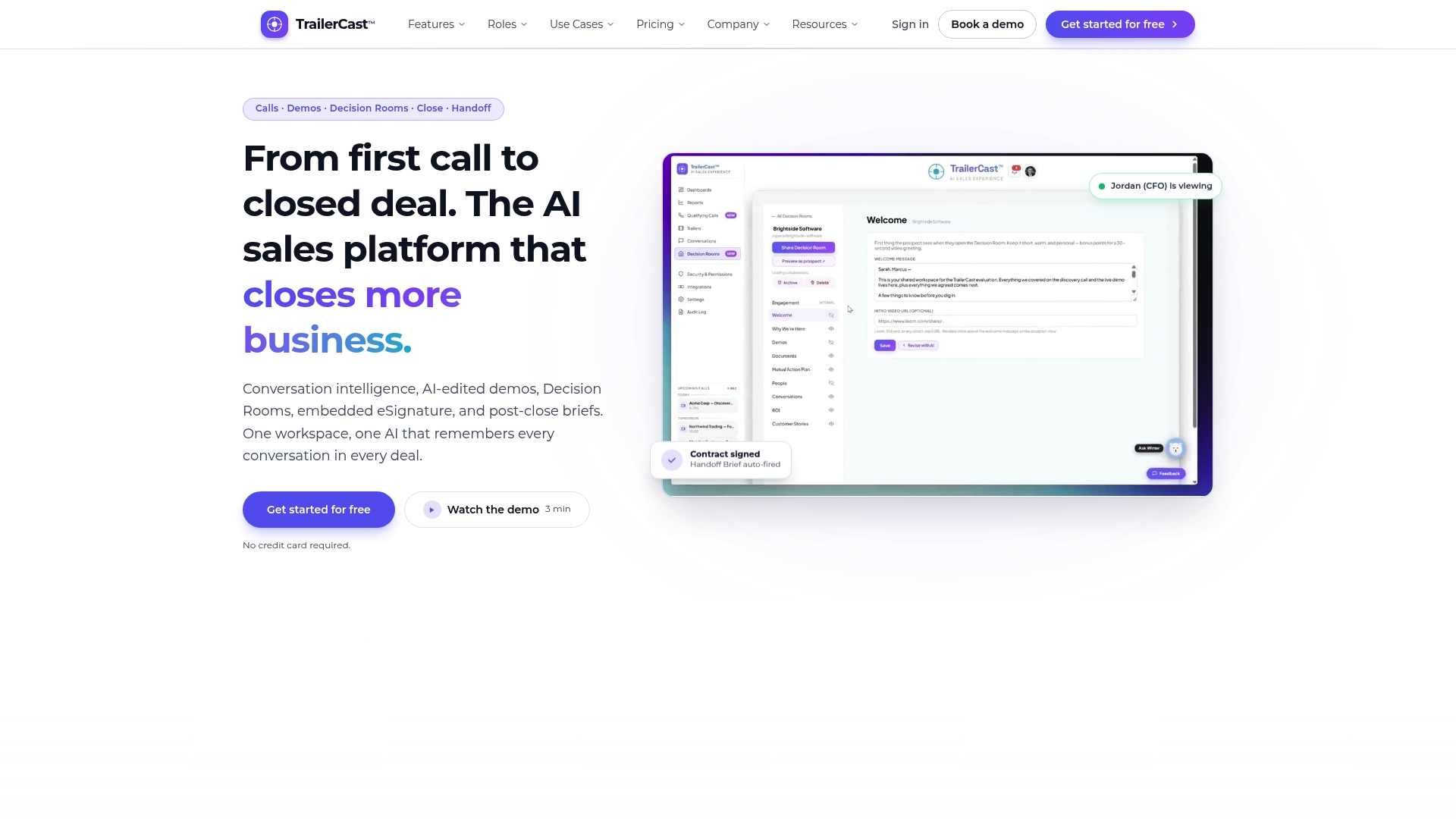
Generates branded demo trailers automatically from live calls, with optional narration in your cloned voice and support for 15+ languages. The system also captures every conversation and builds evolving deal briefs so nothing falls out of context between meetings. That combo gives sellers a short, shareable asset plus a single record of the opportunity.
Core Features
TrailerCast uses an AI notetaker that joins Zoom, Meet, and Teams calls to transcribe speaker by speaker and produce searchable summaries, talk time analysis, qualification verdicts, and action items. It then creates AI-edited demo trailers from recordings, and supports browser recording so prospects need no install. Decision Rooms hold discovery notes, mutual action plans, ROI summaries, documents, and threaded chat, while embedded eSignature and auto-fired handoff briefs close and transfer deal context to customer success.
Key Differentiator
TrailerCast automatically turns recorded conversations into stakeholder‑specific, branded trailers and places those trailers directly inside the deal workspace. That single automation combines demo editing, targeted messaging, and tracking so champions can forward concise clips to absent decision makers while the seller retains visibility into who watched what.
Pros
Consolidates five common sales tools into one workspace, which reduces context switching and keeps every call, demo, and message tied to the same deal brief. Automated trailers and concise post-call summaries create content that prospects are more likely to watch and share, which improves the seller’s ability to reach absent stakeholders. Engagement analytics and a sales library that ranks content per deal give forecasting and coaching teams clearer signals about who is engaged and why.
Cons
- Buyer engagement data depends on prospect interaction. If prospects do not view trailers or use decision rooms, the actionable insight set becomes limited.
Who It’s For
Sales teams at mid sized to larger B2B companies that manage deals with several stakeholders and want to reduce the number of separate tools their reps must juggle. Best fit for CROs, VPs of Sales, and RevOps leaders who own the sales stack and care about preserving demo context between meetings. Not aimed at teams that need a general purpose collaboration platform beyond sales.
Unique Value Proposition
One tier includes every feature for a single price point, $59 per seat per month billed annually, and the plan comes with a free trial. That pricing model lets teams replace multiple subscriptions with one line item while keeping demo creation, call capture, deal rooms, eSignature, and handoff briefs together in one system. The economic case is consolidation rather than piecemeal feature buying.
Real World Use Case
A mid sized SaaS sales team has reps record every demo. TrailerCast auto‑joins calls, compiles a 10 minute trailer tailored for a CFO or CISO, and places it in a branded Decision Room. The champion forwards the trailer to the procurement lead, and the seller sees who opened it and which clips the buyer replayed. Customer success receives an AI handoff brief when the contract signs.
Pricing
The vendor lists a single tier at $59 per seat per month when billed annually and offers a free trial. The plan includes all features with no tier gating, and enterprise add ons such as advanced security and compliance are available under custom contracts.
Website: https://trailercast.io
OnRamp
At a Glance
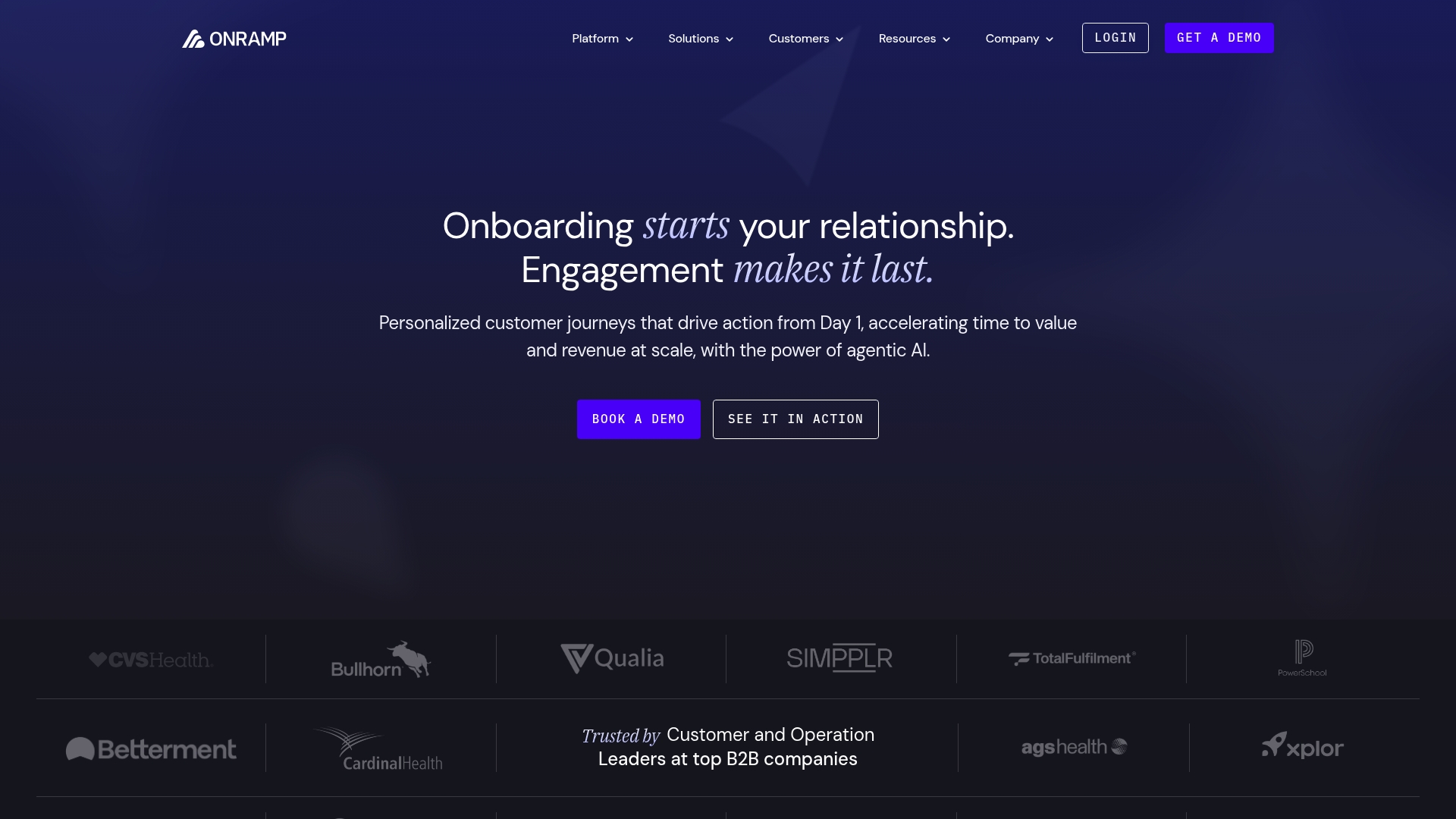
OnRamp reports Qualia reduced onboarding time by 53% and scaled capacity 3x. That client example shows how the platform applies automation and templates to accelerate activation. The product pairs an AI layer with a customer portal and project tools to make onboarding repeatable across accounts.
Core Features
OnRamp combines AI-powered personalized customer journeys, dynamic workflows with rule-based and AI-driven logic, and a customer portal that shows real-time tracking and personalization. The platform pulls data from multiple systems to drive decisions and uses project management tools for tasks, timelines, and milestones. Teams can build workflows without code and route work based on signals from connected systems.
Key Differentiator
Agentic AI builds and adapts workflows automatically from minimal input, reducing manual configuration when you spin up new onboarding paths. The system claims this capability lets teams scale custom flows faster than hand-built automations. That automatic workflow generation is the main operational advantage over rule-only tools.
Pros
AI reduces routine tasks and frees customer success reps for higher-value work. Personalized portals let customers track progress and find the exact content they need, which helps champions share relevant materials with stakeholders. Deep data integrations let you centralize onboarding signals in one place, and the no-code automation supports nontechnical ops staff while allowing technical teams to add custom connections.
Cons
- Initial setup can feel complex, especially when mapping many data sources and business rules.
- Pricing varies and can be high for very large organizations, so budgets must be planned accordingly.
- Heavy reliance on integrations means custom connectors may require engineering time for full benefit.
When It May Not Fit
If your company lacks existing digital systems and CRM data, you will not get the full value from OnRamp. Small teams without technical support may struggle with the initial configuration. Organizations that need a simple out-of-the-box checklist tool will find the platform more than they need.
Notable Integrations
- Salesforce
- HubSpot
- Zapier
- Open API for custom connections
Who It’s For
Mid-sized to large customer success, sales, and operations teams at B2B companies that need to automate onboarding and scale engagement. The product fits teams that manage multiple projects and require per-customer customization. It is aimed at groups willing to invest in integration work to centralize onboarding signals.
Real World Use Case
A client used OnRamp to compress manual onboarding steps into automated flows and reusable templates. That case increased capacity and reduced time to activation by automating milestones and routing tasks to the right people. The result let customer success staff handle more accounts without adding headcount.
Pricing
Pricing starts at $15,000 and varies by team size, volume, and features. Plans are tailored to organizational needs and typically require a conversation with sales.
Website: https://onramp.us
Onboard.io
At a Glance
Starter plan begins at $25/month, with Pro at $900/month when billed annually. The product combines preconfigured templates, role based permissions, and client portals to standardize implementation. It targets deadline driven, multi stakeholder teams in SaaS and services that need repeatable onboarding workstreams.
Core Features
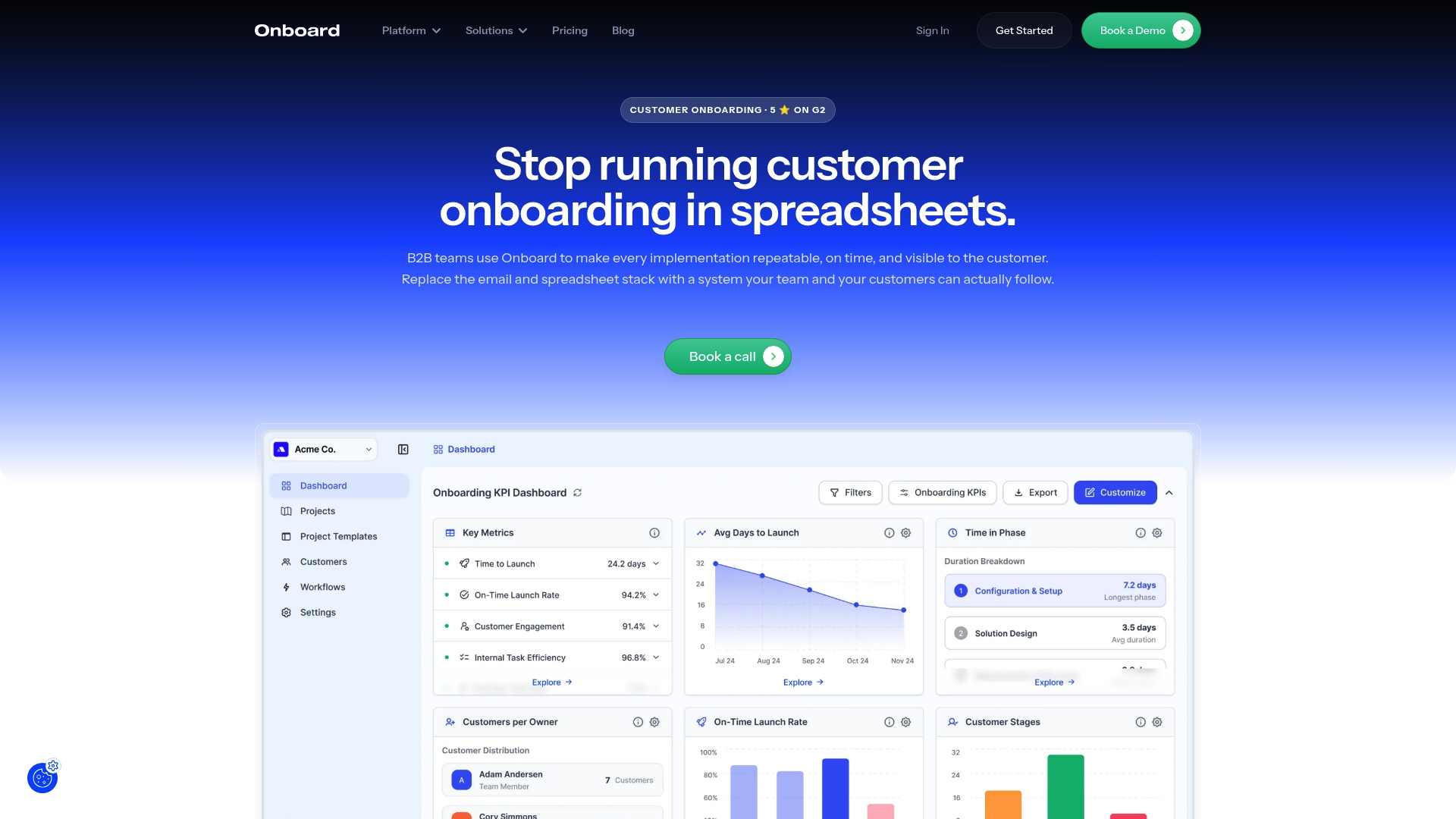
The Customer Portal combines task management with client facing collaboration so internal teams and customers share a single view of progress. A Project Dashboard surfaces blockers and timelines, while a KPI Dashboard reports real time onboarding health. Automated workflows and pre configured templates produce dynamic launch plans and cut manual setup across accounts.
Key Differentiator
Onboard.io centers on auto generated launch plans that update as tasks complete and as stakeholders change. That approach turns a static checklist into a living plan that adapts per customer and role. The integration of dashboards with templates gives managers visibility into risk and throughput without building plans from scratch.
Pros
The vendor advertises SOC 2 compliance. Pre configured onboarding templates reduce setup time compared with generic project management tools. Native connectors to major CRMs and collaboration tools reduce manual syncing and allow a single source of truth for onboarding status. Real time KPIs and dynamic launch plans let implementation teams respond to blockers and reassign work quickly.
Cons
- Some advanced features and integrations like custom APIs and advanced permissions are only available on higher tier plans.
- The platform relies on external integrations, so smooth operation depends on correct setup and ongoing connection health.
- Pricing can feel high for very small teams when adding seats or buying advanced features and premium support.
When It May Not Fit
If you need single sign on or custom API work without budget for the Pro tier, this product may not fit your constraints. Complex workflows can require technical setup and ongoing maintenance. The tool focuses on customer facing onboarding and is not a replacement for general project management across unrelated internal projects.
Notable Integrations
- Salesforce
- HubSpot
- Slack
- Zapier
- Pipedrive
- Asana
- Zoho
- Outlook, Office365, Microsoft 365 services
Who It’s For
Teams responsible for customer onboarding in SaaS and tech services will get the most value. Implementation, customer success, and onboarding managers who juggle multi stakeholder rollouts and hard deadlines will benefit from the templates and dashboards. RevOps and operations leads who want tighter CRM alignment will find the native integrations helpful.
Real World Use Case
According to the company, a SaaS customer reduced onboarding time from weeks to days and increased customer satisfaction after adopting the platform. That customer used custom launch plans, the client portal, and a Salesforce integration to keep internal owners and buyers coordinated. The result was fewer status emails and clearer accountability during handoffs.
Pricing
Pricing starts at $25/month for the Starter plan. Essentials lists at $270/month with annual prepay, and Pro lists at $900/month with annual prepay. Plans include unlimited customers with options for additional seats, advanced integrations, and premium support on higher tiers.
Website: https://onboard.io
Onboardly
At a Glance
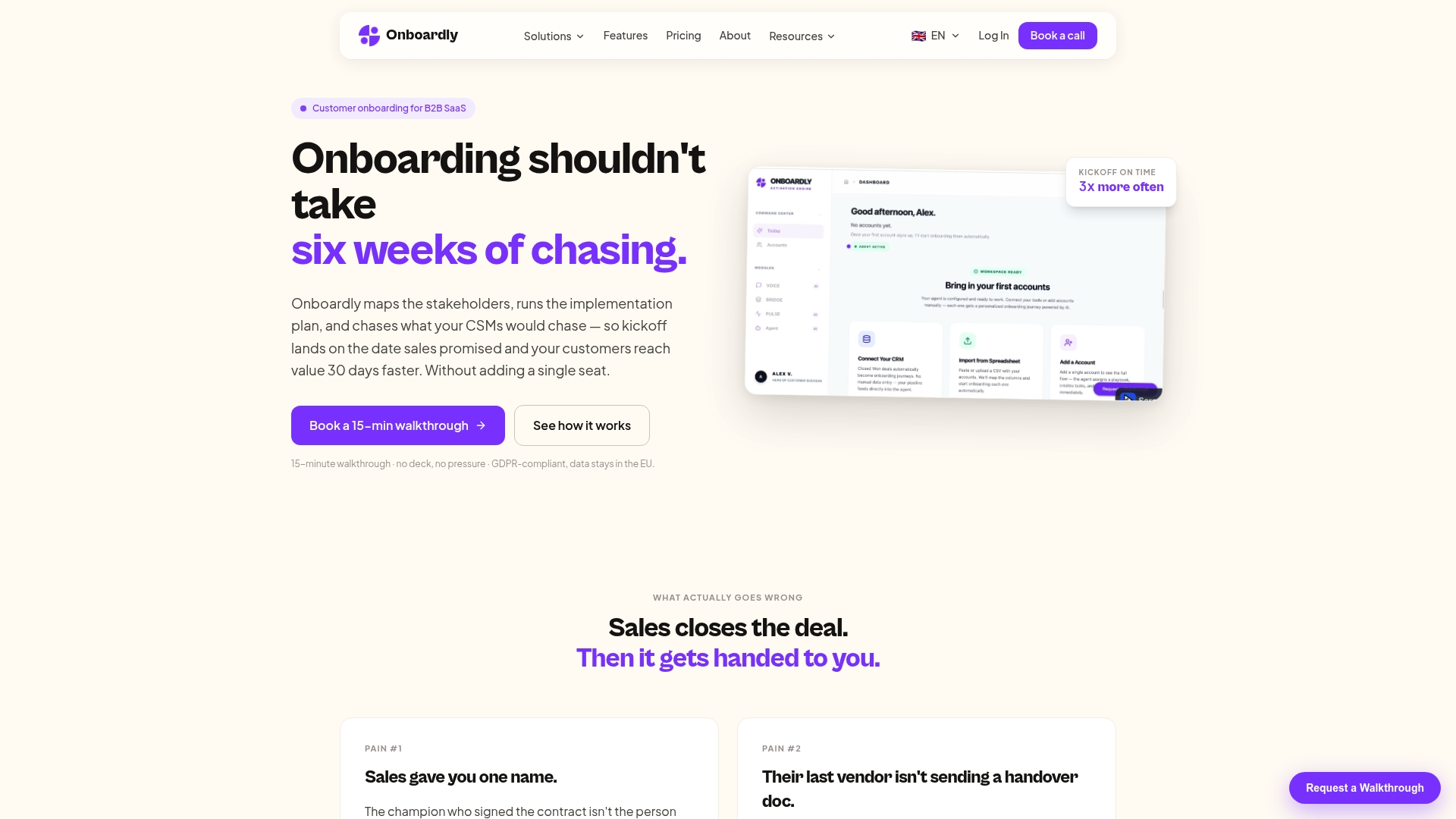
Onboardly offers a 60 seconds setup and keeps customer data in the EU with GDPR compliant storage, so legal reviews go faster for teams with strict residency needs. The platform automates stakeholder mapping and follow ups for a customer onboarding system aimed at reducing manual chase work. That combination suits teams that want rapid deployment with tight data controls.
Core Features
Onboardly maps stakeholders from public signals and introductions, runs structured discovery of customer setup, and executes configurable playbooks that follow your existing onboarding process. It tracks six health signals per account, runs email communication analysis in beta phase, and escalates issues to human teams with full context. CRM integrations let it update records and trigger handoffs without extra seats.
Key Differentiator
Onboardly automates stakeholder mapping, discovery, and follow up while executing your current playbooks rather than forcing a new process. That focus on following existing processes reduces change management work for Customer Success teams. The automation targets the manual tasks that slow kickoff and handoff so your team can concentrate on high risk accounts.
Pros
Automates routine follow ups, scheduling nudges, and discovery steps, which frees Customer Success reps from chasing status updates. The platform applies configurable health scoring and provides real time signals so you see slipping accounts earlier. It supports escalation to human teams with full context, keeping conversations and documents together. The product stores data in the EU and is GDPR compliant, which simplifies legal reviews for companies with residency requirements.
Cons
- Buyer reviews report limits when customers require advanced customization or deep custom integrations. This can add engineering work for large implementations.
- Email communication analysis is in beta phase, so some signals may miss nuance or require manual verification.
- Very large multi region enterprise setups may need additional custom arrangements and vendor support.
When It May Not Fit
Teams that need heavy custom integration across multiple regions or tight offline data residency arrangements will likely need a custom contract. Groups that require fully mature voice and calendar sentiment analysis today should expect workarounds while the communication features mature. Onboardly is not the best match for organizations that cannot commit to vendor guided customization for scale.
Notable Integrations
Onboardly integrates with major CRMs and customer tools, including ActiveCampaign, HubSpot, Salesforce, and Planhat. These connections support automated record updates, playbook triggers, and health signal enrichment inside existing stacks.
Who It’s For
Customer success teams at B2B SaaS companies that want to remove manual chase work and retain current onboarding playbooks. It fits small staffed teams through mid market CS groups that need GDPR compliant data residency and quick time to value.
Real World Use Case
According to the company, a SaaS vendor used Onboardly to map stakeholders, run structured discovery, automate follow ups, and monitor health scores, enabling onboarding 30% faster. That figure came from the vendor and illustrates how automation can shorten handoff gaps and reduce manual steps in onboarding workflows.
Pricing
Plans start at €499/mo for Starter, €999/mo for Growth, and €1,999/mo for Scale. Custom enterprise plans and dedicated support are available for large portfolios or multi region requirements.
Website: https://onboardly.tech
Comparison of alternatives
When evaluating the standout options for customer onboarding systems, Trailercast.io distinguishes itself by unifying demo generation and centralized deal management in a cost-effective package. Competing options focus on specific aspects of operational optimization, which may suit particular enterprise scenarios distinctively.
Automation and scalability
OnRamp excels in automating onboarding processes by leveraging agentic AI to construct workflows with minimal input. This capability enables customer success teams to handle higher volumes without proportional resource increases and innovate more adaptive solutions. Such scalability can prove more suitable for larger organizations prioritizing rapid growth.
Platform accessibility and cost structures
Onboard.io offers varied pricing tiers, starting at affordable rates for smaller teams and scaling up for advanced capabilities. This tiered approach provides flexibility regarding feature access relative to budget constraints, benefiting smaller SaaS implementations or teams with constrained budgets. Contrarily, Trailercast.io’s single-tier approach promotes cost predictability across a feature set.
Best fit
- Sales teams requiring an efficient demo creation tool aligned with deal progress tracking will benefit significantly from Trailercast.io’s multifaceted capabilities.
- Organizations prioritizing rapid workflow adaptiveness and high account volumes should consider OnRamp’s AI-driven automation.
- Teams needing GDPR-compliant setups with quick deployment may favor Onboardly for its stakeholder mapping and health monitoring features.
Our pick
Trailercast.io presents a solution for B2B sales teams managing multi-stakeholder processes. Its capacity to combine recording, dynamic trailer generation, and deal management in one system reduces complexity and enhances effectiveness. However, for businesses with a sharp focus on compliance or automation scalability, other options like Onboardly or OnRamp may provide tailored advantages. This balance establishes Trailercast.io as a leading choice for streamlined and impactful sales operations.
Selecting the appropriate customer onboarding system involves evaluating key features, pricing, and suitability for specific scenarios.
| Product | Key Feature | Best For | Pricing | Limitation |
|---|---|---|---|---|
| Trailercast | AI-edited branded demo trailers from recorded conversations | Sales teams in mid-to-large B2B companies | $59 per seat/month annually | Insights depend on prospect engagement |
| OnRamp | AI-generated onboarding workflows and customer portals | Large organizations with complex workflows | Price not published | Initial setup requires significant data mapping |
| Onboard.io | Dynamic launch and KPI dashboards | Multi-stakeholder teams | $25/month Starter plan | High-tier plans needed for advanced features |
| Onboardly | GDPR-compliant automated stakeholder follow-up system | EU-based teams with strong privacy needs | €499/month Starter plan | Advanced custom integration options are limited without vendor assistance |
When Customer Onboarding Systems Fall Short of Sales Alignment
The article highlights a common challenge for B2B SaaS sales teams: managing complex multi-stakeholder deals while keeping onboarding and deal context intact. You know the internal fight — champions leave a demo and the deal dies in an internal meeting you weren’t part of, or critical details get lost because your tools don’t talk to each other. TrailerCast addresses this by replacing five disconnected tools with one AI-powered workspace that remembers every call, demo, message, and handoff.
TrailerCast helps sales leaders keep deals alive between calls with AI-edited demo trailers tailored to each stakeholder, branded decision rooms that track content sharing, and auto-generated handoff briefs to customer success. If your sales stack needs less juggling and more continuity, see how TrailerCast builds coherence across every stage of the deal lifecycle.
Learn how TrailerCast connects calls, demos, and onboarding and get a free trial to start tracking your deal momentum with precision.
FAQ
How does Trailercast enhance the customer onboarding process?
Trailercast generates branded demo trailers automatically from live calls, improving the customer onboarding experience. The system captures every conversation and builds evolving deal briefs, ensuring nothing falls out of context between meetings. This feature allows sales teams to maintain clarity in customer communications throughout the onboarding journey.
What is the difference between OnRamp and Trailercast for onboarding?
OnRamp utilizes AI-powered personalized customer journeys to accelerate activation, which can significantly enhance onboarding speed. In contrast, Trailercast focuses on turning recorded conversations into tailored demo trailers that are easily shareable with stakeholders. Each solution caters to different aspects of onboarding, with OnRamp excelling in project management while Trailercast excels in enhancing communication.
Can I use Trailercast to track stakeholder engagement during onboarding?
Yes, Trailercast provides engagement analytics to track who watched what trailers during the onboarding process. This gives sales teams insights into stakeholder interactions, which helps in tailoring follow-ups and communication strategies effectively.
What unique feature does Trailercast offer that benefits sales teams?
Trailercast automatically creates AI-edited demo trailers from recorded conversations, making it easy for sales teams to share concise clips with decision makers. This capability significantly enhances the ability of champions to forward relevant content while keeping sellers informed of buyer engagement.
What pricing model does Trailercast use for its onboarding system?
Trailercast offers a single pricing tier at $59 per seat per month when billed annually. This straightforward pricing structure allows teams to consolidate multiple tools into one system without tier gating, increasing overall value and streamlining costs.