Top 4 Digital Sales Room Software Alternatives 2026
Managing multi-stakeholder B2B deals with scattered conversations, documents, and inconsistent follow up kills momentum and transparency. Too many digital sales room tools split engagement analytics, onboarding flows, and CRM syncs into separate feature tiers or require extra manual work to prep deals. This list compares price, engagement analytics, CRM integrations, and collaboration features so sales teams can pick a digital sales room that fits their entire workflow.
Table of Contents
TrailerCast
At a Glance
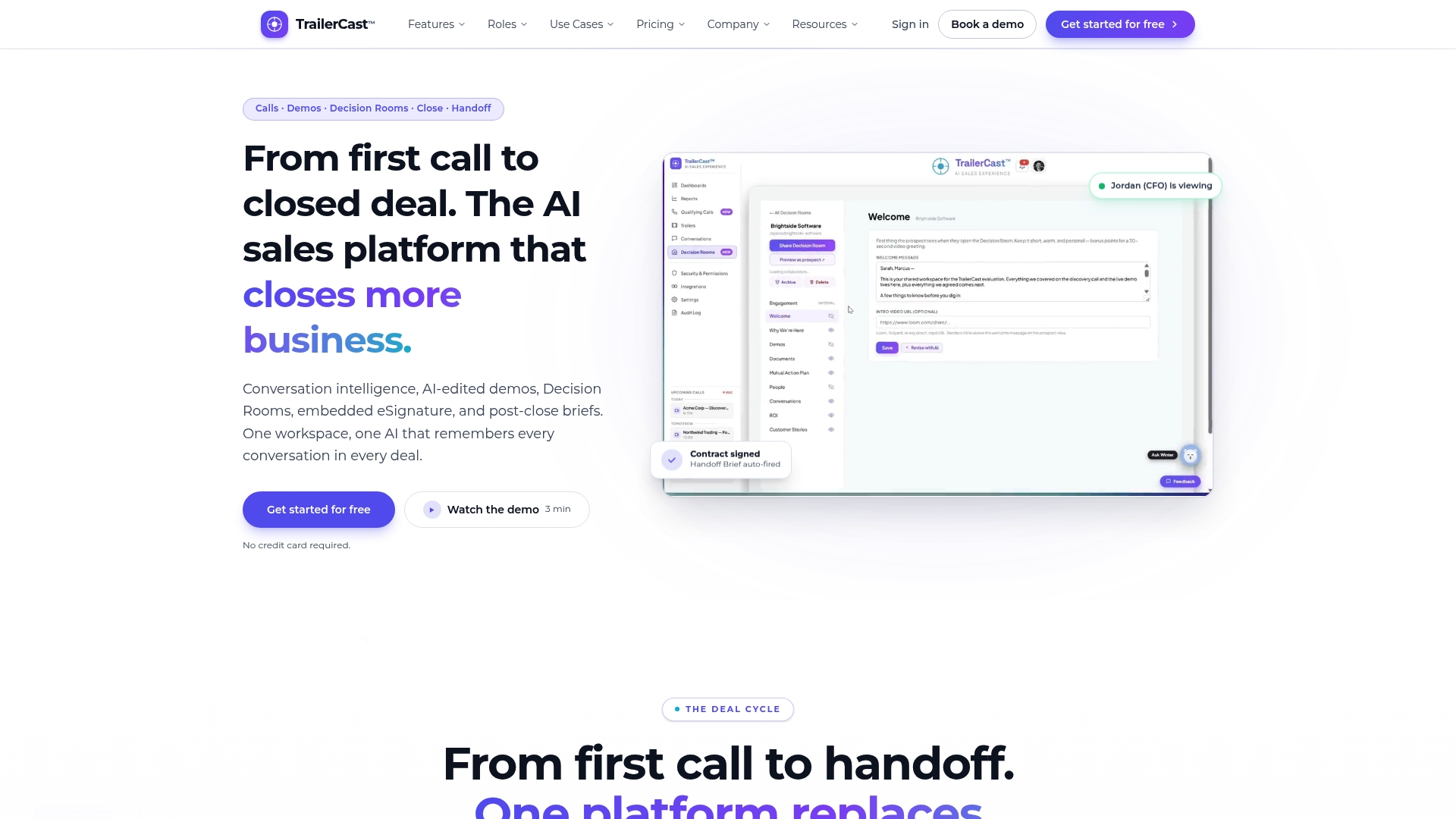
Embedded eSignature triggers an AI Handoff Brief the moment a contract signs, sending deal context, stakeholder maps, and risk flags to Customer Success. The platform combines call capture, demo editing, decision rooms, and post-close handoff under one roof. That workflow keeps the same deal memory across calls so follow ups land with consistent context.
Core Features
TrailerCast runs an AI Notetaker that joins Zoom, Meet, and Teams, creates speaker-by-speaker transcripts, and builds an evolving Deal Brief after every interaction. It produces auto-edited branded demo trailers narrated in your cloned voice and personalizes clips for different stakeholders. Decision Rooms host discovery, mutual action plans, ROI, documents, and a live conversation thread while engagement analytics and CRM sync keep pipeline signals visible.
Key Differentiator
A single AI brain follows an opportunity across calls, trailers, decision rooms, signatures, and handoff documents, rather than treating calls as isolated artifacts. That continuity lets the system surface the right clip or document per stakeholder and show who forwarded what and who engaged when.
Pros
Consolidating five common sales tools into one workspace reduces context switching for sellers and lowers the number of vendor contracts you manage. Automated summaries, trailers, and a living Deal Brief shorten the work required to prepare stakeholder-ready collateral. Engagement heatmaps and per-stakeholder activity help you spot stalled deals earlier and give your forecast more visible signals. A free trial with no credit card lowers the barrier to test the core flow.
Cons
- AI-generated trailers and call summaries often need manual editing to polish messaging and timing for executive stakeholders.
Who It’s For
Sales teams running multi-stakeholder B2B deals with three to seven decision makers will get the most value. The product fits revenue leaders who own tool consolidation and RevOps teams at companies roughly between 11 and 200 employees. It also suits sellers who rely on champions to repackage demos for absent stakeholders.
Unique Value Proposition
$59 per seat per month billed annually includes every feature with no tier gating, so teams get conversation intelligence, demo trailers, decision rooms, and embedded signing in one seat price. That pricing model shifts budgeting conversations from buying multiple specialized tools to funding a single workspace that covers the whole deal lifecycle.
Real World Use Case
A midmarket SaaS team records discovery calls automatically, then lets the AI stitch a 10 minute trailer for the CFO that highlights pricing and ROI. The champion forwards the trailer into a Decision Room, the analytics show who watched which segment, and the rep closes the loop with an embedded signature. Customer Success receives the auto-fired Handoff Brief the same day.
Pricing
TrailerCast lists a single tier at $59 per seat per month when billed annually, with every feature included and no gating by plan. Complex enterprise requirements such as custom security, SSO, or white label are handled via additional contracts or managed onboarding.
Website: https://trailercast.io
Trumpet
At a Glance
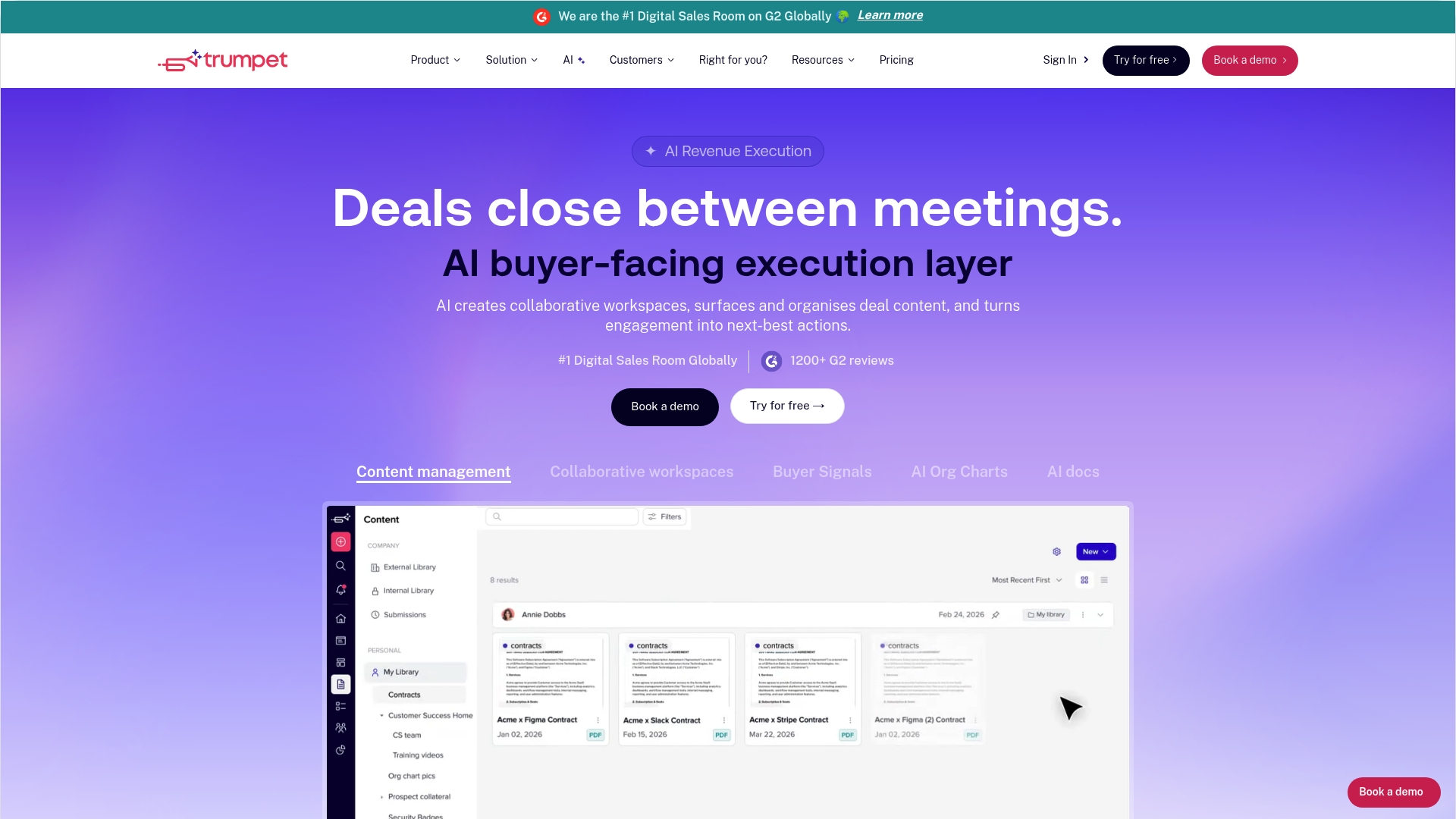
Trumpet reports more than 15,000 revenue teams using the platform and advertises a 4.8/5 G2 rating from over 900 reviews. The vendor positions the product as a digital sales room that combines content, collaboration, and buyer signals into one workspace. That scale and social proof explain why revenue teams often evaluate it early in their tool selection process.
Core Features
Trumpet organizes content with AI and delivers personalized material to prospects based on stakeholder role and engagement. The platform offers buyer facing collaboration spaces where teams and committees can comment, share documents, and track who viewed what. It also surfaces engagement signals, stakeholder maps, and AI suggested next steps to help reps follow up with context.
Key Differentiator
Trumpet leans heavily on its unified AI workspace where enablement, collaboration, and intelligence live together. That design pushes content recommendations and stakeholder insights directly into the deal room rather than leaving them in separate tools. Teams that want content discovery and engagement analytics inside the same space will notice this integration quickly.
Pros
The interface is approachable, so reps pick up basic workflows without lengthy training. Centralizing buyer content and microsites makes it easier for champions to forward tailored materials to finance or security contacts. Support response is consistently called out as helpful by users, which reduces friction during rollout. Engagement analytics and stakeholder mapping provide clear signals about who is active and what matters to each buyer.
Cons
- Steep learning curve for advanced features. Teams often need structured training to use the AI copilots and nerve centers effectively.
- Limited mobile functionality. Some users report the experience on phones lacks parity with desktop.
- Initial setup and customization can be complex. Admins may spend extra time mapping content and permissions.
- UI and layout issues reported by some users. Visual tweaks and layout preferences can require product feedback loops.
When It May Not Fit
Trumpet is less suitable for teams that need a full mobile first experience. Small teams unable to invest in an initial implementation phase may find setup overhead burdensome. Organizations that require very lightweight deal rooms without AI features could prefer simpler, cheaper tools. Lower tier plans may restrict features that mid market teams expect.
Notable Integrations
Trumpet integrates with major CRMs and sales tools including HubSpot and Salesforce, and it connects with conversation platforms such as Gong. It also supports design delivery through Figma and payments via Stripe, plus regional listings like Zoopla and other third party sales tools.
Who It’s For
Revenue teams, revenue enablement, and account managers that need one place to manage deal content, buyer engagement, and stakeholder maps will find Trumpet a close fit. The product targets teams that want AI assistance for content ranking and follow up. It suits organizations aiming to consolidate multiple sales tools into a single deal room.
Real World Use Case
The vendor reports a global SaaS customer that centralized sales content in Trumpet to deliver personalized buyer experiences at scale. That customer used engagement signals to identify high interest stakeholders earlier in the process. The vendor reports a 67% increase in win rates and faster deal closures after deployment.
Pricing
Trumpet offers a free tier with 10 pods. Paid plans start at $45/month for small teams and scale to $1,600/month for enterprise feature sets. Enterprise custom plans are available for larger contracts and added services.
Website: https://sendtrumpet.com
Arrows
At a Glance
Arrows reports thousands of app installs and a 4.8-star average on G2. The product centers on sales rooms and automated onboarding built from CRM records. It targets sales and customer success teams that want live engagement signals tied to deal context.
Core Features
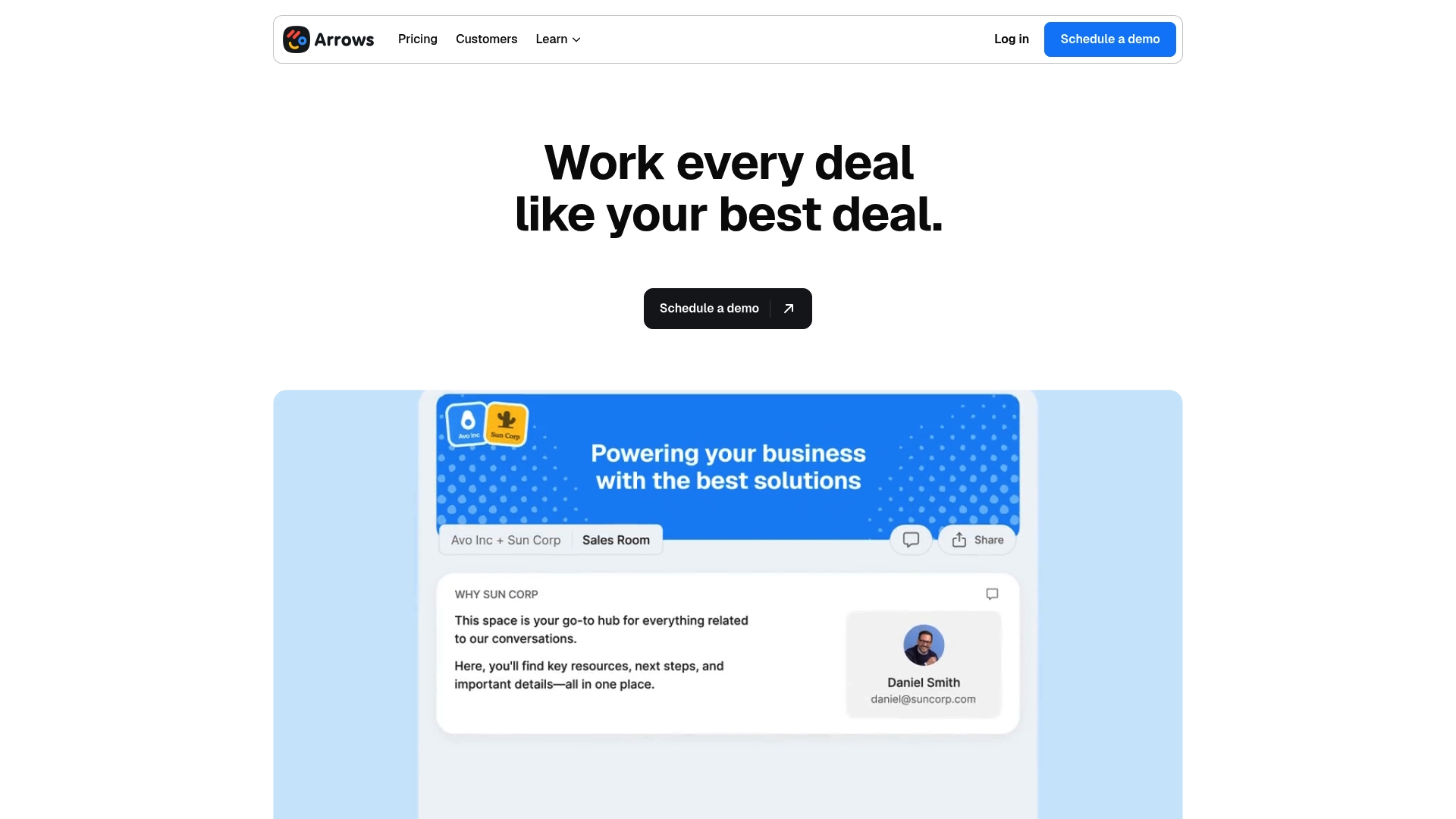
Arrows builds personalized sales and onboarding rooms from CRM data and populates them automatically as deals move. The platform applies AI-driven updates, offers real-time engagement tracking and analytics, and syncs triggers and workflows back to the CRM. Deep connections with HubSpot and Salesforce keep deal state consistent across tools.
Key Differentiator
Arrows stands out for its deep connection to HubSpot that creates one-click, CRM-driven rooms for every opportunity. Its Arrows Intelligence layer pushes proactive updates and ranks content per stakeholder by engagement. That tight CRM-first approach keeps deal materials current without manual copying between systems.
Pros
The HubSpot integration makes room creation fast and reduces setup time for reps. Admins can map CRM fields to room sections and have relevant documents appear automatically, which speeds handoffs. Support receives consistently high marks in reviews, and the onboarding templates shorten time to active use for new teams. Real-time engagement metrics help you prioritize follow-ups by which stakeholders actually opened or reviewed materials.
Cons
- Limited advanced task management. The platform lacks flexible scheduling for complex task date patterns, which frustrates multi-step implementations.
- Customization can feel constrained for very niche workflows. Teams with unusual approval flows may need external orchestration tools.
- Heavy dependency on CRM structure. If your HubSpot or Salesforce data model is messy, room personalization will require cleanup first.
When It May Not Fit
If your sales process relies on complex task sequences and granular date control, Arrows may not provide the needed task features. Organizations that run highly bespoke automation across multiple nonstandard systems will likely still require a specialized workflow engine. Companies with minimal CRM discipline should fix their data model before adopting CRM-driven rooms.
Notable Integrations
Arrows integrates with HubSpot and Salesforce, syncing contacts, deals, and custom fields into room templates. The integrations push engagement events back to the CRM so your pipelines reflect who viewed what and when.
Who It’s For
Sales reps, customer success managers, and RevOps teams that use HubSpot or Salesforce and want CRM-driven onboarding and deal rooms. It fits companies that prioritize faster handoffs, clearer buyer-facing spaces, and measurable engagement signals tied to records. Ideal team sizes match typical midmarket sales groups.
Real World Use Case
According to the company, a SaaS sales team using Arrows created tailored rooms per prospect and saw a 20% faster sales cycle. Reps automated updates from CRM activity and used engagement heatmaps to call the most active stakeholders first. The result was fewer blind follow-ups and higher close velocity.
Pricing
Trial access includes the full platform and most features so teams can test room creation and integrations. Paid plans scale with team size and usage, with pricing set based on seat counts and volume. Enterprise options include custom contracts for SSO, white label, and deeper CRM sync arrangements.
Website: https://arrows.to
emlen
At a Glance
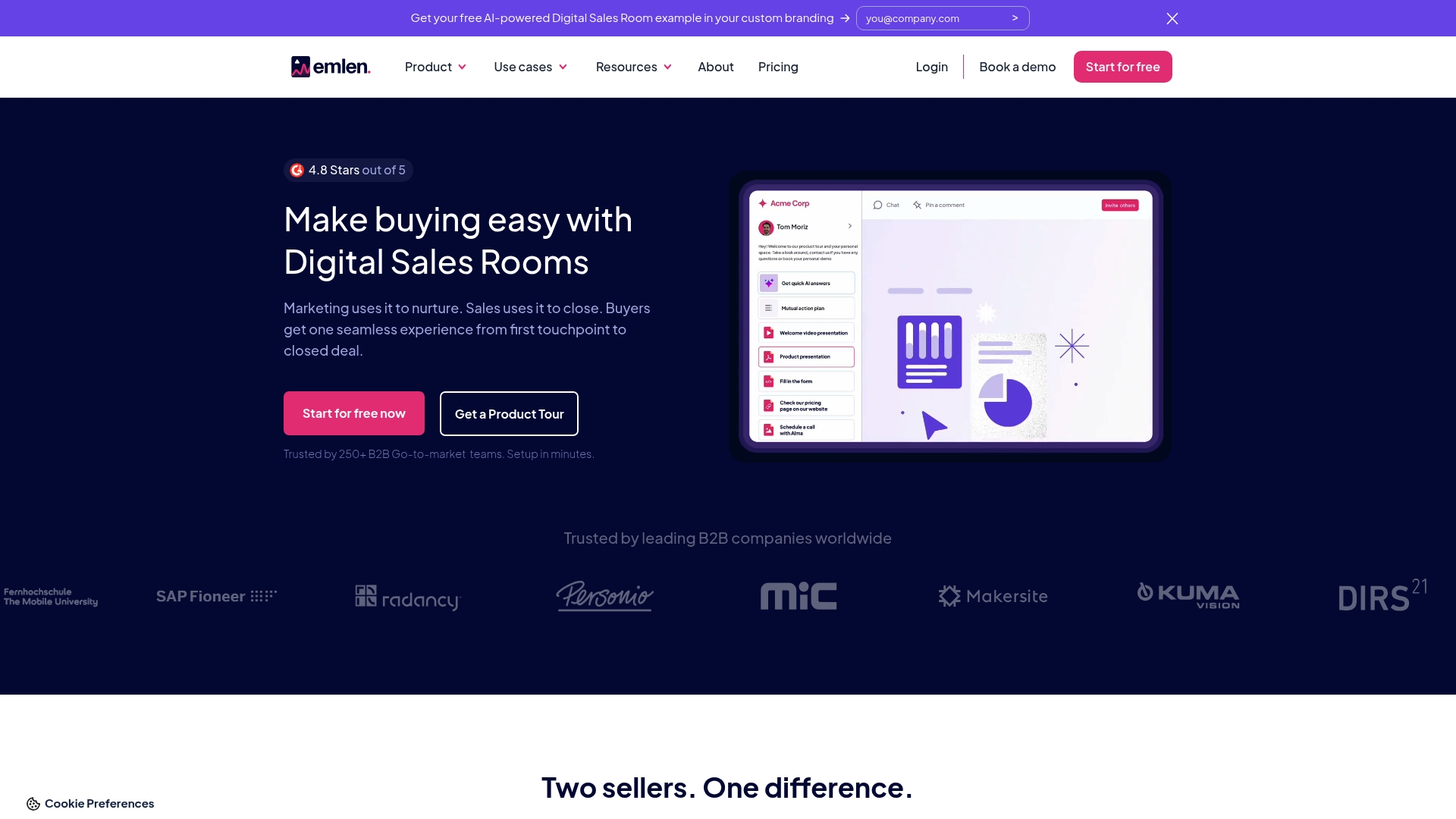
Trusted by over 250 B2B teams, emlen combines branded digital sales rooms with an AI FAQ chatbot and content analytics. The platform targets sellers who want buyer-facing rooms plus CRM-linked engagement data. Pricing ranges from a Forever Free tier to paid plans that start at 59€/month.
Core Features
emlen provides digital sales rooms for a branded buyer experience, document sharing, chat, and Q&A, so each opportunity has a single home. An AI-powered self-service chatbot answers frequent buyer questions and reduces back-and-forth. Real-time content engagement analytics and mutual action plan tools help sellers prioritize follow-ups and surface who interacted with what.
Key Differentiator
The platform focuses on deep CRM integration paired with AI insights. That combination routes engagement signals back into systems like Salesforce and HubSpot and surfaces content that moved deals. The result is a digital sales environment that both your champion and your CRM record can use.
Pros
Customization stands out, with white-label options and custom domains that make buyer rooms look like your company. Analytics track play, view, and engagement signals so you can prioritize deals by which stakeholders opened which assets. CRM connectors reduce data entry by syncing activity back to Salesforce, HubSpot, Pipedrive, or MS Dynamics.
Cons
- Some advanced setups require technical expertise or internal support. This can add configuration time for templates and domain setup.
- The Forever Free tier limits certain integrations and advanced features. Teams that need full analytics will likely move to a paid plan.
- Pricing can vary with add-ons and white-label options, which makes comparisons across vendors less direct.
When It May Not Fit
If your team lacks engineering or RevOps bandwidth, the initial white-label or custom domain work can slow adoption. Small teams that only need simple file sharing may find the free tier sufficient but limited. Organizations that need offline or on-prem analytics will not be served because real-time AI and reporting depend on internet access.
Notable Integrations
- Salesforce
- HubSpot
- Pipedrive
- MS Dynamics
- SharePoint
- Google Drive
Who It’s For
emlen fits B2B sales and marketing teams that want buyer-facing, branded deal rooms and AI help for common questions. It works best where multiple decision makers review materials and you need per-stakeholder engagement signals. The platform matches teams willing to manage some technical setup for a tailored buyer experience.
Real World Use Case
A midmarket SaaS sales team builds an emlen room per opportunity with tailored demos and a CFO brief. The AI chatbot answers routine procurement questions and the engagement analytics show which exec viewed pricing. The team routes those signals into Salesforce and shortens follow up to the right stakeholders.
Pricing
Plans include a Forever Free option and paid tiers. Paid plans start at 59€/month, with Business and Enterprise levels and add-ons for white-labeling and custom contracts. Enterprise pricing is quoted per account for features like SSO and dedicated support.
Website: https://emlen.io
Comparison of alternatives
Choosing digital sales room software involves balancing features, integration strengths, and specific business needs. While TrailerCast offers functionality tailored for B2B transactions, other platforms emphasize particular strengths, such as integration depth or unique collaboration options.
Workflow integration and automation
TrailerCast excels in integrating five core sales tools within one platform, enabling significant streamlining of end-to-end workflows. While Trumpet also centralizes engagement analytics and content collaboration, its complexity may require additional setup. Meanwhile, Arrows stands out with its one-click room creation powered by a close HubSpot integration, making it ideal for organizations deeply embedded in CRM-driven operations.
Pricing flexibility and customization
When cost and feature customization are, Trumpet leads with tiered pricing options, catering to both small teams and large enterprises. Conversely, TrailerCast applies a flat, feature-inclusive pricing model, beneficial for straightforward budgeting. emlen provides flexibility by offering a Forever Free plan, though advanced functionalities are constrained in this tier.
Best fit
- Medium-sized organizations seeking to consolidate their toolset into a single, platform should explore TrailerCast for its support across the sales lifecycle.
- Teams leveraging AI analytics and scalable features will find Trumpet valuable for its advanced functionalities and customization.
- Companies relying heavily on HubSpot workflows should consider Arrows, as its direct integration enhances efficiency and reduces overhead.
- Teams interested in branded experiences can turn to emlen for its custom domains and white-label options, ensuring a polished digital presence.
Our pick
For sales professionals looking for a fully integrated, AI-supported workspace that combines critical sales functions and enables consistent engagement throughout the deal cycle, TrailerCast represents the most versatile choice. However, businesses with specific needs for CRM-driven operations or flexible pricing structures might find other platforms more suitable.
For sales teams evaluating digital sales room solutions, the following comparison highlights key features and considerations for making an informed choice.
| Product | Core Features | Key Differentiator | Pricing | Limitation |
|---|---|---|---|---|
| Trailercast | AI notetaker, decision rooms, demo trailers with CRM sync | Unified AI orchestrating continuity across calls, rooms, and documents | $59 per seat/month billed annually | AI-generated content may require manual polishing |
| Trumpet | AI-organized content, collaboration spaces, engagement signals | Integrated AI workspace centralizing content and buyer insights | Free tier, Paid plans from $45/month | Steep learning curve for advanced features |
| Arrows | CRM-linked deal rooms, real-time analytics, onboarding automation | HubSpot-focused integration for seamless room creation | Pricing set by usage and seats | Heavy dependency on CRM structure |
| emlen | Branded sales rooms, AI FAQ chatbot, content analytics | CRM-linked engagement signals with customizable white-label options | Free tier, Paid plans from 59€/month | Advanced setups may require technical expertise |
How Can You Eliminate the Gaps in Your Digital Sales Room Software?
Sales teams managing multi-stakeholder deals face a familiar challenge: the space between calls where crucial details get lost and deals stall. That gap is often where the deal dies in an internal meeting you were not part of. Trailercast solves this by combining conversation intelligence, AI-edited demo trailers, decision rooms, and embedded eSignature into one AI-powered platform. This approach keeps your deal memory intact across every stage, so champions can confidently share the right content with every decision maker.
Key benefits include:
- A unified AI that remembers every call, demo, and message
- Personalized demo trailers tailored for specific stakeholders like CFOs or CISOs
- Real-time engagement tracking within no-login decision rooms
- Instant contract signing and automated post-close handoff briefs
See how Trailercast reduces the overload of managing multiple sales tools and wins stakeholder engagement in one place. Visit Trailercast to view platform details, try the no-credit-card free trial, and start closing deals with full context today.
FAQ
What unique feature does Trailercast offer for managing B2B deals?
Trailercast builds an evolving Deal Brief after each interaction, ensuring continuity across calls. This capability merges call capture, demo editing, decision rooms, and post-close handoff into one platform, allowing for a consistent deal memory. Expect a seamless workflow that enhances your sales process by maintaining relevant context across interactions.
How does Trailercast compare to Trumpet for user experience?
Trumpet offers an approachable interface that lets reps pick up basic workflows easily without lengthy training. Trailercast, on the other hand, excels at integrating multiple sales functions into one workspace, which can reduce context switching. Consider Trailercast for a more comprehensive solution that consolidates various sales tools into a single platform.
What pricing structure does Trailercast use for its services?
Trailercast charges $59 per seat per month when billed annually, which includes every feature without tier gating. This pricing model allows teams to access tools like conversation intelligence and demo trailers at a consistent rate, simplifying budget discussions.
Can Trailercast be beneficial for teams managing multiple decision makers?
Trailercast is particularly suited for sales teams dealing with 3 to 7 decision makers, making it ideal for multi-stakeholder B2B sales. With features like personalized demo trailers and a robust framework for managing deal context, it helps teams effectively engage multiple stakeholders.
What support does Trailercast provide for achieving sales goals?
Trailercast provides features like engagement analytics and CRM sync that help identify stalled deals and offer visible signals for forecasting. This allows teams to act on insights promptly, increasing the chances of successfully closing sales. Expect meaningful engagement metrics that guide your strategy.