Top 6 Gong Alternatives for 2026

Keeping deal context consistent across meetings, demos, and handoffs gets messy when your team relies on separate tools for each stage. Many meeting intelligence platforms still require you to juggle call recording, document sharing, CRM updates, and decision visibility in different apps. This comparison details features, integrations, and pricing among six Gong alternatives so sales teams can line up one platform to their process and budget.
Table of Contents
TrailerCast
At a Glance
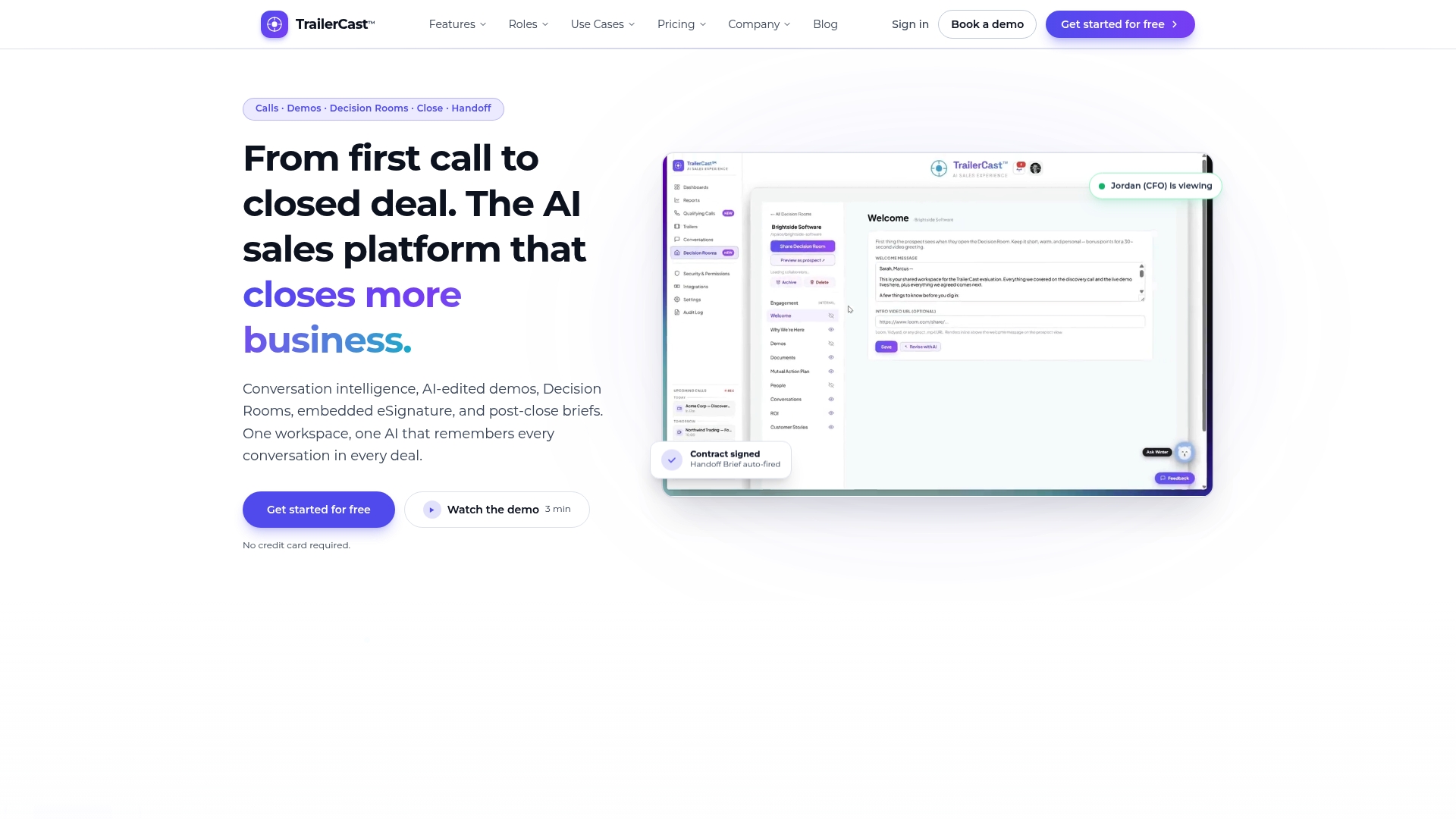
One tier includes every feature for $59 per user/month billed annually with a free trial and no credit card required. TrailerCast replaces five separate tools by keeping calls, demos, decision rooms, signatures, and handoffs in a single workspace. That consolidation aims to cut the number of vendor contracts you manage and keep deal context intact between meetings.
Core Features
TrailerCast combines an AI Notetaker, auto-edited personalized demo trailers, Decision Rooms, Embedded eSignature, and AI-generated handoff briefs into one deal workspace. It also offers engagement analytics and heatmaps, branded content generation, and an integrated deal management workflow that ties transcripts and assets to each opportunity. These features work together so you spend less time stitching recordings and documents into follow up materials.
Key Differentiator
All deal stages are consolidated into one AI-driven platform that generates personalized, branded content and surfaces stakeholder engagement insights. That single-workspace approach keeps a running Deal Brief for each opportunity so the seller and the buying committee see the same timeline, documents, and conversation highlights. The platform aims to preserve context across demos, negotiation, and post-close handoff rather than treating calls as isolated artifacts.
Pros
Consolidation reduces the number of point tools you need to license and maintain. Automated trailer and brief creation gives your champions forwardable assets that focus other stakeholders on the right topics. Engagement analytics surface who actually reviewed content and which stakeholders engaged, helping you prioritize outreach instead of guessing. The integrated close flow with eSignature and a handoff brief hands Customer Success the context they need after signing.
Cons
- Potential learning curve for teams integrating new AI features.
Who It’s For
Mid-market to enterprise B2B sales teams that manage multi-stakeholder deals and want to centralize content and process workflows will get the most value. Sales leaders who currently pay for multiple niche tools and want fewer handoffs should consider it. Teams running deals with three to seven decision makers will find the Decision Rooms and stakeholder visibility useful.
Unique Value Proposition
One price unlocks the full deal stack so you do not pay per feature across separate vendors. That pricing model lowers license overhead and shortens procurement cycles for RevOps and finance. For teams that lose deals between touchpoints, keeping transcripts, trailers, and documents in one room reduces the friction of handing context from seller to buyer and from sales to Customer Success.
Real World Use Case
According to the vendor, a SaaS vendor recorded and analyzed discovery calls, generated branded demo trailers that prospects were more likely to watch, and centralized stakeholder communication in Decision Rooms. The vendor reports this workflow led to shorter sales cycles and higher closing rates for that example. The scenario highlights how trailers help champions brief absent stakeholders without rehosting raw recordings.
Pricing
Pricing starts at $59 per user/month when billed annually and includes the full feature set in a single tier. A free trial is available with no credit card required. Custom enterprise plans and add ons are available for SSO, white labeling, and native CRM sync.
Website: https://trailercast.io
Fathom.ai
At a Glance
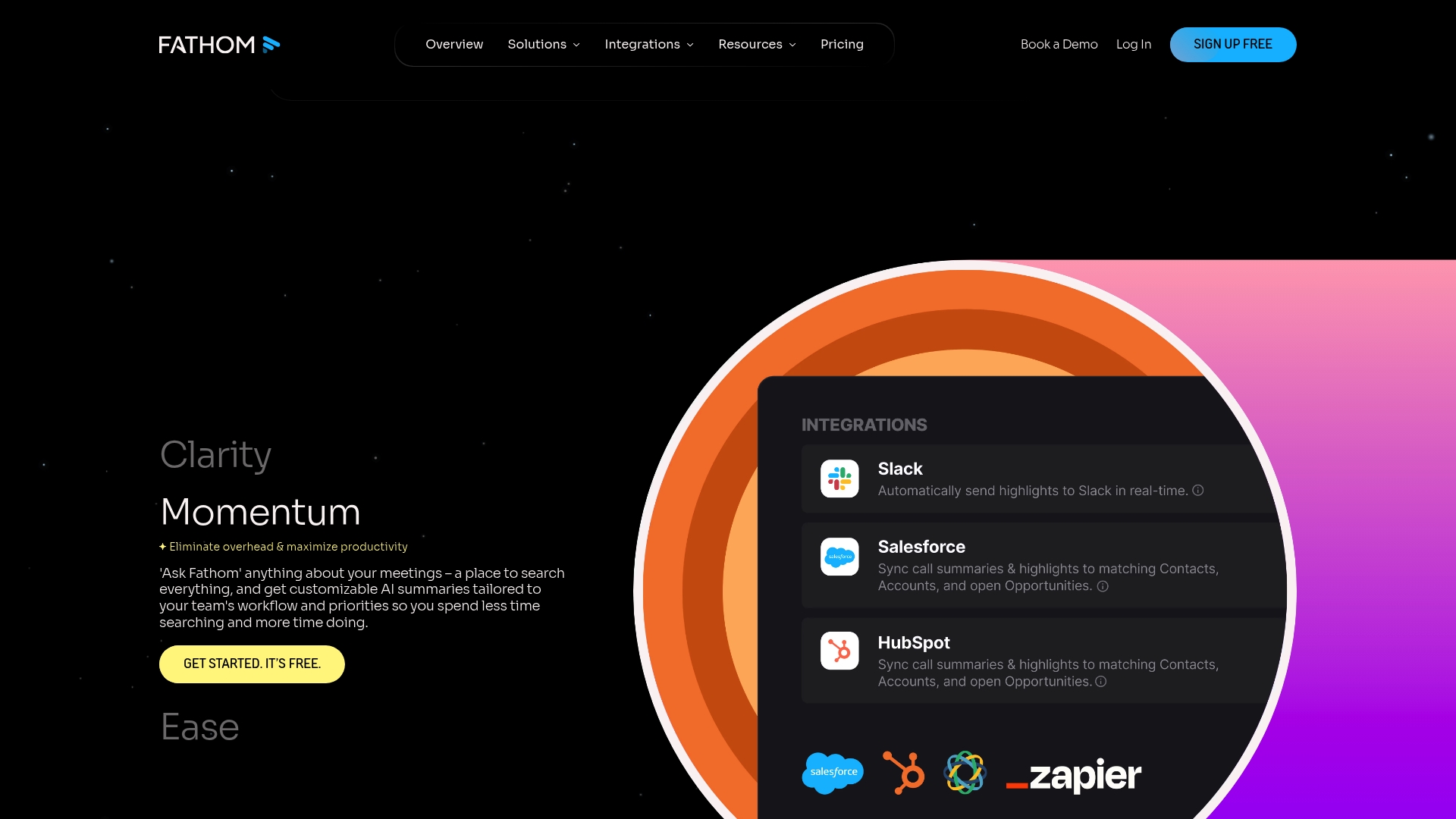
Bot-free capture mode records meetings without a joinable bot and still produces speaker-by-speaker transcripts and summaries. The vendor states compliance with SOC 2, HIPAA, and GDPR. It also connects to large language models such as ChatGPT and Claude for in-meeting assistance and post-meeting queries.
Core Features
Fathom generates AI summaries and action items from recorded calls, then surfaces searchable transcripts and keyword tracking across team history. It offers automated CRM updates, custom meeting templates, and an Ask Fathom query feature that pulls context from past conversations. The product supports both bot-free and bot capture modes across Google Meet, Zoom, and Teams.
Key Differentiator
Fathom centers on capture flexibility and in-meeting intelligence. The combination of a bot-free mode and native integration with model providers lets teams record the meeting environment they prefer while getting instant summaries. That setup appeals to groups that want tight control over recording behavior without losing AI note-taking and follow-up automation.
Pros
According to the company, Fathom is trusted by thousands of companies, and many customers praise the transcription reliability. Its integration list covers CRMs and workflow tools, which reduces manual post-meeting updates when you connect it to HubSpot or Salesforce. The bot-free option gives privacy-conscious teams a clear choice, and Ask Fathom offers fast, context-aware answers drawn from past calls.
Cons
- Pricing tiers can become costly for larger teams, since advanced features sit behind paid plans.
- Setup can require training and admin work for workflows and CRM syncing.
- Some advanced AI features are limited to paid or beta plans, which restricts immediate access for free users.
When It May Not Fit
Fathom may not fit if you need a single workspace that manages the entire deal lifecycle from call through demo, decision room, and handoff. Large enterprises that demand deep custom contracts and bundled platform features may find the commercial terms limiting. Teams that lack bandwidth for onboarding may also struggle to enable all integrations and templates.
Notable Integrations
- Asana
- ChatGPT
- Claude
- HubSpot
- Salesforce
- Zapier
- Google Meet
- Zoom
- Microsoft Teams
Who It’s For
Sales, marketing, and customer success teams that want reliable meeting capture and faster CRM updates will get the most value. Small to midmarket teams that prioritize accurate transcripts and lightweight AI queries match this tool well. Privacy conscious groups will appreciate the option to record without an in-call bot.
Real World Use Case
A sales team records discovery calls and demo sessions, then uses the AI summaries to populate CRM fields automatically. Reps save time on note taking and hand their champion a short summary to share with stakeholders. That record keeps the deal moving when multiple decision makers review different parts of the conversation.
Pricing
Plans and feature gates are listed on the vendor pricing page. Visit the pricing section at https://fathom.ai/pricing for current tiers, feature comparisons, and trial information.
Website: https://fathom.ai
Goodmeetings
At a Glance
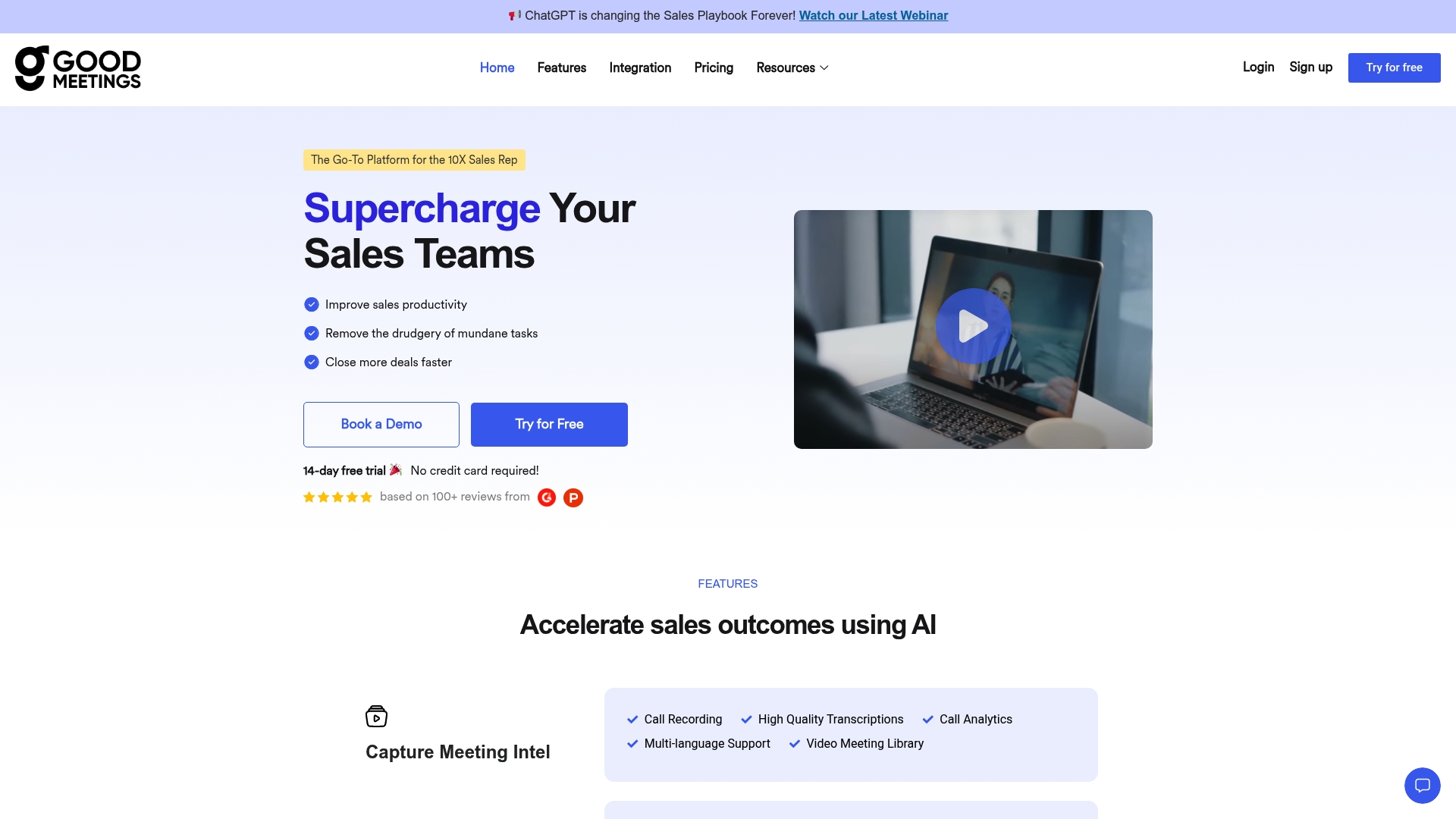
Real time in call AI assistance and a natural language Ask me anything search sit at the center of Goodmeetings. It captures calls, creates high quality transcripts, and extracts summaries, key moments, and action items automatically. The vendor cites recognition on Product Hunt and G2 and emphasizes deep CRM connectivity.
Core Features
Goodmeetings records meetings and delivers high quality transcription with speaker separation, plus AI-generated summaries and highlight extraction. The platform adds meeting analytics, sentiment and topic extraction, and automated action items that push to CRM records. It also includes a searchable video library, custom reporting dashboards, in call coaching tools with human shadowing, and keyword based call auditing.
Key Differentiator
The product stacks meeting level intelligence and tight CRM sync to make every recorded call actionable inside the sales workflow. That focus on meeting capture and CRM routing makes Goodmeetings narrower than tools that follow the entire deal lifecycle across demos decision rooms close and handoff. Teams that need deep meeting analytics and direct CRM updates will see the difference.
Pros
Goodmeetings groups transcription, summary, and highlight extraction into a single meeting pipeline so reps waste less time on manual notes. Its integration set allows recorded items and action items to flow into Salesforce or HubSpot without repeated uploads. Users report an intuitive interface and responsive support, and the vendor highlights positive recognition on third party review sites.
Cons
- Pricing depends on recorded user counts and requires a custom quote. That setup can block small teams from quick evaluation.
- Some advanced integrations and analytics appear behind higher tier plans and may add extra costs.
- CRM integration and reporting may need configuration work from RevOps or IT before they run smoothly.
When It May Not Fit
If you want a single workspace that owns the entire deal from demo to handoff this product may feel limited. Small teams with tight upfront budgets could struggle with the custom quote model. Organizations that need native post close handoff and document signing inside the same app should look elsewhere.
Notable Integrations
- Salesforce
- Hubspot
- Zoom
- Google Meet
- MS Teams
- Slack
- Leadsquared
- DevRev
Who It’s For
Sales managers and RevOps teams in mid market and larger organizations who prioritize meeting capture and measurable call performance. Revenue teams that rely on CRM driven workflows and that have staff to configure integrations will gain the most. Training programs that want recorded examples and automated coaching will also benefit.
Real World Use Case
A mid market sales team records every demo and qualification call with Goodmeetings. The platform creates summaries per call, pushes tasks and notes into Salesforce, and surfaces low scoring conversations for coaching. Managers use the reporting dashboards to identify common objections and tailor training for reps.
Pricing
Pricing is based on the number of recorded users with Professional and Business plan options. The vendor offers a free trial and discounts for annual billing, and detailed pricing is provided via quote. Expect additional costs for advanced integrations and higher tier analytics.
Website: https://goodmeetings.ai
Fellow.ai
At a Glance
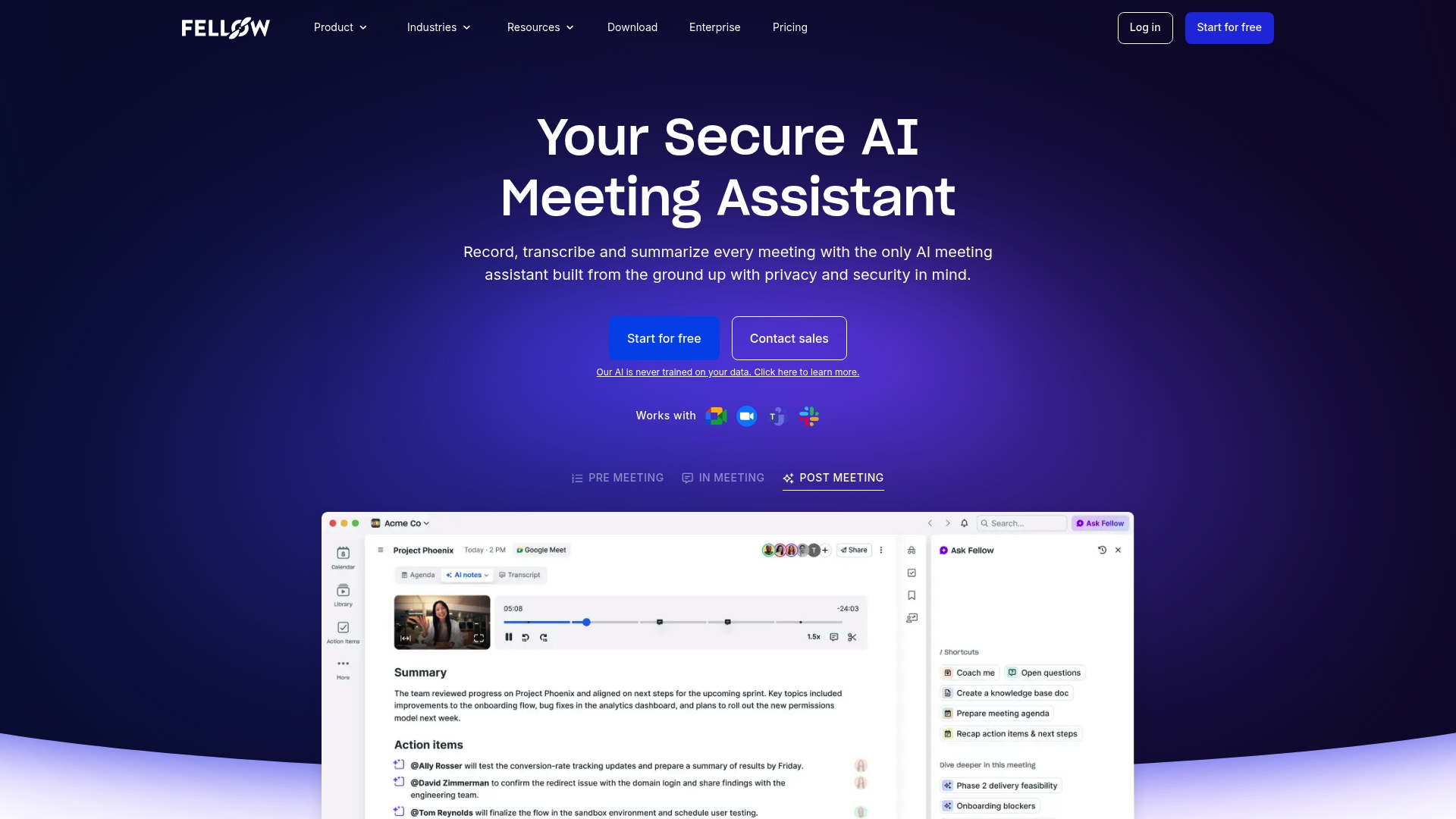
Fellow.ai’s marketing materials state it never trains AI on customer data. The vendor emphasizes security and data governance tailored to regulated teams. It captures meeting transcripts, action items, and a centralized notes library across Zoom, Google Meet, and Microsoft Teams.
Core Features
Fellow.ai produces AI meeting notes and summaries and offers real-time transcription in more than 90 languages. The platform captures action items, stores recordings and notes in a centralized library, and supports pre-meeting agenda prep plus post-meeting follow up. Integrations link meetings to CRM and collaboration tools so context flows into existing workflows.
Key Differentiator
Fellow.ai targets organizations with strict privacy and compliance demands and builds controls around that focus. That stance shows up in granular access controls, data redaction options, and explicit retention settings designed for audit trails. The feature set prioritizes governance rather than casual meeting capture.
Pros
According to the company, Fellow.ai complies with SOC2, HIPAA, and GDPR. That compliance focus lets regulated teams keep meeting content inside strict boundaries while keeping searchable transcripts and tracked action items. The platform supports in meeting, pre meeting, and post meeting workflows and integrates with Slack, Salesforce, HubSpot, Notion, and Confluence so sellers and ops teams can push context into their pipelines.
Cons
-
Pricing not listed publicly. The vendor asks teams to contact sales for enterprise plans.
-
Security focus adds setup steps. Smaller non regulated teams may face a steeper onboarding curve.
-
Some third party reviews report the interface feels complex during initial adoption.
When It May Not Fit
Small sales teams that want plug and play meeting notes may find the governance overhead unnecessary. Teams that need an extremely simple onboarding experience will likely want a lighter product. Organizations without compliance requirements should compare ease of use versus security controls before committing.
Notable Integrations
- Zoom
- Google Meet
- Microsoft Teams
- Slack
- Salesforce
- HubSpot
- Notion
- Confluence
Who It’s For
Security conscious sales and revenue operations teams inside finance, healthcare, and legal organizations will benefit most. Compliance officers and IT owners who need control over retention and access get a clear advantage. Sellers who hand off recordings to downstream stakeholders will find the audit features useful.
Real World Use Case
The vendor reports investment banks use Fellow.ai to support SEC recordkeeping compliance while improving meeting capture. In that scenario, transcripts live in a central archive and action items link back to deal owners. The result is a searchable record that supports audits and internal reviews.
Pricing
Fellow.ai requires contact with sales for detailed plans and enterprise pricing. The company advertises tiered subscription options including free, team, business, and enterprise levels. Prospective buyers should request a quote and ask about data residency and retention terms.
Website: https://fellow.ai
Avoma
At a Glance
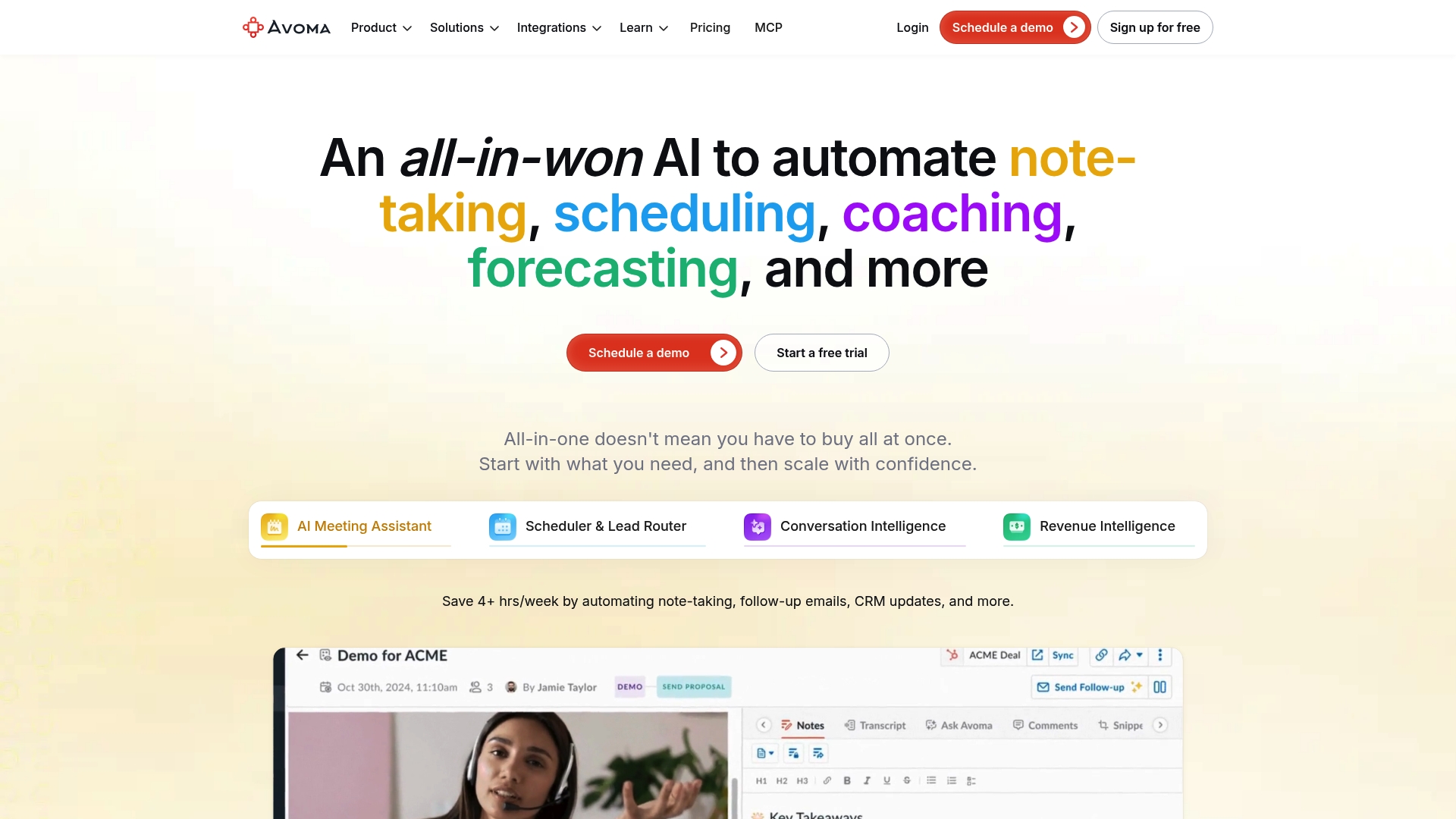
Avoma reports AI meeting transcription in 75+ languages. This feeds live transcripts, smart chapters, and automated note templates that map to individual meetings. The system also links recordings to CRM records and offers scheduling with lead routing.
Core Features
Avoma captures and transcribes calls in real time and produces templated meeting notes that save sellers typing after every call. The platform can auto update CRM fields and supports scheduling plus unlimited lead routing pages. Teams get conversation scoring, coachable moments, and chapter markers to jump to the moments that matter.
Key Differentiator
What sets Avoma apart is the combination of meeting automation and revenue intelligence in a single platform. That pairing closes the gap between raw call recordings and CRM data so deal context stays attached to opportunities. Deep links into conferencing and CRM systems make follow up and handoff more direct for reps and managers.
Pros
Avoma acts as a single platform for meeting capture, note generation, and sales coaching which reduces manual post call work. Live transcription quality and the chaptering feature speed review of long recordings for sellers and managers. Strong support for major conferencing and CRM tools means recorded insights flow into the sales record instead of remaining siloed.
Cons
- Some advanced features require time and training before teams get full value.
- Pricing can feel high for very small teams or solo sellers when factoring seat costs.
- Conversation intelligence depth varies by plan, so higher analytics may need an upgrade.
When It May Not Fit
Small sales teams with minimal meeting volume may find basic transcription sufficient and not need Avoma’s richer features. Organizations that lack bandwidth for initial setup and change management will see delayed returns. Companies that need advanced analytics without upgrading will find some capabilities gated to higher tiers.
Notable Integrations
- Zoom
- Google Meet
- Microsoft Teams
- Salesforce
- HubSpot
- Pipedrive
- Zoho CRM
- Aircall
Who It’s For
Revenue, sales, and customer success teams that run frequent meetings and want call records tied directly to deal data will benefit most. The product fits teams that plan to centralize meeting notes, coaching, and CRM updates in one place. It scales from small groups to larger revenue organizations that require multi person collaboration.
Real World Use Case
A sales team uses Avoma to transcribe discovery calls in real time and tag follow up tasks automatically. The platform logs notes and next steps into Salesforce so AE and SDR handoffs keep deal context. Managers review coachable moments and give targeted feedback ahead of pipeline reviews.
Pricing
Pricing starts at $19/user/month billed annually for basic plans and increases for higher tiers that add analytics and enterprise controls. The vendor advertises free viewer seats and trial options for teams that want to evaluate before committing.
Website: https://avoma.com
Fireflies.ai
At a Glance
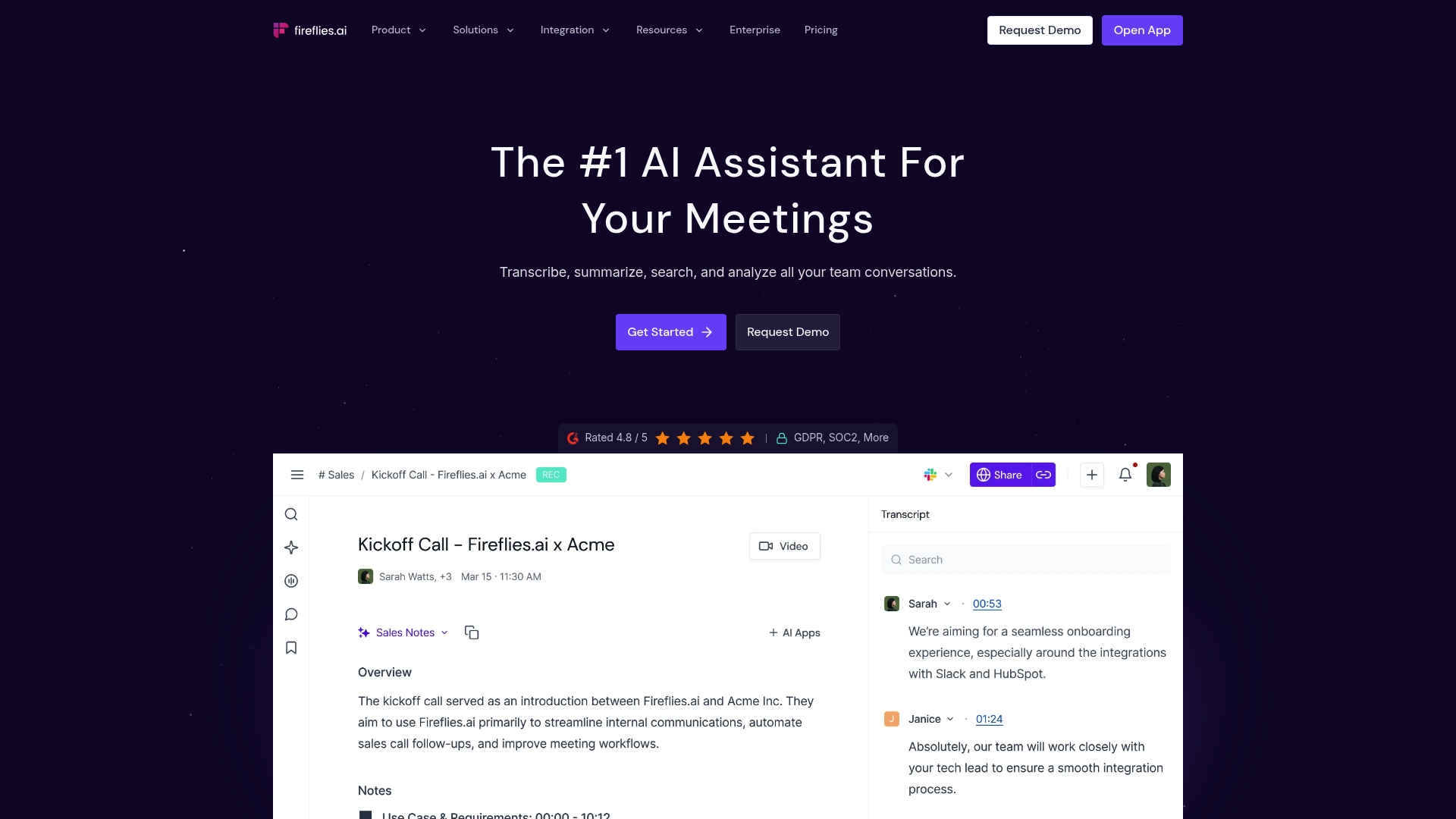
Fireflies.ai reports usage across over 1 million companies worldwide. That scale pairs with support for more than 100 languages and speaker recognition. Sales teams often list Fireflies.ai among Gong alternatives when reliable transcription and quick summaries matter.
Core Features
Fireflies.ai delivers high-accuracy transcription with speaker labels and auto language detection, plus real-time notes during meetings. It produces AI-generated summaries and action items and exposes searchable transcripts for knowledge sharing. The platform also offers analytics and conversation insights that teams can export or push into other systems.
Key Differentiator
The vendor positions its transcription accuracy and summary capabilities as the standout feature, combined with enterprise-grade security. That combination aims to make recordings easier to trust across revenue and operations teams. The focus is on turning meeting audio into searchable, shareable knowledge.
Pros
Accurate transcripts and crisp summaries save sellers time when they need to brief absent stakeholders or craft follow-ups. Integrations with conferencing, CRM, and project tools let recorded conversations flow into existing pipelines and playbooks. Enterprise security controls make it easier for larger organizations to adopt the tool without creating audit gaps.
Cons
- Third-party reviewers report that real-time coaching and live suggestions still have room for improvement.
- Pricing may pressure very small teams or startups that need many seats.
- Some advanced capabilities such as AI skills and deeper analytics may be sold as optional add-ons.
When It May Not Fit
If your team needs offline transcription or very low-bandwidth operation, Fireflies.ai may fall short because real-time features need a stable internet connection. Small startups on tight budgets might prefer a simpler free tool until they scale. Enterprise deployments require onboarding and configuration, which adds setup time.
Notable Integrations
- Zoom
- Google Meet
- Microsoft Teams
- Salesforce and HubSpot (CRM)
- Asana and Trello (project management)
- Slack
- Common data storage services
Who It’s For
Teams that need reliable meeting capture and searchable conversation records will get the most value. Sales and customer success groups that want talk-time metrics and sentiment analysis will find the features useful. Recruiting and product teams that archive interviews and discovery calls fit this tool as well.
Real World Use Case
A sales team records demo and discovery calls, then uses transcripts to compile talking points for absent stakeholders. The team reviews AI summaries to shorten handoff emails and to build follow-up tasks. Managers scan analytics to spot talk-time imbalances and coach reps before the next quarter.
Pricing
A free tier is available for basic use. Pro starts at $10/month per seat and Business at $19/month per seat. Enterprise plans and custom contracts are available on request.
Website: https://fireflies.ai
Comparison of alternatives
For sales teams, choosing the right meeting intelligence software means balancing usability, integration options, pricing, and unique features to match their workflow. Multiple products offer overlapping functionality, but several stand out in targeted scenarios or by their unique offerings.
Workflow consolidation and deal management
TrailerCast stands out for its all-in-one platform consolidating all stages of the sales cycle. With features such as AI Notetaker, branded demo trailers, decision rooms, and integrated workflows, Trailercast caters particularly well to sales teams managing multi-stakeholder deals requiring transitions between phases.
Privacy and customization
Fellow.ai distinguishes itself with its rigorous emphasis on compliance and data governance, adhering to standards such as SOC2 and HIPAA. These features make it compelling for teams operating in heavily regulated environments needing stringent audit controls and privacy safeguards.
Best fit
- For revenue teams managing multi-stakeholder deals requiring synchronized decision-making tools, TrailerCast provides end-to-end deal lifecycle visibility.
- For organizations requiring strict compliance standards like HIPAA or other regulated sectors, Fellow.ai delivers tailored governance solutions.
- Teams needing in-call assistance and immediate insights benefit significantly from Goodmeetings.
- If optimizing CRM pipeline integrations and capturing analytics from high volumes of sales meetings efficiently is essential, Avoma provides effective solutions.
- For cost-conscious smaller teams or startups, Fireflies.ai offers a strong starting point with a free tier and simplified meeting analytics.
Our pick
TrailerCast is our top recommendation for its unique approach to consolidating the entire deal process within a single, streamlined platform. However, smaller teams or those operating in niche regulated environments may find considerable value in alternatives such as Fireflies.ai or Fellow.ai. For teams battling with fractured deal progression and content handoff inefficiencies, TrailerCast uniquely integrates key phases of sales operations into one platform, ensuring cohesive execution.
Choose the software that optimizes deal lifecycle management while offering powerful AI-driven features.
| Product | Core Feature | Key Differentiator | Pricing | Notable Limitation |
|---|---|---|---|---|
| Trailercast | Consolidated AI-driven deal workspace | Centralized timeline with engagement insights | $59 per user/month billed annually | Learning curve for some features |
| Fathom.ai | AI meeting transcripts and summaries | Bot-free capture with query-enabled summaries | Price not published | Costly tiers for advanced team usage |
| Goodmeetings | Call capture with CRM integration | AI-driven summaries with training insights | Price not published | Cost barriers for small teams |
| Fellow.ai | Privacy-focused meeting documentation | Governance over data handling and security | Price not published | Setup may be complex for smaller teams |
| Avoma | Meeting transcription and CRM updates | Meeting automation paired with revenue intelligence | Starting at $19/user/month billed annually | High costs for small teams to access advanced features |
| Fireflies.ai | Real-time meeting transcription | Accurate transcription with actionable AI summaries | $10/month per user | Additional costs for AI skills and analytics |
Why Multi-Stage Deal Management Matters More Than Ever
Sales teams managing deals with multiple stakeholders face a common challenge: losing track of context between calls, demos, and negotiation phases. The internal fight to keep everyone aligned often kills momentum. The problem is not the calls themselves but what happens in the space between them. Trailercast replaces juggling separate tools by managing every deal stage—from AI call notes to demo trailers to decision rooms and eSignature—in one AI-powered workspace.
Trailercast helps you:
- Keep a running Deal Brief that remembers every conversation
- Share personalized demo trailers tailored to each stakeholder
- Track who engages with your content and when
- Close deals without switching apps using embedded eSignature
Explore how Trailercast solves challenges faced by sales teams and see how consolidating vendor contracts can keep your deals moving forward with full context. Get your free trial today and reduce the chance your deal dies in an internal meeting you aren’t part of.
FAQ
How does Trailercast help manage multi-stakeholder deals?
Trailercast consolidates all deal stages into one AI-driven platform, streamlining the sales process. It generates personalized, branded content and surfaces engagement insights, keeping a running Deal Brief for each opportunity. You can maintain context across demos, negotiations, and the post-close handoff.
What is the difference between Trailercast and Fathom.ai?
Fathom.ai excels in providing a bot-free capture mode and generates detailed summaries and action items from recorded meetings. Trailercast excels in offering a comprehensive solution that includes features like Decision Rooms and integrated eSignature, all in one platform. This makes Trailercast more valuable for those looking to manage the entire deal lifecycle.
Which platform offers a tiered pricing model for users?
Trailercast offers a straightforward pricing tier at $59 per user/month billed annually, which includes all features without added costs for specific functions. This single price point helps mitigate the overhead of managing multiple vendor contracts.
Can I use Trailercast if my team requires compliance with HIPAA or GDPR?
Trailercast provides a comprehensive solution for managing deals and maintaining context but does not specifically cite HIPAA or GDPR compliance in the listed features. Companies focused on stringent compliance may consider alternatives like Fellow.ai, which emphasizes security and regulatory alignment in its offerings.
How does Trailercast’s engagement analytics benefit sales teams?
Trailercast’s engagement analytics reveal who reviewed content and which stakeholders engaged with it, enabling sales teams to prioritize their outreach effectively. This feature helps you focus your efforts on stakeholders who are actively involved, maximizing potential for closing deals.