Save Prep Time with a 5–7 Section Sales Call Summary Template and AI

The fastest way to make every sales call count is a short 5 to 7 section summary template, filled in soon after the call ends. Use a copy-paste, Excel, or Word format, whichever your team already opens without complaint, and let AI pre-fill the routine fields (attendees, timestamps, action items) so a rep only has to check the work, not start from a blank page.
TL;DR:
- Using a structured sales call summary template completed within an hour helps ensure accurate and useful record-keeping for future follow-up.
- Filling out key sections like outcome, stakeholder map, objections, and next steps with specific owner and date increases the likelihood of closing deals.
- AI can automate the drafting of routine parts such as attendee lists and initial action items, but humans should verify tone and implied commitments.
- Consistent file naming, immediate CRM entry, and linking to recordings or transcripts improve accessibility and verification of call details.
- Short, disciplined summaries with clear next steps are more scalable and effective than lengthy or unstructured notes, especially in multi-stakeholder sales processes.
Table of Contents
- Sales Call Summary Template Formats You Can Use Today
- What Are the 7 Essential Sections of a Sales Call Summary?
- How Should You Use the Template After Every Call?
- What Does a Filled-Out Call Summary Look Like?
- Where AI Actually Helps (and Where It Doesn’t)
- Best Practices and Mistakes to Avoid
- Why Structure Beats Volume in Sales Call Summaries
- How Trailercast Turns Every Call Into a Ready-Made Summary
- Templates and Guides Worth Bookmarking
- Sources
Sales Call Summary Template Formats You Can Use Today
Every sales team has a format they’ll actually use and three or four they’ll ignore. Pick based on where your reps already live, not on what looks impressive in a demo.
- Copy-paste text block: fastest option, works inside Slack, email, or a CRM notes field with zero friction.
- Excel or Google Sheets: best when a manager needs to sort, filter, or roll up summaries across a whole pipeline.
- Word document: still the right call for enterprise deals where a summary gets attached to an internal deal review or shared with legal.
- CRM-native fields: the end state for most teams, where each section maps directly to a Salesforce or HubSpot field instead of living in a separate document.
For an executive one-paragraph version, keep it to outcome, stage, and next step: “Discovery call with Acme Corp (50 to 200 employees). Confirmed budget and timeline; CFO not yet engaged. Next step: demo scheduled for next Tuesday, [Rep Name] owns follow-up.” That single paragraph is often all a VP needs before a pipeline review.
Name files consistently: [Company]_[CallType]_[Date] works better than generic labels, and it makes searching six weeks later painless. If you’re pushing fields into a CRM, match your naming to existing salesforce meeting notes conventions (Call Outcome, Next Step, Owner) so nothing gets orphaned in a custom field nobody else checks.
What Are the 7 Essential Sections of a Sales Call Summary?
Most effective sales call report guides converge on the same structure, and for good reason: skip a section and you lose the thing that made the call worth having.
- Call outcome and stage. One line: what happened, and where the deal sits now (discovery, demo, negotiation).
- Attendees, titles, and who’s missing. Note every name and role on the call, and flag the stakeholders who weren’t there but need to be looped in.
- Pain points, quantified where possible. Not “they have efficiency problems,” but “manual reporting eats 6 hours a week across the ops team.”
- Stakeholder map. Role, influence level, and stance (champion, neutral, blocker) for everyone touching the decision.
- Objections and responses. Capture the buyer’s actual words where you can. A paraphrase loses the tone that tells you how serious the objection really is.
- Next steps with owner and date. Not “follow up soon.” A name and a calendar date, every time.
- Relationship notes and key quotes. The offhand comment about a renewal deadline or a competitor evaluation often matters more than anything on the agenda.
Pro Tip: If you only have time to nail two sections, make them the stakeholder map and the objection log. Reps who keep a running version of both across every call in a deal build negotiating leverage that a one-off summary never captures.
How Should You Use the Template After Every Call?
A template only works if the workflow around it is just as short as the form itself.
- Fill within 30 to 60 minutes. Memory decays fast; the exact wording of an objection is gone by end of day.
- Rep confirms, doesn’t invent. If AI drafted the summary from the call recording, the rep’s job is to correct and add nuance, not retype from scratch.
- Push to CRM immediately. Map fields directly: Outcome, Next Step, Owner, Date, Stakeholder Stance. Link the summary back to the original call recording or transcript so anyone can verify a claim later.
- Convert to a follow-up email in the same sitting. The next-steps section should translate almost word for word into the recap you send the buyer.
- Export action items as internal tasks. A next step with no owner is a suggestion. A next step pushed into a task queue is a commitment.
Guides on structuring call summaries consistently warn against dumping a full transcript into the CRM notes field. A transcript is searchable but unreadable; a summary is both.
What Does a Filled-Out Call Summary Look Like?
A discovery call with a 90-person logistics company might produce a summary like this: outcome, “qualified, moving to demo”; pain, “dispatchers spend 3 hours a day cross-checking spreadsheets”; objection, “IT is wary of another integration”; next step, “demo scheduled Thursday, Rep owns calendar invite, IT lead cc’d.”
That’s the whole shape. Nothing in it requires more than five minutes to write once the call is fresh in your head.
| Template type | Best use | Typical length |
|---|---|---|
| Discovery call | First qualifying conversation | 5 to 7 sections |
| Demo follow-up | After product walkthrough | 4 to 5 sections plus stakeholder reactions |
| Executive one-liner | Pipeline review, leadership update | 1 to 2 sentences |
For ready-made structures, both the free call report templates available in Excel and PDF and the UC Davis customer call summary example give you a copy-paste starting point. Save each as [Company]_[CallType]_Summary.xlsx or .docx and you’ve got a filing system before you’ve written a single note.
Where AI Actually Helps (and Where It Doesn’t)
AI is genuinely good at the parts of a call summary that are mechanical: who attended, what time key moments happened, and a first pass at action items pulled from the language people actually used. It’s also useful for generating a short highlight clip a rep can forward to a stakeholder who missed the call, instead of asking that person to sit through a 45-minute recording.
Where AI still needs a human check: tone, unstated commitments, and anything implied rather than said outright. If a prospect hints that budget approval depends on a board meeting they didn’t name, that’s a judgment call a transcript won’t flag on its own.
- AI strengths: speed, searchable transcripts, drafted action items, shareable highlight reels.
- AI limits: nuance, sarcasm, commitments implied but never stated.
- Practical workflow: AI auto-drafts the summary, the rep edits for accuracy, the fields push to CRM, and a trailer or clip goes out to stakeholders who weren’t on the call.
Pro Tip: Always have a human confirm the owner and date on every next step, even when AI drafted it. That’s the one field where a wrong guess costs you a week of dead air.
Best Practices and Mistakes to Avoid
The rule that separates a useful summary from a wasted one is simple: every next step needs a named owner and a specific date. “Follow up next week” isn’t a commitment, it’s a placeholder.
- Do: Update the stakeholder map after every call, not just the first one. Stances change.
- Do: Keep each section to one or two sentences. A summary that reads like an essay won’t get read by the next person who needs it.
- Don’t: Paste in a raw transcript and call it a summary. It’s searchable, not usable.
- Don’t: Let “next steps” default to vague language. If there’s no date, there’s no plan.
- Manager checklist: Spot-audit 5 to 10 summaries a week for owner/date compliance, and flag any deal where the stakeholder map hasn’t been touched in two calls.
Why Structure Beats Volume in Sales Call Summaries
Short, structured summaries win because multi-stakeholder deals don’t fail from a lack of information. They fail from information that exists somewhere but never reaches the person who needed it before a decision got made. A stakeholder map updated after every call is worth more than a perfect transcript nobody rereads.
As call volume grows, the discipline that scales isn’t writing longer notes. It’s keeping the same seven fields tight enough that a rep can fill them in the time it takes to grab coffee.
— Daniel
How Trailercast Turns Every Call Into a Ready-Made Summary
An AI notetaker can join the call, transcribe it speaker by speaker, and draft the structured summary automatically, complete with action items and a searchable transcript linked back to the exact moment something was said.

That summary doesn’t sit alone in a document either. It feeds a running Deal Brief that spans every call in the opportunity, so context never resets between the discovery call and the demo three weeks later. When a stakeholder wasn’t on the call, an AI-edited trailer pulls the 8 to 15 minutes that mattered instead of asking them to rewatch an hour of recording. Explore how the discovery call workflow works, or start a free trial and see how much of your next call summary writes itself.
Templates and Guides Worth Bookmarking
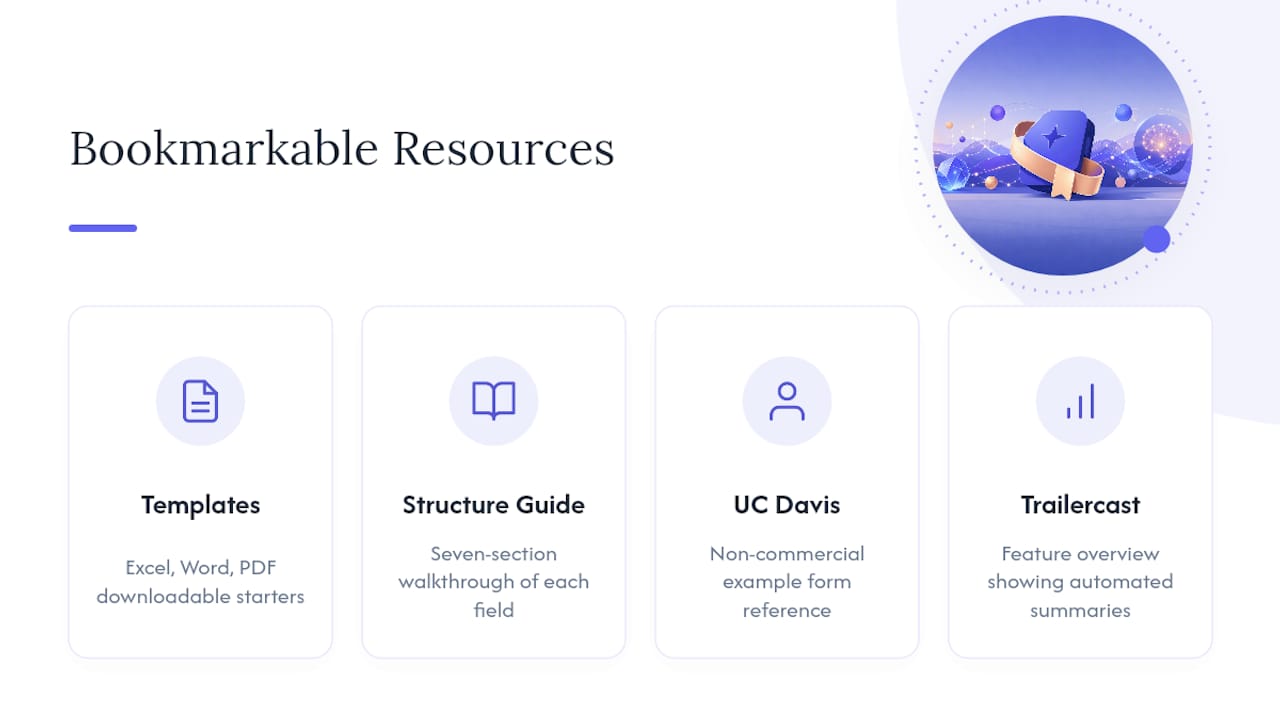
For downloadable starting points, the free sales call report templates cover Excel, Word, and PDF formats, and the seven-section structure guide walks through why each field earns its place. The UC Davis example form is a solid non-commercial reference, and Trailercast’s feature overview shows how automated summaries fit into a full deal workspace.
Sources
- Free Sales Call Report Template Download
- How to Create Effective Sales Call Reports + Free Templates
- Customer Call Summary Template (UCDavis example PDF)
- Sales Call Summary Template – AfterTheCall