Best Avoma Alternatives for Sales Teams in 2026

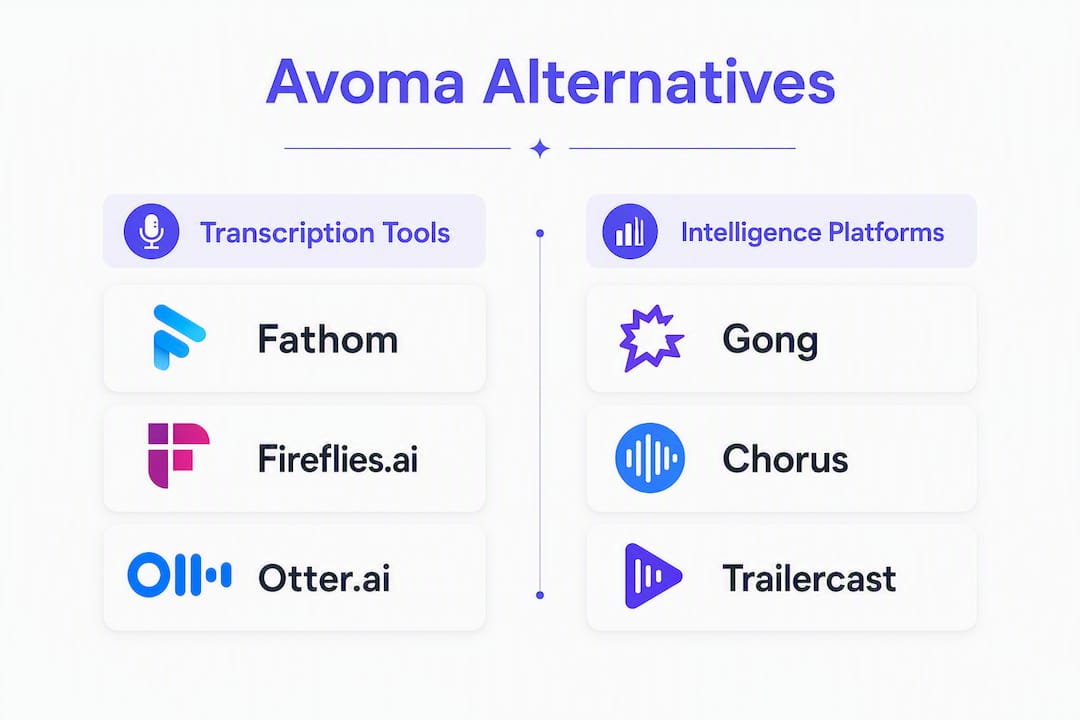
The single best Avoma alternative depends on what is actually slowing your deals down. If you need deep revenue intelligence and enterprise forecasting, Gong is the category benchmark. If you need fast, affordable transcription for a small team, Fireflies.ai or Otter.ai get you running in an afternoon. If you want one workspace that covers calls, demos, deal rooms, and post-close handoff without stitching five tools together, Trailercast is the consolidation play.
Here’s the short version:
- Trailercast — best for B2B SaaS teams with multi-stakeholder deals who want a single AI workspace from first call to signed contract
- Gong — best for enterprise revenue teams that need deep forecasting, call scoring, and coaching at scale
- Fireflies.ai — best for small teams or individual reps who need reliable transcription and CRM logging at low cost
- tl;dv — best for async-first teams that want lightweight meeting capture with solid free-tier access
- Fathom — best for individual contributors who want a genuinely free notetaker with clean summaries
- Sybill — best for sales teams that want AI-generated call summaries with behavioral signal detection
The one question to ask every vendor during your proof-of-concept: “Can you show me a live CRM writeback with our actual field names, not a demo environment?” That single test separates tools that work in production from tools that look great in a sales call.
TL;DR: Sales leaders at SMB and mid-market companies should start demos with Trailercast (consolidation), Gong (enterprise depth), or Fireflies.ai (budget capture). RevOps teams evaluating the full stack should run a two-week pilot with real CRM fields before committing.
Table of Contents
- Which Avoma alternatives should you actually compare?
- Which tool fits your team’s size and situation?
- How do you choose the right Avoma alternative?
- What does pricing actually look like across these tools?
- What technical features actually separate these tools?
- How we selected and evaluated these alternatives
- Key Takeaways
- When does switching from Avoma actually make sense?
- Trailercast covers the full deal, not just the call
- Sources used to verify claims
Which Avoma alternatives should you actually compare?
The table below maps each tool to its primary use case, key capabilities, CRM story, pricing signal, and scale fit. Pricing was verified against vendor pages and StackScored’s April 2026 roundup.
| Tool | Best for | Key features | CRM integrations | Pricing / free plan | Enterprise readiness | Ease of adoption | Scale |
|---|---|---|---|---|---|---|---|
| Trailercast | Multi-stakeholder B2B deals, full lifecycle | Conversation intelligence, AI demo trailers, decision rooms, eSignature, post-close handoff | HubSpot, Salesforce (native CRM sync as enterprise add-on) | $79/seat/mo; $59 annual; free trial, no card | SSO/SAML, custom DPA, SOC 2 (enterprise add-on) | Very fast; no-login deal rooms | SMB to mid-market |
| Gong | Enterprise revenue intelligence | Call scoring, forecasting, deal inspection, coaching | Salesforce, HubSpot, Outreach, Salesloft | Custom quote; no public free tier | SOC 2, SSO, advanced admin | Moderate; onboarding investment | Mid-market to enterprise |
| Chorus (ZoomInfo) | Enterprise CI bundled with ZoomInfo data | Call recording, market intelligence overlay, coaching | Salesforce, HubSpot, ZoomInfo native | Custom quote; bundled with ZoomInfo | SOC 2, SSO | Moderate; tied to ZoomInfo stack | Enterprise |
| Fireflies.ai | Budget transcription + CRM logging | Transcription, summaries, search, CRM auto-log | HubSpot, Salesforce, Zapier | Free tier (limited storage); paid from ~$10/seat/mo | SOC 2 Type II | Very fast | Solo to SMB |
| Otter.ai | Cross-functional note-taking | Live transcription, shared notes, action items | Salesforce (limited), Zapier | Free tier; paid from ~$10/seat/mo | SSO on Business plan | Very fast | Solo to mid-market |
| tl;dv | Async-first teams, lightweight capture | Recording, highlights, AI summaries, timestamp clips | HubSpot, Salesforce, Notion | Free tier (unlimited recordings); paid from ~$18/seat/mo | SOC 2 | Fast | Solo to SMB |
| Fathom | Individual contributors, free notetaker | AI summaries, action items, CRM sync | HubSpot, Salesforce | Free plan (unlimited calls); paid team plan | SOC 2 | Extremely fast | Solo to small team |
| Sybill | Behavioral signal + call summaries | Emotion/engagement detection, AI summaries, follow-up drafts | Salesforce, HubSpot | Pay from ~$40+/seat/mo; free trial | SOC 2 | Fast | SMB to mid-market |
| Outdoo AI | Sales coaching and rep performance | Call analysis, coaching scorecards, rep benchmarking | Salesforce, HubSpot | Custom pricing; trial available | SOC 2 | Moderate | SMB to mid-market |
| Cirrus Insight | Salesforce-native email + meeting sync | Email tracking, calendar sync, meeting scheduling, Salesforce logging | Salesforce-native | From ~$10/seat/mo; free trial | Salesforce security model | Fast | SMB to enterprise |
A few practical notes on what you’re actually buying:
Gong’s depth is real, but so is the procurement overhead. It’s widely positioned as an enterprise-grade, higher-cost option, which means longer sales cycles and a platform fee that can surprise smaller teams. Chorus carries the same enterprise weight, plus you’re effectively buying into the ZoomInfo data ecosystem whether you need it or not.
Fireflies.ai and Otter.ai are genuinely good at what they do: capture and search. General-purpose note-takers like these often deliver stronger value per dollar for cross-functional teams than sales-first platforms loaded with add-ons. The tradeoff is that neither was built around a sales pipeline, so coaching workflows and deal-level intelligence are thin.
Trailercast sits in a different category from the rest of the list. Where every other tool here records calls, Trailercast tracks the full deal: calls, AI-edited demo trailers, buyer-facing decision rooms, eSignature, and a post-close handoff brief. For a B2B SaaS team running 3–7 stakeholder deals, that consolidation replaces what would otherwise be five separate subscriptions.
Which tool fits your team’s size and situation?
Use this as a quick filter before you book demos.
Individual contributor or freelancer: Fathom is the obvious starting point. The free plan covers unlimited calls with clean AI summaries and basic CRM sync. tl;dv is a close second if you want timestamp clips for async follow-up. Neither requires IT involvement to deploy.
Small sales team (1–10 reps): Fireflies.ai handles transcription and CRM logging at a price point that won’t require a budget approval. If your deals involve multiple stakeholders and you’re losing control of the space between calls, Trailercast’s $59/seat/month annual plan gives you deal rooms and async video follow-up that a pure transcription tool can’t match.
Mid-market team (10–100 reps): This is where the decision gets real. Avoma’s published pricing plus add-ons can push total seat cost higher than expected for full-featured access, which makes this the natural migration moment. Trailercast covers the full deal lifecycle at a flat per-seat price. Gong is worth evaluating if forecasting accuracy and manager-level coaching dashboards are the primary need, but expect a longer procurement cycle and a higher platform fee.
Enterprise (100+ reps): Gong or Chorus, depending on whether you’re already in the ZoomInfo ecosystem. Both offer the compliance posture, admin controls, and forecasting depth that enterprise RevOps teams require. The tradeoff is deployment time and cost.
Cross-functional teams that want one notes tool: General-purpose note-takers deliver stronger value per dollar here. Otter.ai or Fireflies.ai cover the use case without forcing a sales-specific workflow on product, engineering, or customer success.
Teams that only need transcription: Fathom or tl;dv. Both have free tiers, fast setup, and enough CRM connectivity for basic logging. Don’t pay for coaching infrastructure you won’t use.
Migration signal to watch for: If your team is manually copying call notes into Salesforce, running a separate tool for async video, and losing track of which stakeholders have seen your demo, you’ve outgrown a transcription-first setup. That’s the moment to evaluate a platform that tracks the deal, not just the call.
How do you choose the right Avoma alternative?
Choose the tool that solves your highest-cost friction point, and validate it with measurable proof-of-concept criteria before you sign anything.
Three axes matter most in this evaluation, and they’re not equally weighted for every team.
Integration fidelity is the first filter. A tool that can’t write reliably to your CRM fields in production is a liability, not an asset. The real cost of a sales intelligence tool includes operational overhead: CRM field mapping reliability, admin governance, and the speed at which insights translate into coaching actions. During your POC, test writeback with your actual Salesforce or HubSpot field names, not the vendor’s demo environment. API throttling and field name mismatches are the two most common failure points you won’t see in a sales demo.
Actionability of insights is the second axis. Transcription is table stakes. The question is whether the tool turns a recorded call into a coaching action, a follow-up asset, or a CRM update without a rep having to do it manually. Scorecards, moment detection, and automated summaries are only valuable if your managers actually use them. Ask vendors to show you a sample coaching workflow with a real call, not a polished demo recording.
Operational cost is the third axis, and it’s the one most buyers underestimate. A lower sticker price can mask higher operational costs: maintenance, CRM integration problems, and manual triage can make a “cheap” tool more expensive in practice. Factor in admin time, onboarding, and the cost of features you’ll need to add later.
Testing transcription accuracy
Run the vendor’s transcription on a real call from your team, ideally one with industry jargon, multiple speakers, and some crosstalk. Check whether speaker labels are accurate, whether timestamps align with the actual moment in the recording, and whether the summary captures the actual next steps discussed. Inaccurate timestamps break CRM automation downstream.
Verifying CRM writeback
Ask the vendor to demonstrate a live writeback to a sandbox version of your actual CRM, using your field schema. Watch for field name mismatches, missing required fields, and latency between call end and CRM update. A 24-hour delay in transcript availability is a red flag for teams that need same-day coaching.

Evaluating coaching workflows
Request a sample scorecard built on a real call. Ask how managers assign coaching tasks, how reps receive feedback, and whether the workflow lives inside the tool or requires a separate platform. If the answer involves exporting to a spreadsheet, that’s a signal.
Data retention and export
Ask specifically: what happens to your data if you cancel? Can you export all transcripts, summaries, and CRM-mapped records in a portable format? Vendor lock-in on call data is a real risk, and it’s rarely discussed during the sales process.
Red flags to watch for
A vendor who can only demo in their own environment, not yours, is hiding integration friction. Pricing that requires a “custom quote” before you can even see a feature list suggests a long procurement cycle. A free trial that doesn’t include CRM sync tells you the integration isn’t ready for production. Watch for tools that claim “Salesforce integration” but mean a Zapier zap, not a native API connection. And be cautious of platforms where the coaching features are locked behind a higher tier, because that’s where the real cost surfaces.
Questions to ask vendors during POC
- What is the latency between call end and transcript availability in production?
- Where is call data stored, and in which region?
- Can you show us a live CRM writeback with our actual field names?
- What does your API rate limit look like for a team our size?
- What is your support SLA for integration issues?
- Can you provide a sample scorecard built on a real customer call?
- What does data export look like if we decide to leave?
- Is SSO included in the base plan or an add-on?
What does pricing actually look like across these tools?
The market breaks into three clear bands, and knowing which band you’re shopping in changes how you run procurement.
Transcription-first tools (free to ~$20/seat/month): Fathom, tl;dv, Otter.ai, and Fireflies.ai all offer free tiers or low-cost entry plans. Several vendor comparisons note free tiers or generous free trials for transcription-first tools, useful for single reps or small teams who primarily need capture and searchable transcripts. The catch: CRM sync is often limited or absent on free plans. Fathom’s free plan includes CRM sync to HubSpot and Salesforce, which makes it genuinely useful for individual reps. tl;dv’s free tier covers unlimited recordings but restricts AI summaries.
Mid-market modular plans (~$40–$80/seat/month): Avoma, Sybill, and Trailercast sit in this band. Trailercast costs $79/seat/month, or $59/seat/month when billed annually, with all features included and no gating. Avoma’s published pricing plus add-ons can push the effective seat cost meaningfully higher once you add coaching, CRM sync, and advanced analytics. [Modular pricing can appear flexible but results in feature bloat and fragmented experiences as teams scale.] Procurement simplicity matters here, especially for mid-market teams that need fast deployment without a dedicated RevOps admin managing integrations.
Enterprise custom-quote platforms (high platform fee + per-seat): Gong and Chorus both require a custom quote. Organizations choosing enterprise suites often accept longer sales cycles and higher platform fees. The upside is negotiated discounts and dedicated implementation support. The downside is that you can’t self-serve a trial, which slows down proof-of-concept timelines significantly.
- When a budget transcription tool is the right call: your team is under 10 reps, your primary need is searchable call records and basic CRM logging, and you don’t have a coaching program that requires scorecards.
- When a revenue intelligence investment is warranted: your team is running multi-stakeholder deals, managers need coaching dashboards, and you’re losing deals in the space between calls because your champion can’t re-sell internally.
- Free tiers worth testing: Fathom (unlimited calls, CRM sync), tl;dv (unlimited recordings, limited AI), Fireflies.ai (limited storage, basic CRM).
What technical features actually separate these tools?
Transcription quality and latency
Accuracy matters because inaccurate timestamps break CRM automation. Test with a real call that includes product names, competitor mentions, and multiple speakers talking over each other. The best tools handle crosstalk without collapsing speaker labels. Latency matters too: if transcripts aren’t available for 12–24 hours, same-day coaching is impossible.
Speaker separation
Speaker diarization quality varies significantly across tools. Enterprise platforms like Gong use voice fingerprinting to identify speakers across calls. Lighter tools rely on calendar metadata or manual labeling. For coaching workflows, accurate speaker ID is non-negotiable: you need to know whether it was the rep or the prospect who raised pricing first.
Moment detection and highlight extraction
This is where tools diverge most sharply. Basic tools flag keywords. Advanced tools detect moments: a competitor mention, a pricing objection, a buying signal, a risk flag. Trailercast’s moment detection engine decides which 8–15 minutes of a demo actually mattered and builds a branded trailer from them. That’s a fundamentally different capability from keyword search.
AI-edited demo trailers and async video
For teams running multi-stakeholder deals, the ability to send a personalized, AI-edited trailer to a CFO who missed the demo is a deal-level capability, not a nice-to-have. Trailercast’s AI-edited demo trailers are built from real call recordings, personalized per stakeholder, and tracked when the prospect plays them. Measure end-to-end cycle time (time from demo recording to trailer delivery) and the accuracy of moment detection to predict whether this feature will scale for your team.
Buyer-facing deal rooms
Deal rooms are where the deal lives between calls. Trailercast’s decision rooms give each opportunity a branded, no-login workspace with a mutual action plan, ROI section, document storage, and a live thread between the seller and the buying committee. No other tool on this list combines deal rooms with conversation intelligence in a single platform.
CRM mapping and field writeback
Auto-logging sales calls to HubSpot and Salesforce is only valuable when the field mapping is accurate and the writeback is reliable. Test this in your actual CRM environment, not a demo sandbox.
Scorecards and coaching workflows
Coaching scorecards are the mechanism that turns call data into rep improvement. Gong and Outdoo AI have the deepest scorecard infrastructure. Lighter tools offer basic summary-based feedback. Ask vendors to show you a completed scorecard on a real call, not a template.

Admin and security
SOC 2 Type II is the baseline for any tool that will touch customer call data. SSO/SAML is required for enterprise procurement. Data residency (US vs EU) matters for teams with international customers. Trailercast offers SSO/SAML and custom DPA as enterprise add-ons.
Pro Tip: During your POC, run the vendor’s transcription on the same call you use for every vendor evaluation. Score each tool on speaker accuracy, timestamp precision, and summary completeness against a rubric you define before the demos start. This eliminates the “impressive demo” bias and surfaces real production quality.
How we selected and evaluated these alternatives
The selection criteria were: transcription accuracy, CRM automation depth, coaching workflow quality, security posture, deployment speed, and price transparency. Each criterion maps directly to a friction point sales teams report when evaluating or migrating from Avoma.
Evidence sources included vendor pricing pages, product documentation, published feature matrices from SelectHub and StackScored (pricing verified April 2026), CB Insights’ category analysis, and ToolChase’s procurement-focused roundup. G2 reviews were consulted for Outdoo AI and Avoma vs Chorus comparisons. Capterra reviews were reviewed for Outdoo.
Disclosure: This article is published by Trailercast, which offers a consolidated AI sales platform that competes in the same category as several tools listed here. The comparison table and recommendations were built on published vendor data and third-party sources. Where Trailercast appears as a recommended option, it is because its consolidated feature set genuinely addresses the use cases described — not because it is the publisher. Readers should run their own POC against their actual CRM environment before making a purchasing decision.
Category consolidation is accelerating: bundles now combine sales engagement platforms, conversation intelligence, and revenue intelligence into larger platforms, which changes the procurement calculus for RevOps teams. Buying a point solution today means evaluating whether it will still be independent in 18 months.
Key Takeaways
The most effective way to choose an Avoma alternative is to match the tool to your highest-cost friction point, then validate CRM writeback with real production data before you commit.
| Point | Details |
|---|---|
| Match tool to friction point | Transcription-only teams need Fathom or Fireflies.ai; multi-stakeholder deal teams need a full-lifecycle platform. |
| Test CRM writeback in production | Run a live writeback with your actual field names during POC — demo environments hide real integration failures. |
| Watch total cost, not sticker price | Modular add-ons and admin overhead can make a lower-priced tool more expensive than a flat-rate platform. |
| Free tiers exist but have limits | Fathom offers free unlimited calls with CRM sync; tl;dv’s free tier restricts AI summaries — verify before piloting. |
| Trailercast consolidates five tools | Calls, AI demo trailers, decision rooms, eSignature, and post-close handoff in one workspace for $59/seat/month when billed annually. |
When does switching from Avoma actually make sense?
Three signals tell me a team is ready to move, and they’re worth naming plainly.
The first is procurement friction. If your RevOps team is spending meaningful time managing integrations between your transcription tool, your CRM, your async video tool, and your deal room, the stack has become the problem. That’s not a tool failure; it’s a structural one. The fix isn’t a better integration; it’s fewer tools.
The second is scaling pain from modular add-ons. Avoma’s base pricing is reasonable, but the published price plus add-ons can push total seat cost higher than expected once you add the features a growing team actually needs. When the per-seat cost climbs and the feature set still doesn’t cover async video or deal rooms, the math shifts toward a consolidated platform.
The third is the need for deeper deal-level intelligence. Avoma is a strong meeting intelligence tool. But if your deals involve 4–6 stakeholders and you’re losing control of what happens after the demo, a meeting intelligence tool isn’t enough. You need something that tracks the deal, not just the call.
The lowest-friction migration path is a staged pilot. Start with discovery call capture and CRM writeback on a subset of reps for two weeks. Validate that transcripts are accurate, CRM fields are populating correctly, and reps are actually using the summaries. Then layer in deal rooms and async video follow-up for deals in active evaluation. The hidden cost of switching is always change management, not the tool itself. Reps who see the value in week one adopt fast; reps who are told to switch without a clear reason don’t.
Trailercast covers the full deal, not just the call
Most tools on this list record what happened. Trailercast tracks what’s happening, across every call, demo, stakeholder interaction, and handoff in the deal.

For B2B SaaS teams running multi-stakeholder deals, that distinction changes the outcome. Your champion leaves a great demo and walks back to a CFO who wasn’t there. Trailercast gives them a personalized, AI-edited trailer to forward, a decision room where the buying committee can review materials and ask questions, and a mutual action plan that keeps the deal moving without another call. When the contract signs, an AI Handoff Brief fires to Customer Success automatically.
The full feature set covers conversation intelligence, AI demo trailers, buyer-facing decision rooms, embedded eSignature, and post-close handoff. One platform, one price: $79/seat/month, or $59/seat/month when billed annually. Free trial, no credit card required.
If you’re evaluating Avoma alternatives and your deals involve more than two stakeholders, start a free trial at trailercast.io and run it against your next three active opportunities.
Sources used to verify claims
Pricing and feature data were verified against vendor pages and the following third-party sources. Pricing accuracy reflects the dates noted below.
- Avoma Alternatives in 2026 | StackScored — pricing verified April 21, 2026
- Top Avoma Alternatives & Competitors | SelectHub — feature matrix definitions and omnichannel coverage
- Top Avoma Alternatives, Competitors | CB Insights — category consolidation analysis
- Avoma pricing analysis | CheckThat.ai — total cost of ownership and operational overhead
- Outdoo AI reviews | G2 — user reviews for Outdoo AI
- Avoma vs Chorus by ZoomInfo | G2 — feature comparison for Chorus
- Outdoo | Capterra — independent user reviews for Outdoo
Pricing for Gong, Chorus, Outdoo AI, and Cirrus Insight was not publicly listed at time of writing; figures shown reflect published third-party estimates and should be verified directly with vendors. Trailercast pricing is sourced from the vendor directly.