Contract Redlining Best Practices: A Legal Team Playbook

Follow a playbook, mark every change visibly, explain substantive edits in comments, and keep one source of truth. That single discipline separates negotiations that close in two rounds from ones that drag through six.
The short version before you read further:
- Use a standard playbook with preferred language, fallbacks, and walk-away positions
- Always work in tracked changes — never edit silently
- Attach a margin comment to every substantive edit explaining the reason and an acceptable fallback
- Triage first: prioritize liability caps, indemnities, IP, termination, and payment terms
- Send a clean copy alongside every redlined draft
- Keep a strict version naming convention and treat the last sender as version owner
- Limit stylistic edits — accept nonmaterial wording that does not shift risk
- Preserve the full audit trail through close
Three things to do before you close this tab:
- Open Microsoft Word Track Changes (Review → Track Changes → Track Changes) and set it as your default for every contract file.
- Create a filename template:
COUNTERPARTY_DOCTYPE_v2026-03-15_redline.docxand apply it to your next draft. - Write one reusable comment template for liability edits: “We propose [X] because [business reason]. Acceptable fallback: [Y].”
Pro Tip: Adobe Acrobat Compare Documents is the fastest way to catch edits that slipped through without tracked changes — run it on every version exchange before you open the redline.
Table of Contents
- What is contract redlining and why does it matter?
- Common pitfalls that slow negotiations and create downstream risk
- Contract redlining best practices: the prioritized checklist
- How to redline a contract from start to finish
- Which tools actually help with redlining — and when to use each
- What research shows about AI-assisted redlining — and where human review is non-negotiable
- High-risk clauses to watch and when to escalate
- Finalizing the agreement: clean copy, audit trail, and archival
- Key Takeaways
- The tradeoff nobody talks about in contract redlining
- Trailercast keeps your negotiation artifacts in one place
- Useful sources and further reading
What is contract redlining and why does it matter?
Redlining is the iterative, marked-up negotiation process where parties use tracked changes and margin comments to propose, explain, and respond to edits in a contract draft. The term comes from the literal red ink attorneys once used to strike through and rewrite clauses on paper. Today it happens in Microsoft Word, PDF tools, and contract lifecycle management platforms, but the job is the same: convert each party’s negotiation positions into a visible, auditable draft that both sides can work from.
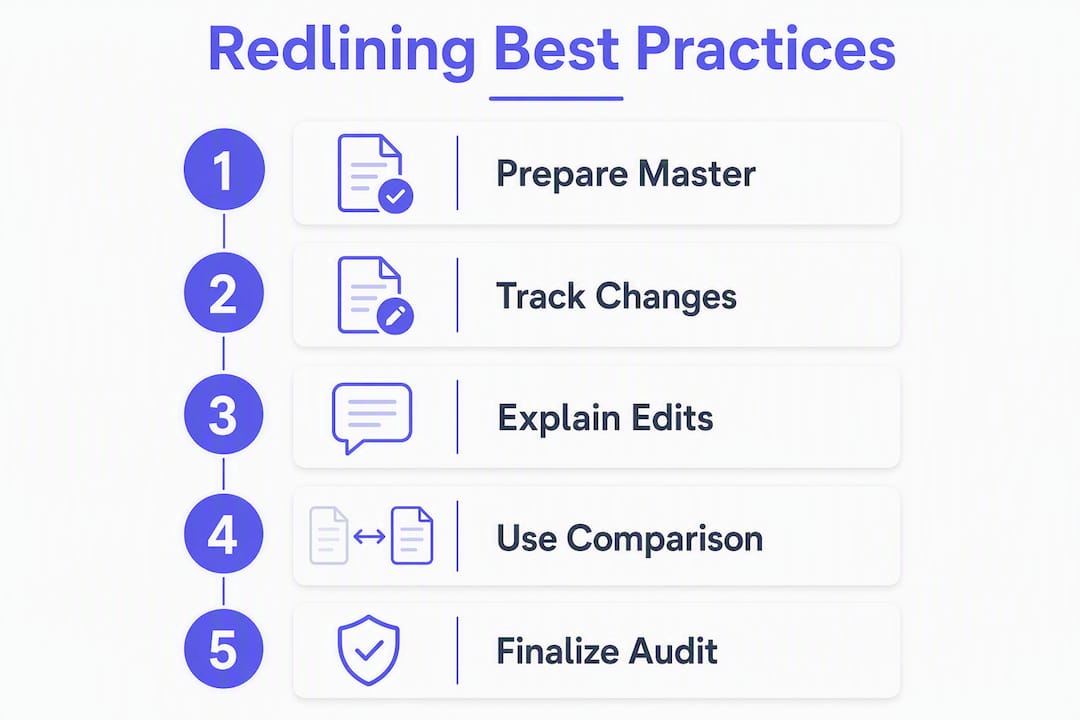
The job statement is simple. Redlining converts negotiation positions into an auditable, negotiable draft where every proposed change is traceable to its author, date, and rationale. That traceability is what makes the process legally defensible and commercially useful.
Why does the discipline matter for speed and risk? When edits are visible and explained, the counterparty can accept or reject each one independently. That reduces the number of rounds needed to reach agreement. When edits are hidden or unexplained, the counterparty has to guess at intent, which adds rounds, creates misunderstandings, and leaves exposure in clauses nobody flagged.

Common pitfalls that slow negotiations and create downstream risk
Most redlining failures are not legal errors. They are process failures. Recognizing them is the first step to cutting them out.
- Version confusion. Multiple files named “Final,” “Final v2,” and “Final REVISED” circulating by email. An outdated liability cap slips back into the draft because someone opened the wrong file. This is the most common source of substantive errors in commercial negotiations.
- Untracked or hidden edits. Someone accepts all changes to “clean up” the document, then makes additional edits without re-enabling Track Changes. The audit trail breaks. You cannot tell what was agreed and what was unilaterally inserted.
- Simultaneous editing. Two reviewers on your side edit the same draft concurrently and send conflicting versions. The counterparty receives contradictory positions and the internal merge creates lost context.
- Over-redlining. Editing every sentence for style, grammar, or preference on nonmaterial points. This signals inexperience, increases friction, and slows close. The real work is in material exposure — liability, IP, termination, payment — not in rewriting the recitals.
- Broken formatting and pagination. A table or section break change renumbers clauses and breaks cross-references. A defined term in Section 4.2 now points to the wrong provision, and neither party notices until the contract is executed.
“The contract redlining process should be collaborative, transparent, and efficient. Don’t assume that inefficiencies in the process are intentional or meaningful — help your counterparty understand what’s important to you and why.” — ContractNerds, Contract Redlining Etiquette®
Each of these failure modes has a direct fix in the best practices below.
Contract redlining best practices: the prioritized checklist
These are ordered by impact. The first three drive more value than everything else combined.
-
Work from a standard playbook. A playbook defines your preferred language, acceptable fallbacks, and walk-away positions for every material clause type. A disciplined playbook makes redlining faster and more consistent across deals because reviewers stop reinventing positions from scratch. Assign one owner to keep it current — typically legal ops or senior counsel.
-
Triage before you mark. Not every clause deserves the same attention. Prioritize in this order: limitation of liability, indemnities, IP ownership and license scope, termination rights, payment terms, and confidentiality. Accept boilerplate that does not shift risk.
-
Edit only in tracked changes, one issue at a time. Make incremental, single-issue edits so the counterparty can accept or reject each change independently. A single tracked change that rewrites three clauses simultaneously is impossible to negotiate efficiently.
-
Explain every substantive change with a margin comment. Comments function as the persuasive argument for the change — they help the counterparty accept edits faster. A good comment includes: the reason for the change, the business impact if rejected, and an acceptable fallback. The heart of negotiation often lives in the margin comments, not in the redlined text itself.
-
Send a clean copy with every redlined draft. The counterparty needs to read the contract as it would read if all your changes were accepted. A clean copy alongside the redline is standard practice and reduces confusion.
-
Keep version control strict. One source of truth. Consistent file names. Treat the last sender as the version owner. Track changes and consistent version naming reduce negotiation time and prevent errors from outdated drafts.
-
Use a standard markup convention. If your team uses color-coding (red for deletions, blue for additions) or prefix codes in comments (e.g.,
[LEGAL]:,[COMMERCIAL]:), apply them consistently. This helps the counterparty parse who is asking for what. -
Limit stylistic edits. Accept minor, nonmaterial wording where it helps move the deal. Every unnecessary redline signals that you have not triaged, and it gives the counterparty permission to push back on everything.
Sample comment templates for common asks:
- Liability cap: “We propose a liability cap of [X] because our insurance coverage is structured at this level. Acceptable fallback: mutual cap at [Y] with a carve-out for gross negligence.”
- IP ownership: “We need to retain ownership of pre-existing IP and any improvements to our platform. This is a business-critical position. Acceptable fallback: license back to [Counterparty] for the term of the agreement.”
- Termination notice: “We request 60 days’ written notice for convenience termination to allow adequate wind-down time. Acceptable fallback: 30 days with a transition assistance obligation.”
Pro Tip: Silent redlines — edits without explanatory comments — are a deliberate tactic, not a default. Use them sparingly, only after a prior explanation failed to move the counterparty. Overuse signals an uncooperative posture and typically adds rounds rather than shortening them. When you are stuck on a single clause after two exchanges, pick up the phone.
How to redline a contract from start to finish
A reproducible workflow removes the guesswork and keeps every negotiation on track.
-
Intake and triage. Record the contract type, counterparty, deal value, and required close date. Classify every clause as must-have, preferred, or nice-to-have. This classification drives every decision downstream.
-
Internal alignment. Before you send a single redline externally, sync with your stakeholders — commercial lead, finance, security/privacy if data processing is involved. Confirm playbook positions and fallback options. Aligning internally before sharing external redlines reduces rework and conflicting positions. A five-minute call prevents a three-round correction.
-
First pass: mechanical, then substantive. Run a spell check and formatting review first. Then do the substantive pass with Track Changes enabled throughout. Flag high-risk clauses first. Do not accept any changes from the counterparty’s prior draft until you have reviewed them.
-
Exchange protocol. Send the redline and clean copy together. Use a consistent file naming pattern:
COUNTERPARTY_DOCTYPE_v2026-03-15_redline.docxNever accept the counterparty’s edits in bulk. Review each tracked change individually before accepting or rejecting. -
Live negotiation call protocol. Assign one person to speak to each clause category. Record agreed concessions in real time — a shared notes document or a running comment in the draft works. Update the draft during the call so there is no ambiguity about what was agreed.
-
Endgame and close. Once all positions are resolved:
- Accept or reinstate edits as agreed, publicly in Track Changes
- Produce a clean executed copy
- Export a version comparison report if the deal warrants it
- Archive both the redline history and the final version in your contract repository with metadata: counterparty name, effective date, contract owner, renewal date
A note on version locking: Lock an untouched master version before manual edits begin and use a dedicated comparison tool rather than visual inspection to catch pagination and clause renumbering errors in complex deals. Visual review misses more than it catches.

Which tools actually help with redlining — and when to use each
The right tool depends on where you are in the workflow, not on which platform your IT team prefers.
- Microsoft Word (Track Changes): The default for most commercial negotiations. Track Changes records every insertion, deletion, and comment with author and timestamp. Use it for all substantive drafting and redlining. Enable it by default in your template files so it is never accidentally off.
- Adobe Acrobat (Compare / PDF markup): Use this when you receive a PDF contract or need to compare two versions across formats. The Compare Documents feature highlights differences that Track Changes would have missed — particularly useful for catching silent edits between versions. Not a substitute for Word-based redlining in active negotiations, but an essential verification tool.
- Contract lifecycle management (CLM) platforms: Purpose-built for high-volume, multi-deal environments. CLM tools centralize playbooks, automate clause libraries, and manage approval workflows. Best suited for legal ops teams running 50+ contracts per month.
- AI-assisted review tools (e.g., LexCheck): Designed for first-pass triage. These tools compare your draft against your playbook, flag high-risk clauses, and suggest fallback language. AI can automate the initial pass by comparing drafts against playbooks and flagging high-risk clauses, but human review remains necessary for material judgments.
- eSignature platforms (e.g., DocuSign): Used at close to execute the final clean copy. eSignature creates a tamper-evident audit trail and timestamps the execution.
When-to-use matrix:
| Redlining task | Tool category | Typical output | Key limitation |
|---|---|---|---|
| First-pass drafting and edits | Word processing (Track Changes) | Marked-up draft with comments | Requires manual version discipline |
| Cross-version comparison | PDF comparison tool | Difference report | Cannot negotiate directly in PDF |
| High-volume clause triage | AI-assisted review | Flagged clauses, playbook suggestions | Misses relational/contextual provisions |
| Multi-deal playbook enforcement | CLM platform | Standardized drafts, approval workflows | Setup cost; overkill for low volume |
| Final execution and archive | eSignature platform | Signed copy with audit trail | Not a drafting tool |
Operational checklist for tool use:
- Enable Track Changes by default in every contract template
- Standardize export formats (
.docxfor active negotiation, PDF for execution) - Preserve the clean copy at every version exchange
- Apply access controls when sharing redlined drafts externally — password protection or a secure sharing link, not an open email attachment
What research shows about AI-assisted redlining — and where human review is non-negotiable
AI has a real role in contract review. It also has real limits. Understanding both keeps you from over-relying on it in the wrong places.
AI accelerates the mechanical pass by flagging risky clauses and suggesting playbook language, but organizations need explicit review rules and logging to govern AI outputs. The speed gain on first-pass triage is genuine. The risk is treating AI suggestions as final positions.
Where AI helps:
- Comparing a draft against your playbook and highlighting deviations
- Batch processing for high-volume, lower-stakes contracts (NDAs, standard vendor agreements)
- Surfacing clause types that warrant escalation (data processing, auto-renewal, uncapped indemnities)
- Suggesting fallback language from your clause library
Where AI falls short:
- Relational provisions where context from prior negotiations matters
- Clause interplay — an AI may suggest a liability cap without checking whether it conflicts with the indemnity carve-outs three sections earlier
- Subtle semantics — “reasonable efforts” vs. “best efforts” carries different legal weight, and AI tools often treat them as equivalent
- Hallucinated clauses when the prompt or contract context is ambiguous
Recommended human review steps after any AI pass:
- Validate every AI suggestion against your playbook before accepting it
- Check clause interplay manually — especially indemnity vs. liability cap, and IP ownership vs. license scope
- Redact and vet any sensitive data before running a contract through an external AI tool
- Require lawyer sign-off on every material edit, regardless of whether AI proposed it
Pro Tip: Deploy AI for triage and batch checks on standard agreements. Reserve human review time for the clauses that actually move risk — liability, IP, termination, and data protection. That division of labor is where the time savings are real.
High-risk clauses to watch and when to escalate
Not all redlines carry the same stakes. These clause types create material exposure and warrant a defined escalation path.
Priority clause list:
- Limitation of liability and liability cap (especially uncapped carve-outs)
- Indemnification obligations (scope, triggers, defense obligations)
- Payment terms and late payment consequences
- IP ownership, license scope, and work-for-hire language
- Data protection, security obligations, and cross-border transfer restrictions
- Warranty scope and service level commitments
- Termination rights and auto-renewal clauses
- Governing law and dispute resolution (arbitration vs. litigation, venue)
Compliance-focused checks:
- Data processing language: confirm any cross-border transfer mechanism is current and compliant with applicable U.S. state privacy laws (CCPA, state equivalents) and any relevant federal requirements
- Industry-specific regulatory references: healthcare contracts need HIPAA-compliant language; financial services contracts may require specific regulatory assurances
- Auto-renewal clauses: confirm notice periods are commercially workable and flagged in your contract management system
Escalation protocol:
- Identify the threshold. Monetary threshold (e.g., any liability exposure above $500,000) or strategic threshold (any IP ownership transfer, any data processing obligation involving personal data).
- Loop in the right people. Commercial lead for deal economics, security/privacy officer for data obligations, CFO for financial exposure above threshold.
- Set a time-bound review. Escalations without a deadline stall negotiations. A 24–48 hour turnaround for most escalations is workable; flag anything requiring board-level sign-off separately.
- Document the decision. Record who approved the position, what fallback was authorized, and where the decision is stored in the contract record. A one-line entry in the contract management system is sufficient: “Liability cap of $250K approved by [Name], [Date]. Fallback: mutual cap at $500K authorized if deal requires.”
Finalizing the agreement: clean copy, audit trail, and archival
The endgame is where discipline pays off or falls apart. A clean close requires a short, specific checklist.
Finalization checklist:
- Accept or reinstate all agreed edits publicly in Track Changes — no silent acceptances
- Confirm the clean copy matches the agreed positions (run a final comparison against the last redline)
- Save the redline history as a separate file — do not overwrite it with the clean version
- Export a version comparison report for high-value or high-risk contracts
- Store both the redline history and the executed final in your contract repository
Signing and archival actions:
| Action | Recommended format | Metadata to capture |
|---|---|---|
| Execute the final agreement | PDF (signed via eSignature) | Counterparty, effective date, contract owner |
| Archive the redline history | .docx with Track Changes preserved |
Version number, last editor, date of each exchange |
| Store version comparison report | PDF export from comparison tool | Comparison date, versions compared |
| Set renewal/expiry alerts | Contract management system | Renewal date, notice period, auto-renewal clause reference |
The choices you make during redlining directly affect how fast you close and how clean your compliance record is. A well-maintained audit trail means that when a dispute arises six months post-execution, you can show exactly what was agreed, when, and by whom. That is the downstream value of embedded eSignature and automated handoff — the record is complete from first draft to executed copy.
Key Takeaways
Effective contract redlining comes down to one discipline: make every material edit visible, explain it, and keep one source of truth from first draft to executed copy.
| Point | Details |
|---|---|
| Playbook first | Build standard positions and fallbacks before you redline — it cuts rounds and keeps positions consistent. |
| Comments are the negotiation | Explain every substantive change with a reason, business impact, and fallback; this moves counterparties faster than the redline itself. |
| Version control prevents errors | Consistent file naming and a single source of truth stop outdated clauses from slipping back into executed contracts. |
| Triage to material clauses | Focus on liability, IP, indemnities, termination, and payment; accept nonmaterial wording that does not shift risk. |
| Trailercast for close | Trailercast’s embedded eSignature and deal rooms keep negotiation artifacts, sign-off, and post-close handoff in one workspace. |
The tradeoff nobody talks about in contract redlining
There is a version of “best practices” advice that treats redlining as a purely technical exercise: enable Track Changes, name your files correctly, send a clean copy. That advice is right, but it misses the harder problem.
The real challenge in most legal ops teams is not knowing what to do. It is getting commercial teams, sales, and external counsel to do it consistently. A playbook that lives in a shared drive and gets ignored is not a playbook. A comment template that one senior attorney uses and three junior reviewers have never seen is not a standard.
When I look at where negotiations actually stall, it is almost never a missing clause. It is a version control failure that nobody caught, or a comment that said “please revise” with no explanation, or a silent redline that the counterparty interpreted as bad faith. The process failures are the expensive ones.
My honest view: the single highest-leverage investment for most legal ops teams is not a new tool. It is a two-hour training session where you walk every reviewer through the comment template, the file naming convention, and the escalation threshold. Do that once, reinforce it on the next three deals, and your average negotiation round count will drop. The tools matter, but the habits matter more.
When you are deciding whether to keep pushing on a clause or accept a concession for time, the question is not “can we win this?” It is “what is the actual risk if we accept their language?” If the answer is “low, given the deal size and counterparty,” accept it and close. If the answer is “this creates uncapped exposure,” stand firm and escalate. That judgment call is what experienced contract managers get paid for — and it is the one thing AI cannot make for you.
Trailercast keeps your negotiation artifacts in one place
Most sales and legal teams manage contract negotiations across a patchwork of tools: a Word file here, a PDF comparison there, an email thread for comments, and a separate eSignature platform at close. The handoff between each step is where context gets lost and deals slow down.

Trailercast consolidates the stages that matter most for B2B deal teams. Decision Rooms give your champion and the buying committee a single, no-login workspace where contract documents, mutual action plans, and conversation threads live together. Embedded eSignature closes the deal in-app, and the moment a contract signs, an AI Handoff Brief fires to Customer Success with deal context, risk flags, and stakeholder notes — no separate email, no lost context.
For sales teams running multi-stakeholder deals, that consolidation cuts the space between conversations where deals typically stall. Start a free trial at trailercast.io — no credit card required.
Useful sources and further reading
- Contract Redlining Etiquette® — ContractNerds — The definitive practitioner guide to comment etiquette, silent redlines, and collaborative negotiation norms. Required reading for anyone who reviews commercial contracts regularly.
- Contract Redlining Best Practices — DocuSign Blog — Covers Track Changes mechanics, version naming, and the clean copy protocol with practical examples from commercial practice.
- Harvey AI Blog: 10 Contract Redlining Best Practices — Covers playbook creation, single-issue edits, and the mechanics of sending clean copies alongside redlines.