Talk Time Benchmarks and a 30 Day Conversation Intelligence Playbook

Most support teams generally have talk time per call lasting a few minutes, technical support tends to have somewhat longer talk times, and sales calls usually are shorter unless a demo is involved. The number matters less than what you do with it: segment talk time by call type, run a 30 day measurement window, and stop comparing raw averages across teams that handle completely different work.
TL;DR:
- Talk time varies significantly by call type, with support averaging 3 to 6 minutes and technical support often lasting 6 to 10 minutes, depending on complexity.
- Measuring talk time accurately requires excluding hold time and after-call work and ensuring the reporting definition aligns across tools to avoid misleading benchmarks.
- Analyzing trends in talk time alongside first contact resolution and customer satisfaction provides clearer insights into agent performance and routing issues.
- Automated conversation intelligence tools can track talk time, question ratios, and problematic moments, streamlining coaching and reducing manual review efforts.
- Segmenting data by call type and setting realistic upper bounds helps identify outliers and prevent quality deterioration when optimizing talk time.
Table of Contents
- What Counts as Talk Time (Definition and Formula)
- Talk Time Benchmarks by Call Type and Vertical
- How to Measure Talk Time Without Fooling Yourself
- What Your Talk Time Numbers Are Actually Telling You
- Reading Talk Time Alongside AHT, FCR, and Service Level
- Turning Talk Time Into Coaching With Conversation Intelligence
- What I’d Actually Watch If I Ran Your Floor
- Let TrailerCast Handle the Talk-Time Math For You
- Sources
- FAQ
What Counts as Talk Time (Definition and Formula)
Talk time is the active speaking time between an agent and a customer during a single handled call. The formula is simple: total talk seconds divided by number of handled calls, and that ratio is what Klipfolio uses as the standard benchmark definition. Getting the formula right isn’t the hard part. Getting teams to apply it the same way is.
Here’s what belongs inside the number, and what doesn’t:
- Include: the seconds an agent is actively speaking with or listening to a customer on a live connection.
- Exclude: hold time, after-call wrap work, and any resolution that happens entirely inside an IVR with no agent involved. OpsDog’s benchmarking guidance draws this line explicitly to keep talk time distinct from handle time.
- Watch for variants: APQC tracks a related cycle-time measure that folds in agent hold time, so confirm which definition your dashboard vendor is actually using before you compare against an industry number.
- Inbound vs. outbound: outbound dial attempts that never connect shouldn’t count toward your sample. Only connected, handled calls belong in the denominator.
If your reporting tool mixes hold time into “talk time” without telling you, every benchmark comparison you run afterward is comparing apples to a fruit basket.
Talk Time Benchmarks by Call Type and Vertical
There’s no universal target because a billing dispute and a security demo don’t share the same job. Complexity, compliance requirements, and whether a screen share is involved all push the number in different directions. Vertical benchmark data compiled by Callforce’s industry KPI tables and vendor summaries from VCC Live point to consistent patterns worth using as planning anchors:
- General customer support: roughly 180 to 360 seconds (3 to 6 minutes) per call. This is the widest-cited band across benchmarking sources.
- Technical support: commonly runs higher, often 6 to 10 minutes, because troubleshooting requires diagnostic questions and sometimes screen-share walkthroughs.
- Sales / outbound prospecting: typically shorter, often 2 to 4 minutes, since the goal is qualification and next steps rather than full resolution, a process streamlined using tools like the Sdr.
- Sales demos: the outlier. A live product walkthrough can run 20 to 45 minutes and shouldn’t be benchmarked against a support queue at all.
- Billing and account inquiries: usually 3 to 5 minutes, though compliance scripting (identity verification, disclosures) can push it longer in regulated industries.
Copy these bands into your planning doc as starting ranges, not fixed targets. A center running heavy self-service IVR deflection will naturally see agent talk time compress, while a technical support line supporting a complex product will run long by design and that’s not a problem to fix.
How to Measure Talk Time Without Fooling Yourself
Bad talk-time data usually isn’t a math error. It’s a reporting-cadence problem or a sample-size problem, and both are fixable with a little discipline.
- Set your cadence by purpose. Review talk time daily for operational triage, weekly for trend detection, and monthly when you’re making staffing or process decisions.
- Respect minimum sample sizes. Don’t act on a segment average until you’ve got a reasonable volume of handled calls behind it. A single bad-luck week of complex tickets can swing a small sample wildly.
- Segment the dashboard. Break talk time out by call type, product line, agent, and shift. A blended average across all four hides more than it reveals.
- Set ceiling alerts, not floor targets. Flag calls that blow past a reasonable ceiling for review rather than chasing a single “ideal” number.
- Automate the capture. Integrating your phone system, workforce management platform, and a conversation intelligence layer removes the manual tagging that makes most talk-time data unreliable in the first place, a point Klipfolio’s dashboarding guidance backs up directly.
Pro Tip: Before you trust any weekly talk-time trend, check the underlying call count for that segment. A “spike” built on eight calls isn’t a trend. It’s noise wearing a trend’s clothes.
What Your Talk Time Numbers Are Actually Telling You
A number moving up or down means nothing until you know why it moved. Long talk time paired with high first contact resolution is healthy work. Long talk time paired with rising repeat contacts is a knowledge gap or a routing problem. Short talk time looks efficient right up until customer satisfaction scores start sliding, which usually means agents are rushing rather than resolving.
Run the interpretation as an actual decision, not a gut check:
- Talk time rising, FCR flat or dropping: look at knowledge base gaps first. Agents are talking longer because they’re hunting for answers, not because the call is genuinely harder.
- Talk time rising, transfers rising too: this points to routing problems, not agent skill. Fix the queue logic before you touch coaching.
- Talk time falling, CSAT falling: agents may be closing calls before customers feel resolved. Pull call clips and check for premature wrap-ups.
- Talk time consistent but outcomes inconsistent: the issue is likely call structure, not duration. This is where question-to-statement ratio coaching earns its keep. Reps who ask more structural, open questions tend to run more productive calls even at similar length, a pattern Medallia’s coaching research has flagged repeatedly.
- Staffing math: talk time plus average hold and wrap time drives your handle-time forecast, and handle time drives headcount. Get the discovery call framework tightened before you assume you need more bodies.
Reading Talk Time Alongside AHT, FCR, and Service Level
Talk time is one input into Average Handle Time, not a replacement for it. AHT adds hold time and after-call wrap work on top of talk time, and Callforce’s benchmark tables put a common cross-industry AHT anchor around six minutes, with an 80/20 service-level norm sitting alongside it.
Here’s the tradeoff nobody puts on the dashboard: pushing talk time down without watching quality is how you accidentally tank first contact resolution and customer satisfaction in the same quarter. A shrinking average that looks great in a weekly report can mean agents are cutting calls short and generating repeat contacts a few days later.
- Composite check: talk time + FCR + CSAT + occupancy, reviewed together, not in isolation.
- Alarm rule worth setting: if talk time drops and FCR drops in the same period, treat it as a quality investigation, not a productivity win.
- Alarm rule worth setting: if rep talk share on a call regularly exceeds roughly 65%, treat that as a coaching flag rather than waiting for a customer complaint to surface it.
Turning Talk Time Into Coaching With Conversation Intelligence
Manually reviewing call recordings to build talk-time and talk-to-listen data doesn’t scale past a handful of agents. Automated transcription and moment detection change that math by generating talk time, question counts, and talk-to-listen ratios on every call without a QA analyst hand-tagging anything.
A workable weekly workflow looks like this:
- Automatic ceiling alarms: flag any call where rep talk share crosses roughly 65%, matching the alarm-not-target logic Klipfolio recommends for talk-time ratios.
- Coach-ready clips: surface the specific moment a call went sideways instead of asking a manager to scrub a 20 minute recording.
- Weekly trend reports: segment by call type automatically so nobody’s comparing a technical support queue against outbound prospecting.
Talk-time signal check: teams that segment calls by type before benchmarking catch actionable outliers faster than teams reading one blended average, according to Callforce’s benchmarking guidance.
This kind of automated capture is exactly the layer sales engagement analytics tooling is built to handle, and it’s also the backbone of how a platform like TrailerCast approaches discovery call review.
What I’d Actually Watch If I Ran Your Floor
Stop chasing a single ideal number.
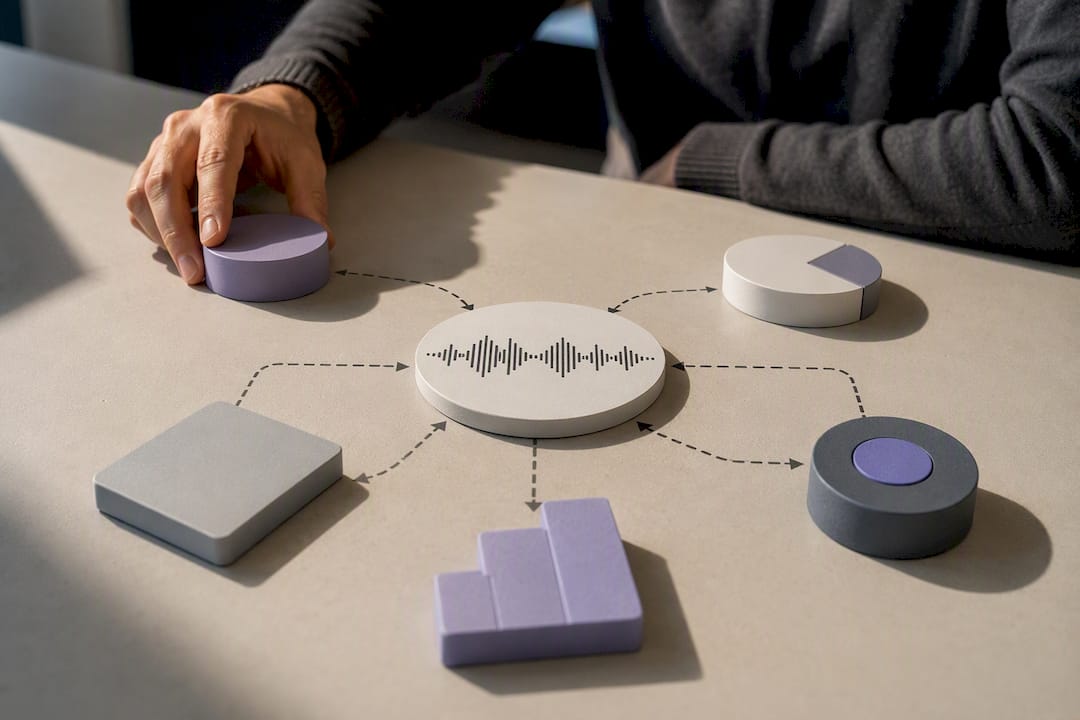
Segment before you benchmark anything. A blended average across support, technical, and sales calls tells you nothing actionable. It just feels like data.
Run a real experiment: a 30 day measurement window segmented by call type, then a focused 4 to 6 week coaching push on whatever outlier surfaces first. Most managers skip the measurement step and go straight to coaching guesses. That’s backward, and it’s why so many “talk time initiatives” quietly die after one quarter.
— Daniel
Let TrailerCast Handle the Talk-Time Math For You
Here’s the honest tradeoff: manual call review works fine for a handful of agents, but it falls apart the moment you’re trying to segment talk time across support, technical, sales, and billing queues at the same time. Certain platforms capture talk time, question-to-statement ratio, and call summaries automatically on every call, then surface specific clips worth coaching instead of requiring a manager to rewatch a full recording.

The platform’s conversation intelligence layer turns raw calls into structured talk-time data and weekly trend reports without extra tagging work, and it plugs directly into the same discovery call and coaching workflows described above. TrailerCast offers a free trial with no credit card required, so you can run your own 30 day measurement window before committing to anything. Check current TrailerCast pricing and start segmenting your talk-time data this week.
Sources
- Talk Time: Definition, formula, and KPI benchmarks | Klipfolio
- Average talk time in seconds, including agent hold time | APQC
- Call Center KPI Benchmarks by Industry + Dashboard 2026 | Callforce
FAQ
How Is Talk Time Calculated?
Talk time is calculated by dividing total talk seconds across handled calls by the number of handled calls, excluding hold time and after-call wrap work, per Klipfolio’s standard formula.
What Is Talk Time in a Call Center?
Talk time is the active duration an agent spends speaking with a customer during a live, connected call, distinct from hold time, wrap time, or IVR-only interactions.
What Is the Difference Between a Voice Call and Talk Time?
A voice call is the entire interaction, including ringing, hold, and IVR navigation, while talk time is only the segment where the agent and customer are actively speaking.
How Does Talk Time Work as a Performance Metric?
Talk time works best as a ceiling-based alarm rather than a fixed target. Set a reasonable upper bound by call type, then investigate any call or agent that consistently exceeds it, and pair the number with FCR and CSAT so you catch quality problems before they show up in customer complaints. Some tools automate that pairing by generating talk time and question-to-statement data on every call without manual tagging.
What Talk Time Should I Target for Support Calls?
Most general customer support calls fall between 3 and 6 minutes, while technical support commonly runs 6 to 10 minutes due to diagnostic questions, according to benchmark ranges compiled by Callforce and VCC Live.