AI in Deal Rooms: What It Does and How to Use It

AI in a deal room does one job well: it shows you what happens to your deal when you are not in the call. It tells you who opened the security packet, who skipped pricing, and which stakeholder has never shown up at all. It also shapes what each buyer sees, so the CFO is not digging through a technical appendix and the CISO is not wading through ROI slides. For a seller or sales engineer, that turns a shared folder into a deal signal you can act on. We built TrailerCast Decision Rooms around exactly that idea, inside the same workspace that holds your calls and demos.
TL;DR
- A deal room is one buyer-facing page for the whole deal. The AI layer adds tracking, personalization and a stage signal you can use in a forecast.
- The real gain is observability: you stop guessing who read what. Faster cycles and better multi-threading follow from that.
- AI works best when the deal room is fed by your calls and demos, so the content matches what buyers actually said.
- A deal room will not fix a weak sales process. It makes a good one visible.
- Before you roll one out, check buyer experience, workflow burden, CRM and eSignature integration, and how the AI handles access control.
Table of Contents
- What an AI deal room actually is
- The problem it solves: the space between calls
- How sales teams use AI in a deal room
- What a good AI deal room looks like in a live deal
- What to check before you roll it out
- Why the room only works with a sound process
- Our view
- Try it in your next deal
- FAQ
- Sources
What an AI deal room actually is
Strip away the vendor language and a deal room is a single, permanent link you share with the buying team. PulseRevOps describes it as one buyer-facing URL that holds the executive summary, pricing model, security documentation, integration notes, mutual action plan, references and contract paper. Analysts at ISG define a digital sales room the same way: one structured environment for the proposal, business case, demo recording, pricing assumptions, security documents, implementation plan and next steps.
A mutual action plan, if the term is new to you, is a shared checklist of the steps both sides must complete to get from evaluation to signed contract, with owners and dates.
That is the conventional version. The AI layer changes three things:
- It watches. It records who opened which asset and for how long.
- It adapts. It changes what each person sees based on who they are.
- It interprets. It converts that engagement into a stage signal that RevOps can put on a forecast.
ISG’s point is that this makes the room a revenue-signal layer, not a content repository. Same files, very different value to you.
The problem it solves: the space between calls
You know the pattern. The demo goes well. Your champion is sold. Then they walk back into a room you are not in, with a CFO who was not on the call, a CISO who needs answers that sit in a recording nobody will rewatch, and a PDF they are expected to re-sell from memory. The deal does not die in your meeting. It dies in an internal meeting you were not part of.
An email thread cannot fix that, because email gives you no view of who forwarded what to whom. A deal room can, because everything the buying committee needs sits in one place and every view is visible to you.
PulseRevOps makes a deliberately modest claim that we agree with: a deal room does not fix human politics, it fixes observability. When a buying committee evaluates inside a shared space, you stop guessing who has read the security packet and start knowing. Faster cycles, fewer surprise objections and better multi-threading come downstream of that.
How sales teams use AI in a deal room
There are four uses that matter for a seller or solutions consultant.
1. Organize everything the committee needs
The room should mirror the questions each stakeholder will ask. Typically that means a short executive summary for the economic buyer, pricing and business case for finance, security and integration documentation for IT and security, and a mutual action plan that shows everyone the path to signature. The AI helps by pulling this material out of your calls instead of making you rebuild it by hand after each one.

This is where connecting calls to the room pays off. In TrailerCast, the AI notetaker joins Zoom, Meet and Teams, produces structured summaries and action items, and builds an evolving Deal Brief across every call in the opportunity. What the buyer said on call two is already in the system when you build the room after call three.
2. Give each stakeholder something worth forwarding
Your champion should not have to re-sell your product from memory. A short video that covers only what the CFO cares about does that job better than a forty-five-minute recording. From a demo recording, TrailerCast’s AI picks the 8 to 15 minutes that mattered and stitches them into a branded trailer, which can be personalized per prospect and even per stakeholder: a CFO trailer that talks pricing, a CISO trailer that talks security. Drop those into the room and the champion has something to forward that does not need you to narrate it. If you want the finance angle in detail, our CFO demo guide covers how to structure it.
3. Read engagement by buying group, not by contact
One person opening a pricing page tells you little. Four people from three functions opening the security packet in the same week tells you the deal has moved into technical validation. Tracking engagement by buying group, not by individual, is what separates a signal from noise. We go deeper in tracking buyer engagement by buying group and in why RevOps should stack several signals per demo.
The useful questions are concrete:
- Has anyone outside the original contacts opened the room?
- Which assets were opened and which were ignored?
- Did the room go quiet right after pricing was viewed?
- Is a stakeholder you need, such as legal or security, still absent?
TrailerCast Decision Rooms are buyer-facing and include engagement analytics, so these answers are in front of you without a spreadsheet. For a closer look at what to measure, see our guide to sales engagement analytics and the notes on deal room analytics for buying groups.
4. Turn signals into the next action
A signal you only notice by chance is not much use. The room should prompt a move: a follow-up to the stakeholder who has not engaged, a tailored answer to the section someone reread three times, a nudge when the mutual action plan stalls. Our RevOps playbook on buyer engagement alerts lays out how to set those triggers so reps act on a few meaningful alerts instead of drowning in notifications.
What a good AI deal room looks like in a live deal
Here is a worked example of the flow, written as a scenario, not a customer story.
You run a discovery call with a VP of Operations at a 120-person logistics company. The notetaker captures it and the Deal Brief records that integration with their existing systems and a finance sign-off are the two blockers. After the demo, you create a trailer for the VP that covers the workflow, and a second one for the finance lead that covers pricing logic. Both go into the deal room next to a draft mutual action plan, a security overview and a reference.
Over the next week you can see the finance lead opened the pricing trailer twice, the security packet was opened by someone you have never met, and the action plan has not been touched. Your next step is obvious: offer the new security contact a short call, and ask your champion to confirm the plan’s dates. You did not guess. You saw.
When the buyer is ready, the signature step happens in the same place. TrailerCast embeds eSignature in the workspace, so the buyer does not leave the room to sign. If your team handles contracts with U.S. buyers, our explainer on UETA versus ESIGN covers what the signature rules mean for sales teams.
What to check before you roll it out
Analysts and practitioners agree on a few evaluation points. ISG’s framework scores vendors on buyer experience, seller workflow burden, engagement intelligence quality, integration with CRM, content, quoting and eSignature, and whether the AI guides action instead of merely summarizing activity. Turn that into questions for your own team:
| What to evaluate | The question to ask |
|---|---|
| Buyer experience | Can a buyer open the room on a phone, with no account or download, and find their section in seconds? |
| Seller workflow burden | Does the room get built from calls and demos you already have, or from scratch every time? |
| Engagement intelligence | Does it show activity by buying group and stakeholder role, not just page views? |
| Integration | Does the signal reach your CRM, and does signing happen in the same place? |
| Action guidance | Does it tell you what to do next, or only report what happened? |
Integration is where signals become forecasts
Engagement data is only worth the effort if it reaches the system your sales leader forecasts from. Connecting room activity to your CRM is a data-plumbing task as much as a sales one, and multi-channel funnels with AI content is one read on how AI tooling and funnel activity get wired together. The practical rule: decide up front which two or three engagement events (for example, security packet opened by a new stakeholder) should update a deal field, and ignore the rest.
Security and access control are part of the sale now
Your buyers are asking about AI governance, and the deal room is part of what they will review. B2B Notes reports that enterprise security reviews now include questions on AI agent identity, least privilege, audit logs and revocation, and that enterprise evaluation of an AI tool commonly runs six to fourteen weeks, with much of that time in the governance review.
For you as a seller, that means being ready to answer, in plain language:
- What data does the AI see, and who in the buying team can see which parts of the room?
- Is access to each asset controlled by role?
- Is AI-generated content reviewed by a person before it reaches a buyer?
- Is customer data used to train models?
Have those answers in the room’s security section before the buyer’s security lead asks. It shortens the review and it signals you take their risk seriously.
Keep a human in the loop on content
AI can draft summaries and pick demo moments quickly, but you own what the buyer reads. Read the executive summary before it goes out. Check that the trailer for finance quotes pricing you have actually offered. A room full of fast, slightly wrong content is worse than a thin one. Buyers also want to talk to a person: Gartner buyer research, as summarized by Ivri Tech, points to buyers who like to validate AI-generated insights with sales reps. The room supports your conversation. It does not replace it.
Why the room only works with a sound process
ISG analyst Barika Pace puts it bluntly in the same piece: a digital sales room will not repair a broken sales process. If sellers cannot manage stakeholders or build business cases, the room digitizes the weakness. If content is poor, the room makes it easier to find. If CRM data is unreliable, the integration will not create clarity.
So before you launch, do three things:
- Name the buying group. For each deal, list the roles you need: economic buyer, champion, technical evaluator, security, legal.
- Agree the content standard. One executive summary, one pricing explanation, one security overview, one reference. Keep each short.
- Define what a healthy room looks like. For instance: at least three roles engaged by the time of the technical review. Reps then know what to chase.
If your discovery calls are where multi-threading starts, the AI call notetaker for discovery calls and our playbook on AI sales calls for multi-stakeholder deals show how to capture stakeholders early so the room reflects them.
Our view
We built TrailerCast on one belief: the calls were never the problem, the space between them was.
Most teams run five tools across a deal. A recorder here, a video tool there, a room, a signature app, then a handoff doc written from memory. Each tool sees a slice, and nobody sees the deal. When the deal room is a separate product, it cannot learn from what the buyer said on the calls, so it fills with generic content.
Our approach is a single workspace where the AI follows the opportunity from first call to handoff. The Deal Brief remembers every call. The trailers come from the demo you actually gave. The Decision Room shows how the buying group engages, and the same workspace handles eSignature and the post-close handoff brief. That is why a deal room built this way can keep the deal coherent even when you are not in the room.
We also think pricing should be simple. There is one plan with every feature, so a sales engineer can build a room for a stakeholder without asking whether the feature is on their tier.
Daniel
Try it in your next deal
TrailerCast is one plan with every feature, from $59 per month per seat. It covers conversation intelligence, AI-edited demo trailers, buyer-facing Decision Rooms with engagement analytics, embedded eSignature and AI-generated handoff briefs in one workspace. If you want to see how a room fits into your own deal flow, start with the plan page.
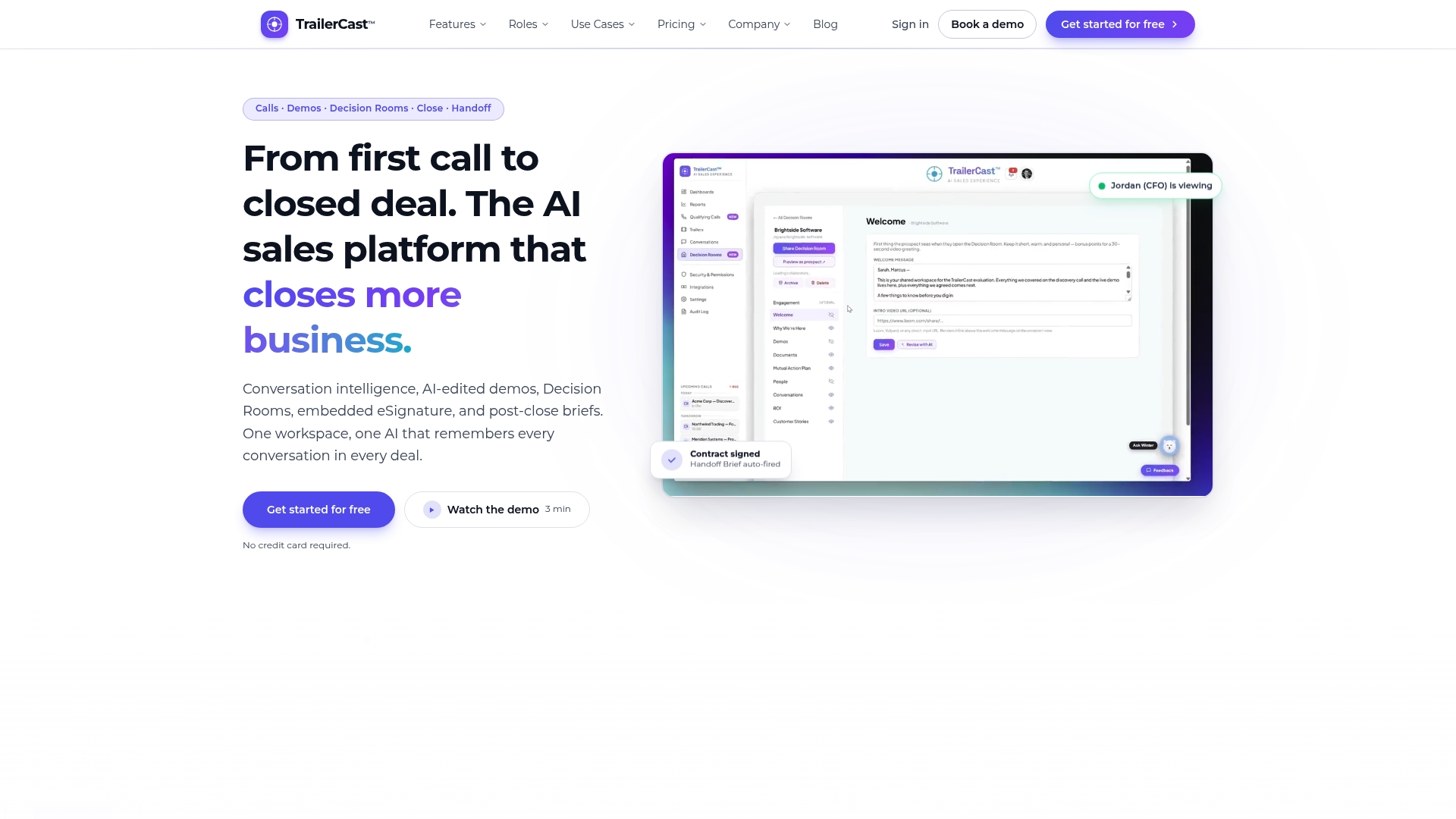
If you lead a team, the TrailerCast home page walks through the whole lifecycle from calls to handoff.
FAQ
What is the difference between a deal room and a shared folder?
A shared folder stores files. A deal room is organized around the buying committee, shows you who opened what, and can tailor content to each role. That engagement data is what turns it into a signal for your forecast.
Does an AI deal room replace the sales rep?
No. The room handles organization, tracking and personalization so you spend your time on conversations that matter. Buyers still want to validate what they read with a person, so the room works best as support for your calls.
Who in the buying group should see the room?
Everyone with influence on the decision: the champion, the economic buyer, technical evaluators, security and legal. Role-based views let each person find their material quickly, and engagement by group shows you who has not yet appeared.
What should I put in a deal room?
Start with an executive summary, pricing and business case, security and integration documentation, a mutual action plan, a reference and the contract. Add stakeholder-specific demo trailers so your champion has something to forward.
How do I know if the room is working?
Look at the number of roles engaged, whether new stakeholders have joined, and whether the action plan is moving. Our alerts playbook explains which signals are worth acting on.
Sources
- Why are GTM teams adopting AI-powered deal rooms (PulseRevOps)
- The Room Where It Happens: Digital Sales (ISG)
- The AI Agent Identity Gap Stalling B2B Deals (B2B Notes)
- B2B Buying Decisions: How Sellers Build Confidence (Ivri Tech)